[ Website ]
Website copywriting: how to write copy people actually read
Good website copy says what you do, who it is for and what to do next, all in the first screen. After that it is written to be scanned: clear headings, short paragraphs, plain words and buttons that say what happens when you press them.
By LAIN7 min read

Good website copy does three jobs in the first few seconds. It says what you do, who it is for and what to do next. After that it lets people scan, because most of them will. Write in plain, specific sentences, put the point first and give every button a label that says what happens when it is pressed.
Start with what you do and who it is for
Visitors decide fast. Nielsen Norman Group (NN/g) found that people often leave a page within 10 to 20 seconds, and that a clear value proposition is what holds their attention for longer. The first screen therefore carries the most important copy on the site.
A reliable formula for the main headline is what you do, for whom. Use the line under it for the outcome or the difference.
| Vague | Specific |
|---|---|
| Innovative solutions for a changing world | We build websites for logistics companies |
| Your trusted partner in growth | Bookkeeping for freelancers and small studios |
| Quality you can rely on | Oak furniture, finished by hand and made to order |
| Welcome to our website | Interior design for homes and small offices |
Here is a test. Show the headline to someone outside your industry, without your logo, and ask what the company does. If they cannot tell, rewrite it. NN/g suggests the same exercise for taglines.
Write for people who scan
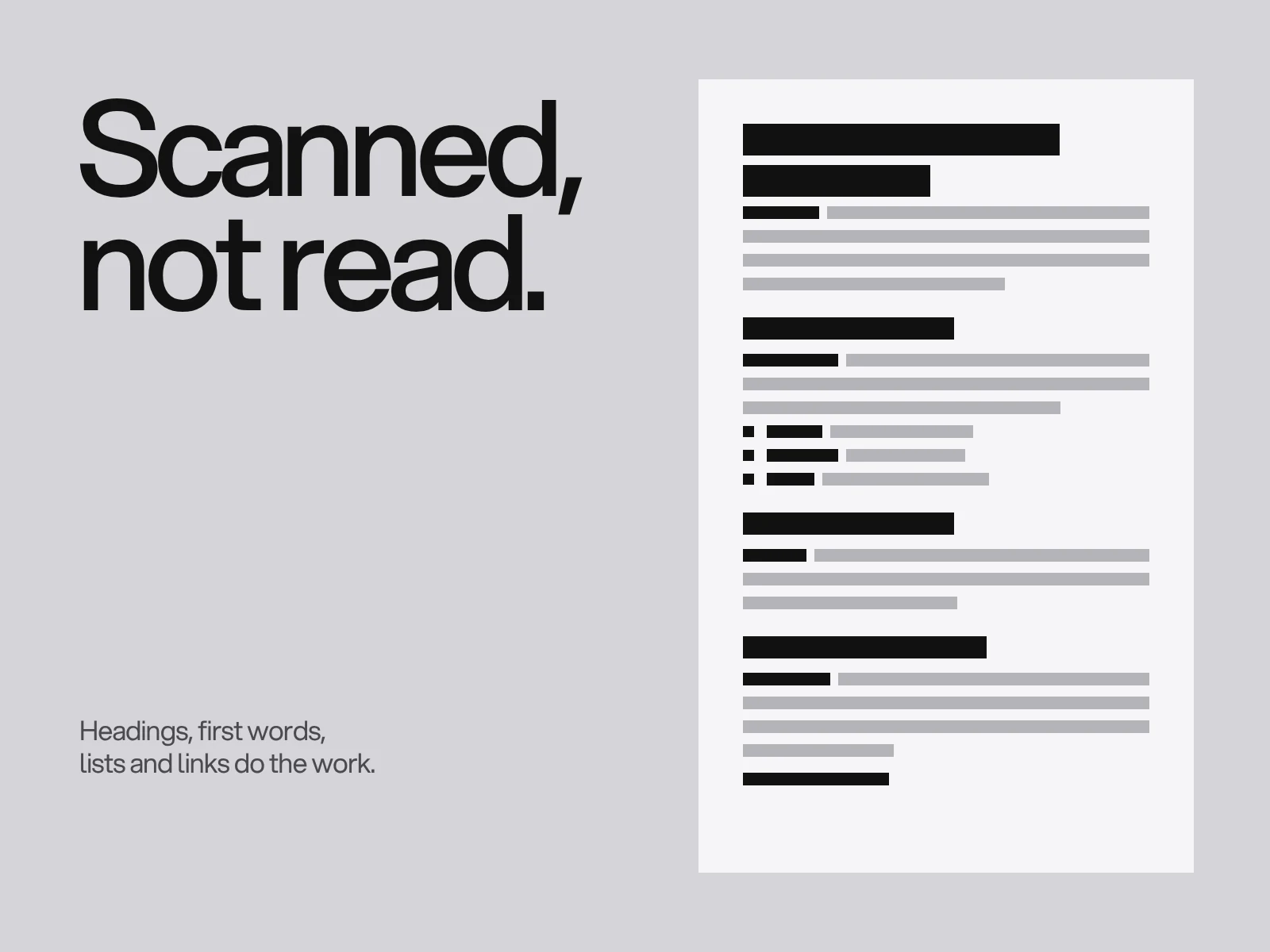
NN/g's research, which started in 1997, found that 79 percent of test users always scanned a new page and only 16 percent read it word by word. A later NN/g analysis estimated that on an average page a visitor has time to read at most 28 percent of the words, and 20 percent is more likely. The exact figures are old, but NN/g's later eyetracking work found the same scanning habit.
That changes how you write:
- Headings that say something. "Websites for logistics companies" works as a signpost. "Our approach" does not.
- One idea per paragraph, two to four short lines, with the point in the first sentence.
- Lists for steps, features and options. A skimmer sees a list as a unit.
- Bold only the few words nobody should miss.
- Front-load. Start a heading or a link with the word that matters most.
Say it plainly
Short sentences are easier to read on a small screen. A common guideline, and a rule of thumb rather than a law, is an average of about 20 words or fewer. For reading level, WCAG 3.1.5 (a level AAA criterion) asks for a simpler version when text needs more reading ability than lower secondary education, roughly nine years of school. Most business sites do not aim for AAA, but the target is a useful one: if a bright 14 year old can follow it, an expert will read it faster.
Some habits that get you there:
- Use your customers' words, not your internal ones. If clients say "website", do not write "digital presence".
- Write "you" more than "we". The page is about the reader.
- Prefer a fact to an adjective. "Ships in two days" beats "fast delivery". "Fixed price, agreed before we start" beats "transparent pricing".
- Cut the filler. "Very", "really", "solutions", "cutting-edge" and "world-class" add length and no information.
- Claim only what you can show. Numbers, awards and client names must be real and current.
Headlines, buttons and links
A headline is a promise, and the rest of the section keeps it. Make it specific enough that a competitor could not use it unchanged.
A button is a small piece of copy with a big job. Say what happens next, with a verb and an object: Book a call, Get the price list, Send my brief. Avoid "Submit" and "Learn more", which tell the visitor nothing.
Links need the same care. Google uses link text to understand what the target page is about, and screen reader users often browse a list of links without the surrounding text. "Read the website accessibility checklist" works. "Click here" does not.
What each page needs
Every page has one reader and one job. A short brief for the main pages:
- Home. What you do, for whom, proof and one next step. See homepage design best practices.
- Services. One block per service: who it is for, what is included, how long it takes, and a link to the next step.
- About. Why you exist and who does the work, in a few specific facts. Skip the corporate history.
- Case studies or work. The problem, what you did and what changed, with real material.
- Contact. What happens after the form is sent and how soon they will hear back.
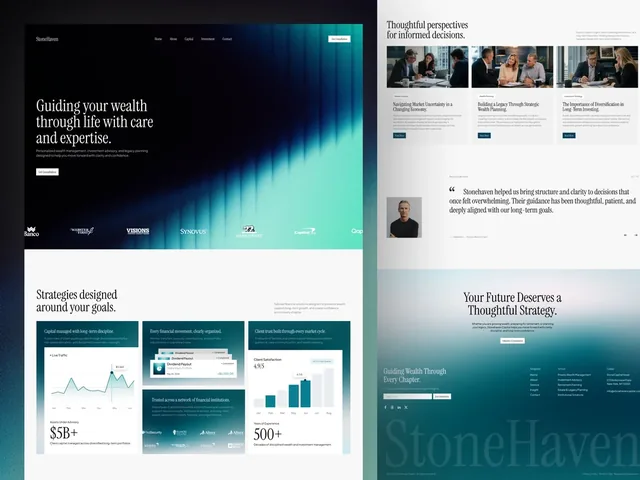
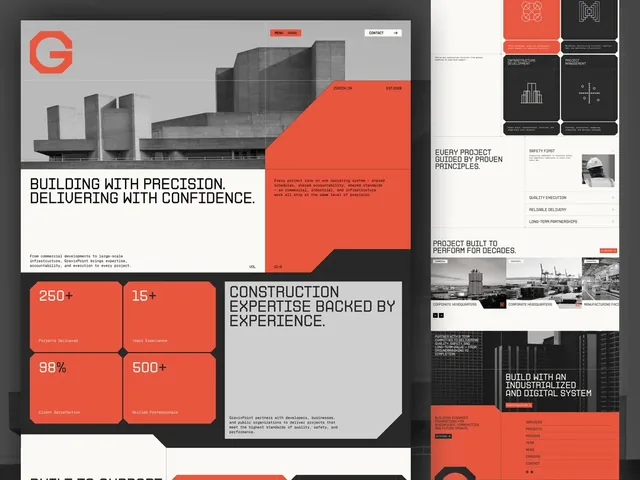
Strong copy often boils the offer down to a few words. On the StoneHaven wealth management website, the About page reduces what the firm does to three verbs, Adapt, Grow and Preserve, and each gets a short card. A construction company site such as GravixPoint has the same job: say plainly what is built, and for whom.
Edit it down
Write a rough first draft, then cut. Read it aloud, and wherever you run out of breath, split the sentence. Delete any sentence that still works after you take out a word, then any that works after you take out a clause.
Editing pays. In a 1997 NN/g experiment, five versions of the same site were tested. The version that combined concise text, a scannable layout and an objective, less promotional tone measured 124 percent better on usability than the original, at roughly half the length. It was a small study of one site and it is decades old, so treat the number as a signal, not a promise.
For tone across channels, keep a short voice guide. The brand guidelines article covers what goes in it.
Write the copy before the layout
A layout drawn around placeholder text breaks the first time real words arrive: the headline is twice as long, the button label is different, the third service needs a paragraph. That is why late content is one of the most common reasons a project slips, as we describe in how long a website takes.
Before design starts, agree these five things:
- The one-sentence description of what you do, and for whom.
- The main headline and supporting line for each key page.
- The names of the pages and the main buttons.
- The proof you can show: projects, quotes, numbers you can stand behind.
- Who writes, who approves, and by when.
At LAIN the first phase of a website project, Alignment, covers your goals, research and a questionnaire. That is the right moment to settle the message too. If you want help with it before the design starts, start a project.
Frequently asked questions
What is website copywriting?
Website copywriting is writing the words on a website so that visitors understand what you offer and take a next step. It covers headlines, page text, button labels, menus and form instructions. Good copy is clear first and clever second.
How long should website copy be?
As long as it takes to answer the visitor's questions, and no longer. A home page can work with a headline, a supporting line and a few short blocks, while a service page may need several hundred words. Read each paragraph and ask whether a customer would miss it if it were gone.
Why do people scan instead of reading web pages?
Visitors want to know quickly whether a page is useful, and a page offers many other places to go. Nielsen Norman Group has found since 1997 that most users scan new pages and only a small share read word by word. Clear headings, short paragraphs and lists suit that behaviour.
What reading level should website copy aim for?
Plain language that a general audience can follow without effort. WCAG success criterion 3.1.5, a level AAA rule, refers to lower secondary education, about nine years of school, as the point above which a simpler version should be offered. Short sentences and common words get you there.
Should I write the copy myself or hire a copywriter?
You know your customers and a copywriter knows how to shape the words. Many businesses write a rough version themselves and have it edited, which keeps the facts accurate and the voice natural. Whoever writes it, finish the key pages before the design is locked.
How do I write a good call to action button?
Use a verb and say what happens next, such as Book a call or Get the price list. Avoid Submit and Learn more. Use the same wording each time the same action appears.
Sources and fact check
Facts in this article that come from outside LAIN were checked on 28 Oct 2026 against:
- Nielsen Norman Group: How Users Read on the Web
- Nielsen Norman Group: How Little Do Users Read?
- Nielsen Norman Group: Concise, Scannable, and Objective: How to Write for the Web
- Nielsen Norman Group: How Long Do Users Stay on Web Pages?
- W3C: Understanding SC 3.1.5 Reading Level (Level AAA)
Timelines, services and process described here are LAIN's own, as set out on our About and FAQ pages.
[ From our work ]
[ Keep reading ]