[ Website ]
A website accessibility checklist with the measuring rules behind every pass and fail
Accessibility checklists fail because "good contrast" hides the rule that decides pass or fail. Six mechanical errors make up 96% of what scanners find on home pages, and WCAG 2.2 AA adds checks that hit sticky headers, small targets and login forms. Test the measured rule, not the slogan.
By LAIN12 min read
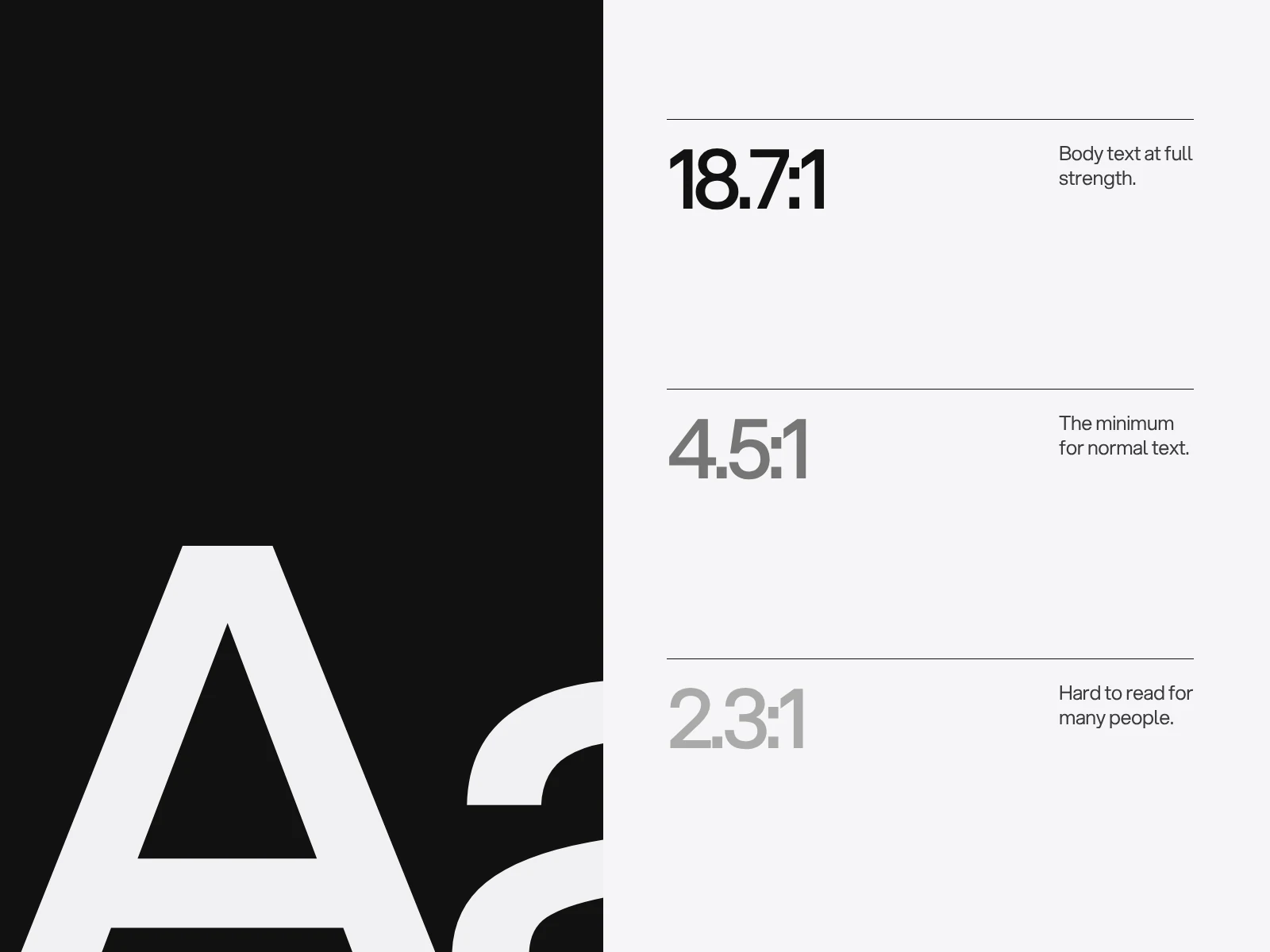
Most accessibility checklists restate the standard in friendlier words. But "good contrast" hides the rule that decides pass or fail: how the ratio is calculated, what is measured, and whether it rounds. This guide keeps the checklist and adds those rules, with the arithmetic worked out, so a designer, a developer and a tester all check the same thing.
What fails on real websites
WebAIM's 2026 scan of one million home pages found detectable WCAG 2 failures on 95.9% of them, an average of 56.1 errors per page. Six error types made up 96% of everything found.
| Error (WebAIM Million, February 2026) | Home pages affected | Where it is decided |
|---|---|---|
| Low contrast text | 83.9% | The palette, and text laid over images |
| Missing alternative text | 53.1% | Content process |
| Missing form labels | 51.0% | The form component |
| Empty links | 46.3% | Icon links built without a name |
| Empty buttons | 30.6% | Icon buttons built without a name |
| Missing document language | 13.5% | One attribute in the template |
The biggest failure, contrast, is a design decision made before any code exists. All six are also things a scanner can see, which is why they dominate the counts. The failures a scanner cannot see come later.
Which standard you are held to
The reference is WCAG 2.2, a W3C Recommendation since October 2023. It adds nine success criteria to 2.1 and removes one, the obsolete 4.1.1 Parsing. Six of the nine are at level A or AA (2.4.11, 2.5.7, 2.5.8, 3.2.6, 3.3.7, 3.3.8) and three are AAA.
Law lags the standard. The yardstick for the European Accessibility Act is EN 301 549, and the version in force (V3.2.1, 2021) is built on WCAG 2.1. V4.1.1 moves it to WCAG 2.2 level AA and was published on 2 September 2026, but it creates a presumption of conformity only once cited in the Official Journal, expected on 16 December 2026. Many other laws still cite 2.1, and WCAG 3 is a working draft that W3C says will not replace WCAG 2 for several years.
So design to WCAG 2.2 AA now; it covers everything in 2.1 AA except the dropped parsing rule. The Act has applied since 28 June 2025 and covers selling to consumers through a website or app. Microenterprises providing services (under ten people, turnover or balance sheet up to EUR 2 million) are outside it, and service contracts signed before that date may run unchanged until 28 June 2030. Commentary differs on how complete the microenterprise relief is and national laws vary, so confirm your position. This is a design guide, not legal advice.
Contrast: how the number is measured
The ratio is (L1 + 0.05) / (L2 + 0.05), where L is the relative luminance of the lighter and darker colour, calculated from sRGB values. Normal text needs 4.5:1. Large text, which is 18 point or 14 point bold (about 24 px and 18.5 px), needs 3:1, and so do the parts of a control you need to see and the focus indicator.
The result is not rounded. W3C says 4.499:1 fails, and gives no tolerance. The grey that shows how thin the margin is: #777777 on white is 4.48:1 and fails, while #767676 is 4.54:1 and passes. One step in each channel flips the verdict, which is why you test the exact value that ships.
What counts as the background is the worst place under the text. For text over a photo or gradient, W3C's failure technique F83 says to check the lightest area (for light text) or darkest area (for dark text) behind the words, and fail the text only if that check and a per-letter check both fail. A "30 to 40% dark overlay" is a rule of thumb that only works for some photographs. Computed for white text with a black overlay, in the sRGB values CSS actually blends:
| Lightest pixel under the text | Black overlay needed for 4.5:1 |
|---|---|
| #ffffff (sky, white wall) | 54% |
| #e6e6e6 | 49% |
| #cccccc | 42% |
| #b3b3b3 | 34% |
| #999999 | 23% |
Measure the lightest pixel under each line, then add the overlay, then measure again.
Smaller rules that catch people. Placeholder text and hover text count as text. Disabled controls are exempt. A control needs a 3:1 boundary only when nothing else identifies it: a pale border on an empty field is the only cue, so it must pass, while a button with a clear label needs none. The browser's default focus ring is exempt from the ratio but must still be visible.
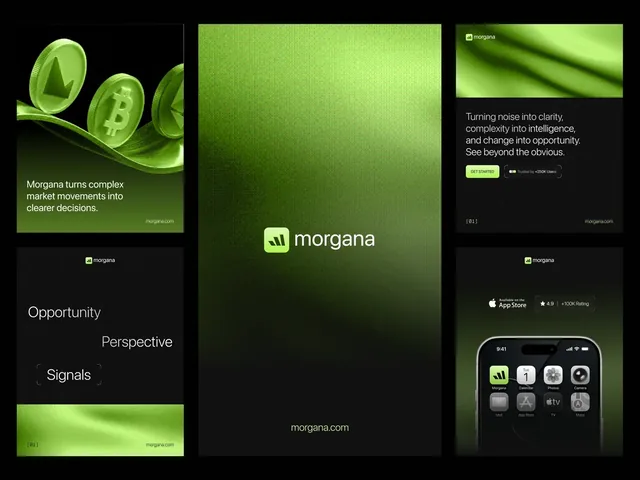
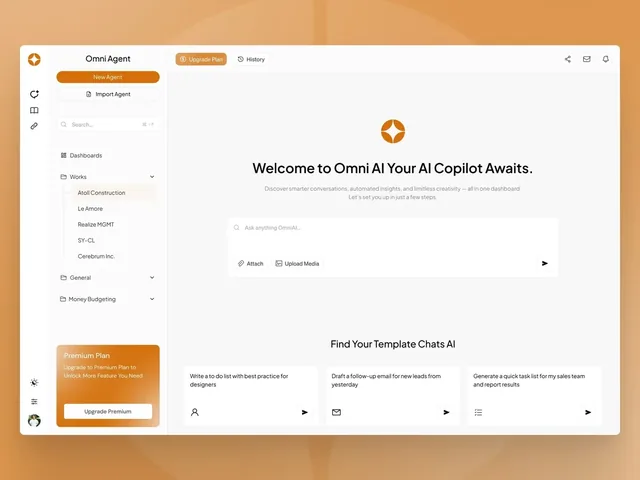
Brand colours are where this bites. These ratios are our arithmetic on swatches published on three of our case pages. They say nothing about how those sites use the colours, only what the pairs would score.
| Pair | Ratio | 4.5:1 text | 3:1 large text or UI |
|---|---|---|---|
| Ink #101010 on lime #acf44d (Morgana signal colour) | 14.3 | Pass | Pass |
| Lime #acf44d on white | 1.3 | Fail | Fail |
| White on orange #d46f0a (Omni Agent buttons and lines) | 3.5 | Fail | Pass |
| Black on orange #d46f0a | 6.1 | Pass | Pass |
| Orange #e8553e on paper #faf9f5 (GravixPoint signal) | 3.4 | Fail | Pass |
| Charcoal #272727 on paper #faf9f5 | 14.2 | Pass | Pass |
The pattern: a saturated accent works as a ground, a large shape or a button boundary, and carries small text only in dark ink. See choosing brand colours and fonts for building a palette that way.
Keyboard and focus
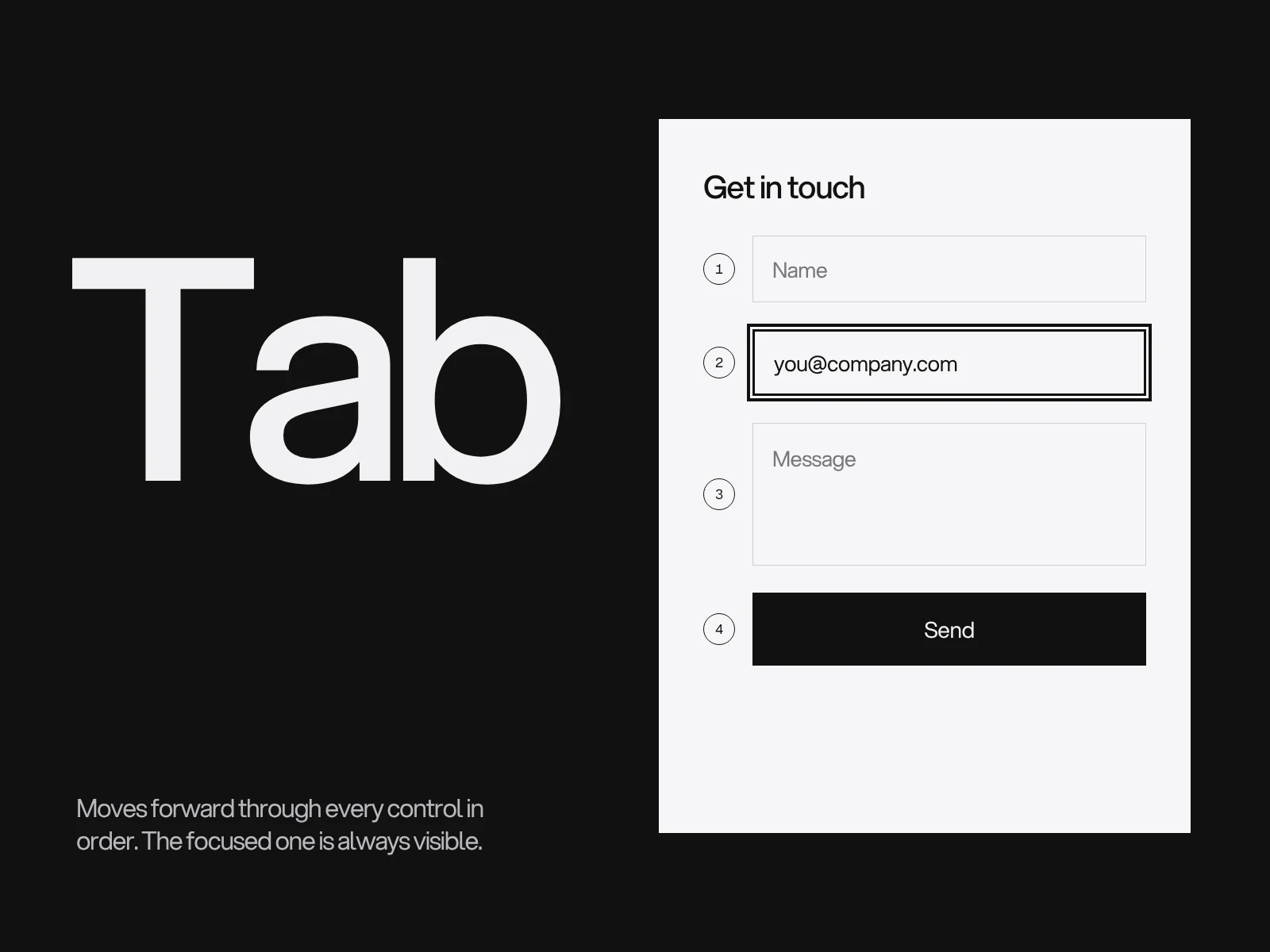
Everything a pointer does must work from the keyboard, and the focused control must be visible (2.4.7). WCAG 2.2 adds the rule that catches modern layouts.
2.4.11 Focus Not Obscured (Minimum), level AA: a focused component must not be entirely hidden by author-created content. Partial overlap passes at AA; the AAA twin, 2.4.12, allows none. A sticky header, a sticky footer or a cookie banner that fully covers the focused link is the named failure (F110),, in our reading because a browser scrolls a focused element into view but not clear of a fixed bar. The sufficient technique is CSS scroll-padding set to the bar's height; if the height changes, measure it with a script and write it to a CSS variable. Test with header, footer and banner all showing.
2.5.7 Dragging Movements, level AA: anything done by dragging also needs a single-pointer alternative. For a carousel that means visible or hidden Previous and Next buttons; for a slider, a click on the track; for a map, pan buttons. Swiping is not an alternative, because it is itself a path-based gesture.
Also check:
- A skip link that works. Only 17.1% of home pages had one in WebAIM's 2026 scan, and about one in ten of those was broken. It must move focus, not just scroll.
- Moving content. Content that starts by itself and lasts over five seconds needs a pause control (2.2.2, level A). Parallax falls under 2.3.3, which is AAA and so not required at AA, but honouring
prefers-reduced-motionis W3C's sufficient technique and the right default.
Target size: the 24 pixel circle
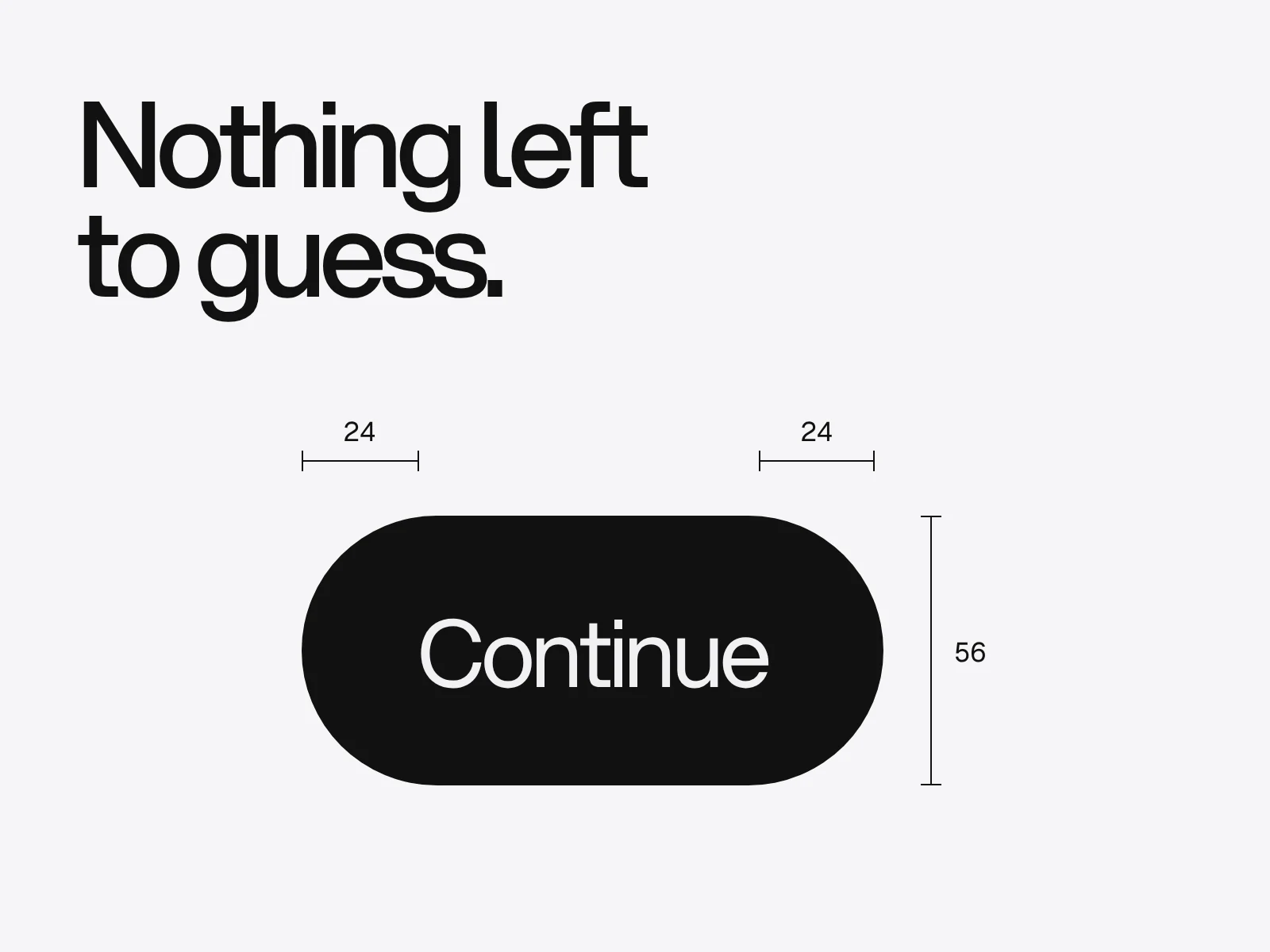
2.5.8 Target Size (Minimum), level AA asks for pointer targets of at least 24 by 24 CSS pixels. Smaller targets pass only through one of five exceptions: spacing, an equivalent control elsewhere on the page, a link inside a sentence, a size set by the browser, or an essential presentation.
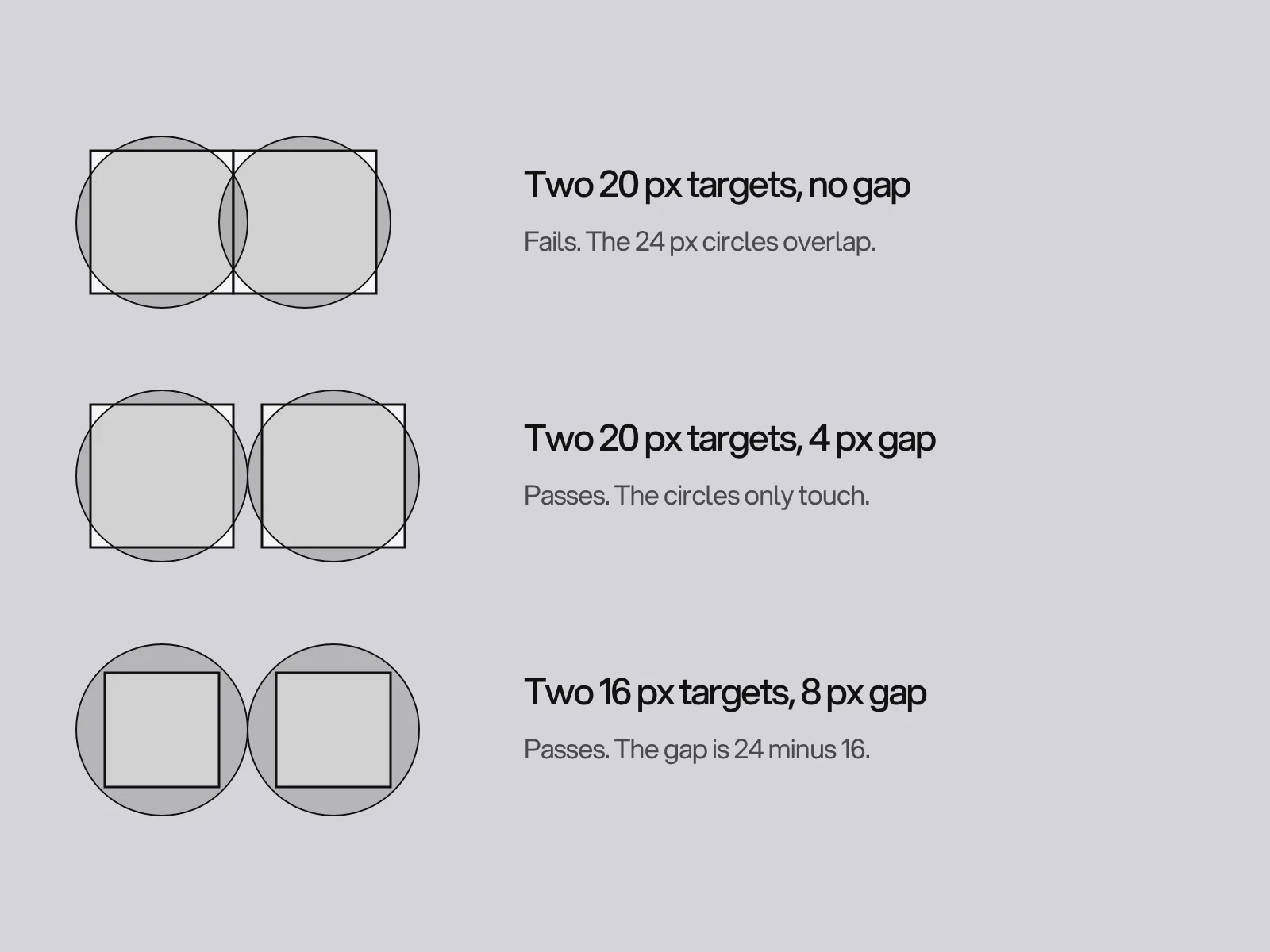
The spacing exception is geometric. Draw a 24 px circle centred on each undersized target. The target passes if its circle crosses no other target and no other undersized target's circle. That makes the gap a calculation, not a feel:
| Undersized target | Gap needed to another undersized target of the same size | Gap needed to a 24 px or larger target |
|---|---|---|
| 16 px | 8 px | 4 px |
| 18 px | 6 px | 3 px |
| 20 px | 4 px | 2 px |
| 22 px | 2 px | 1 px |
The gap to another undersized target is 24 minus the size, because the circle centres must be 24 px apart. The gap to a full-size target is 12 minus half the size. W3C's own examples agree: 20 px buttons with 4 px gaps pass, 16 px buttons abutting a large target need a 4 px gap, and two rows of 16 px buttons 1 px apart fail. Stacked footer links and icon toolbars are where this fails in practice. The 44 px size is a stricter rule (2.5.5, level AAA) that platform guidance leans on; see mobile app design.
Forms, names and login
Visible labels and errors in words next to the field are the basics; website forms that convert covers the layout. WCAG adds four checks that are easy to miss.
- Label in Name (2.5.3, level A): the accessible name must contain the visible text. A button that shows "Send" but has an
aria-labelof "Submit" cannot be activated by a speech user who says "click Send". Start the name with the visible words. - Redundant Entry (3.3.7, level A): information the user already gave in the same process must be pre-filled or selectable. The standard case is "billing address same as shipping", and a payment error should not clear the card number already typed. Browser autofill does not count, because the site itself must supply the data.
- Accessible Authentication (3.3.8, level AA): a login step must not rely on remembering or transcribing, unless there is a way around it. Passing means allowing password managers (correct input types and autocomplete) and allowing paste. Failing means blocking paste, splitting a six-digit code across single-character boxes that reject a pasted code, or a CAPTCHA that needs a transcribed audio clip. In WebAIM's 2024 screen reader survey (1,539 respondents), CAPTCHA was the most problematic item by a notable margin.
- Consistent Help (3.2.6, level A): if a help route repeats across pages (contact details, a chat, an FAQ link), it must sit in the same order relative to the other content each time.
Structure, and the ARIA trap
Headings are navigation: 71.6% of screen reader users said they would first move through a long page by its headings (WebAIM survey, 2024). Keep one h1 and nested levels, descriptive link text and a text alternative for every meaningful image. Reflow (1.4.10, level AA) means the page must work at 320 CSS px wide, a 1280 px window at 400% zoom, without scrolling in two directions.
The trap is reaching for ARIA first. In WebAIM's 2026 data 82.7% of home pages used ARIA, and those pages averaged 59.1 errors against 42 for pages without it. WebAIM notes that complex pages use more ARIA, so this is correlation, not proof. The working rule still holds: use a native button, link or input first, and add ARIA only for what native elements cannot express.
What scanners can and cannot see
Estimates of automated coverage differ because they count different things. Deque's 2021 analysis of more than 2,000 audits, 13,000 pages and nearly 300,000 issues found automated testing completely covered 57% of issues by volume. The older 20 to 30% figure counts the share of WCAG criteria tools can test. Deque sells the tooling it measured, so treat 57% as a ceiling. A scanner reliably finds the six mechanical errors above and cannot judge whether alt text is accurate, the focus order makes sense, or a visible label matches its accessible name.
Do not buy a plug-in as a shortcut. In April 2025 the US Federal Trade Commission finalised an order requiring accessiBe to pay 1 million US dollars and barring it from claiming its automated product can make any website WCAG compliant without evidence.
A test you can run in an hour
| Test | Passes when |
|---|---|
| Tab through home, contact and one form with the header, footer and cookie banner showing | Every focus stop is visible and never fully covered, the order matches reading order, and you can leave every control |
| Sample the lightest and darkest pixel under text on images | 4.5:1 for normal text, 3:1 for large text and focus rings |
| Measure every icon button and stacked link | 24 px, or the circle test passes |
| Paste a password and a six-digit code | The whole value is accepted |
| Compare each visible label with its accessible name in the browser's accessibility panel | The visible words are inside the name |
| Zoom the window to 400% (320 CSS px wide) | No sideways scrolling, nothing lost |
| Switch on the operating system's reduce-motion setting | Parallax and auto-moving content stop |
| Listen to one page with VoiceOver or TalkBack | Headings, links and buttons make sense out of context |
Where this goes wrong
- The palette passes in the design file and fails on the page. Swatches are tested alone, but contrast belongs to pairs in states: hover text, placeholders, text over a photo that changes with the CMS. Define text-on-surface pairs as tokens, test the pairs, and sample rendered screenshots.
- Sticky elements arrive late. A cookie banner or chat bubble added after design review is the usual cause of a 2.4.11 failure, because nobody tabbed through the page with it open. Tab with everything showing.
- Custom widgets built from generic elements. A div acting as a button has no name, no key handling and no focus, and ARIA patched on top rarely restores all three. The keyboard test finds it; the fix is the native element.
- An overlay is bought to close the gap. It changes the surface, not the markup, and the FTC order shows the claim itself does not hold up.
Build it in, then test it
Most of this is cheapest at the point of choosing the palette, the type scale and the components. In a website project the natural places are the creative development phase (pairs, states, focus and error styles, target sizes) and the refinement phase (a keyboard and zoom pass on the built pages). If you want a second pair of eyes on an existing site, send us the link.
Frequently asked questions
Which WCAG version and level should a business website meet?
WCAG 2.2 level AA. It includes everything in 2.1 AA except the obsolete 4.1.1 Parsing rule and adds six new level A and AA criteria. Many laws still name 2.1, and the European standard EN 301 549 moves from 2.1 to 2.2 once its new version is cited in the Official Journal, expected on 16 December 2026.
Does 4.499:1 count as passing 4.5:1 contrast?
No. WCAG says computed contrast ratios must not be rounded, so 4.499:1 fails 4.5:1 and 2.999:1 fails 3:1. As an example, #767676 on white is 4.54:1 and passes, while #777777 is 4.48:1 and fails.
How large do buttons and icons have to be under WCAG 2.2?
Pointer targets must be at least 24 by 24 CSS pixels (2.5.8, level AA). A smaller target passes if a 24 px circle centred on it crosses no other target and no other undersized target's circle. Two 20 px buttons need a 4 px gap, and two 16 px buttons need 8 px. Links inside sentences are exempt.
Why does a sticky header fail WCAG 2.2?
Success criterion 2.4.11 says a focused element must not be entirely hidden by author-created content. A sticky header, footer or cookie banner that fully covers the link a keyboard user has reached fails it. Setting CSS scroll-padding to the bar height is the sufficient technique, and partial overlap is allowed at level AA.
Can an automated scanner or overlay make my site accessible?
No. Deque found automated tools completely covered 57% of issues by volume across 13,000 pages, a figure from a vendor, and the older estimate is 20 to 30% of criteria. Scanners cannot judge alt text accuracy or focus order. The FTC finalised an order against accessiBe in April 2025 barring unsupported claims that its automated tool makes any site WCAG compliant.
Can I stop users pasting into a login or code field?
Not without failing WCAG 2.2 criterion 3.3.8 at level AA, unless you offer another login method without a memory or transcription test. Blocking paste, or splitting a six-digit code into single boxes that reject a pasted value, are the standard failures. Allow paste and password managers.
Sources and fact check
Facts in this article that come from outside LAIN were checked on 28 Oct 2026 against:
- W3C: Understanding Success Criterion 2.5.8 Target Size (Minimum)
- W3C: Understanding Success Criterion 1.4.3 Contrast (Minimum)
- W3C: Understanding Success Criterion 1.4.11 Non-text Contrast
- W3C: Understanding Success Criterion 2.4.11 Focus Not Obscured (Minimum)
- W3C: Understanding Success Criterion 3.3.8 Accessible Authentication (Minimum)
- W3C: Understanding Success Criterion 2.5.7 Dragging Movements
- W3C: What is new in WCAG 2.2
- WebAIM: The WebAIM Million 2026
- WebAIM: Screen Reader User Survey 10 Results
- National Disability Authority: EN 301 549 V4.1.1 published
- Deque: Automated testing study identifies 57 percent of digital accessibility issues
- FTC: FTC approves final order requiring accessiBe to pay 1 million dollars
- W3C: WCAG 3 Introduction
Timelines, services and process described here are LAIN's own, as set out on our About and FAQ pages.
[ From our work ]

[ Keep reading ]