[ Website ]
Website redesign SEO checklist: a redesign is four changes, not one
A redesign changes four things at once: addresses, content, internal links and how pages render and load. Google's own migration guide covers only the first. Baseline all four, triage URLs by clicks and links, write single-hop 301s, diff a before and after crawl, and pass a launch gate before the switch.
By LAIN11 min read
Most redesign checklists are really redirect checklists. Redirects matter, but a redesign changes four things at once: the addresses of pages, their content, the links between them and the way they render and load. Google's own migration guide covers only the first of these, and tells you to change one thing at a time. A real redesign rarely can. So the job is to know which of the four you are changing, record a baseline for each, and prove each one still works before you switch.
Sort your project by what changes
The same word, redesign, covers very different risks. Start by marking which rows apply.
| What changes | Typical example | How it breaks | How you see it |
|---|---|---|---|
| Addresses | New folder names, new platform, new domain, http to https | Old URLs return errors, chains, or land on unrelated pages | Crawl of the old URL list |
| Content | Shorter copy, new headings, merged pages | The page no longer answers what it ranked for | Title, h1 and text diff per URL |
| Links | New navigation, new footer, dropped "related" blocks | Deep pages lose their inbound internal links | Inlink count per URL, before and after |
| Rendering and speed | Move to a JavaScript front end, heavier images, lazy loading | Google sees less than a visitor does; field metrics worsen | Rendered HTML test, lab speed test, field data after launch |
Google's migration guide is explicit about the scope. It describes a *site move* as a change of URLs. For anything that keeps the URLs, such as changing host, it points elsewhere. It also says to move to a new domain first and change the layout afterwards, one at a time. John Mueller has been reported by Search Engine Journal saying that a revamp can cause more fluctuation than a domain change, that a new layout can change rankings even when URLs and content stay the same, and that internal linking should stay the same as much as possible. So a "same URLs, new look" project is not the safe case. It simply fails in rows 2 to 4 instead of row 1.
| Your project | Does Google's site-move guide apply? | Extra work |
|---|---|---|
| Same domain, same URLs, new design | No, it is out of its scope | Content diff, link diff, rendering test |
| Same domain, some URLs change | Yes | Redirect map, plus everything above |
| New domain | Yes, including Change of Address (domains and subdomains only) | Everything, and plan for months, see below |
| New platform, URLs kept | Partly | Rendering test and redirect rules for platform quirks |
Record the baseline before anything changes
You cannot diff what you did not save. Do four exports, and do them early:
- Search Console performance by page and by query. The report keeps 16 months, per Google's Analytics help. The API returns at most 50,000 rows a day per search type, and pages through 25,000 rows at a time, so a large site is cut off by default. Google's bulk export to BigQuery sends data daily, but secondary sources report that it starts from the day you set it up and does not backfill, so enable it weeks before launch, not on launch day.
- A full crawl that stores, per URL: status code, canonical, title, h1, rendered word count, internal inlinks, structured data types. Mueller's advice, as reported, is to crawl before and after a revamp and compare. That comparison is the whole method.
- Referring domains per URL from a backlink tool. A page with no clicks and ten linking sites is not disposable.
- Speed. Chrome's field data is a 28 day sliding window that cannot be changed. After launch it blends old and new pages for four weeks, so save today's numbers and use lab tests on staging for the first month.
Triage the URLs: keep, redirect or retire
Do not map all URLs equally. Sort the Search Console export by clicks and find the pages that hold 90% of them. The table below uses made-up numbers to show the shape.
| URL | Clicks (12 months) | Cumulative share |
|---|---|---|
| / | 4,100 | 39.0% |
| /services/website-design | 1,850 | 56.5% |
| /work/lago | 1,420 | 70.0% |
| /blog/sitemap-planning | 980 | 79.3% |
| /about | 610 | 85.1% |
| /services/branding | 540 | 90.3% |
| 9 more URLs | 1,025 | 100% |
Six of 15 URLs carry 90.3% of the clicks. Those, plus any URL with a referring domain or a recorded conversion, are tier A: each gets a human decision and a one to one destination. Everything else is tier B: handled by pattern rules or merged into a parent page. A page with no clicks, no links and no conversions is tier C and may simply go. The thresholds are a suggested rule, not a published standard.
For tier C, return a real 404 or 410. Google treats them the same and removes the URL from the index either way. Do not send retired pages to the home page: Google's help names "redirecting users to another page, such as the homepage, instead of returning a 404" as a soft 404 problem. Consolidating several old pages into one genuinely matching new page is fine. Many unrelated pages into one is not.
Write the redirect map so it survives a real server
These are the details that break maps that looked correct in the spreadsheet.
- Use 301 or 308, and write it down. Google reads a permanent redirect as the signal that the target should be canonical, and a temporary one as a signal to keep showing the source. An instant meta refresh counts as permanent and a delayed one as temporary. A JavaScript redirect is a last resort because Google "might never see it if rendering of the content failed".
- Check the default of your platform. In a Cloudflare
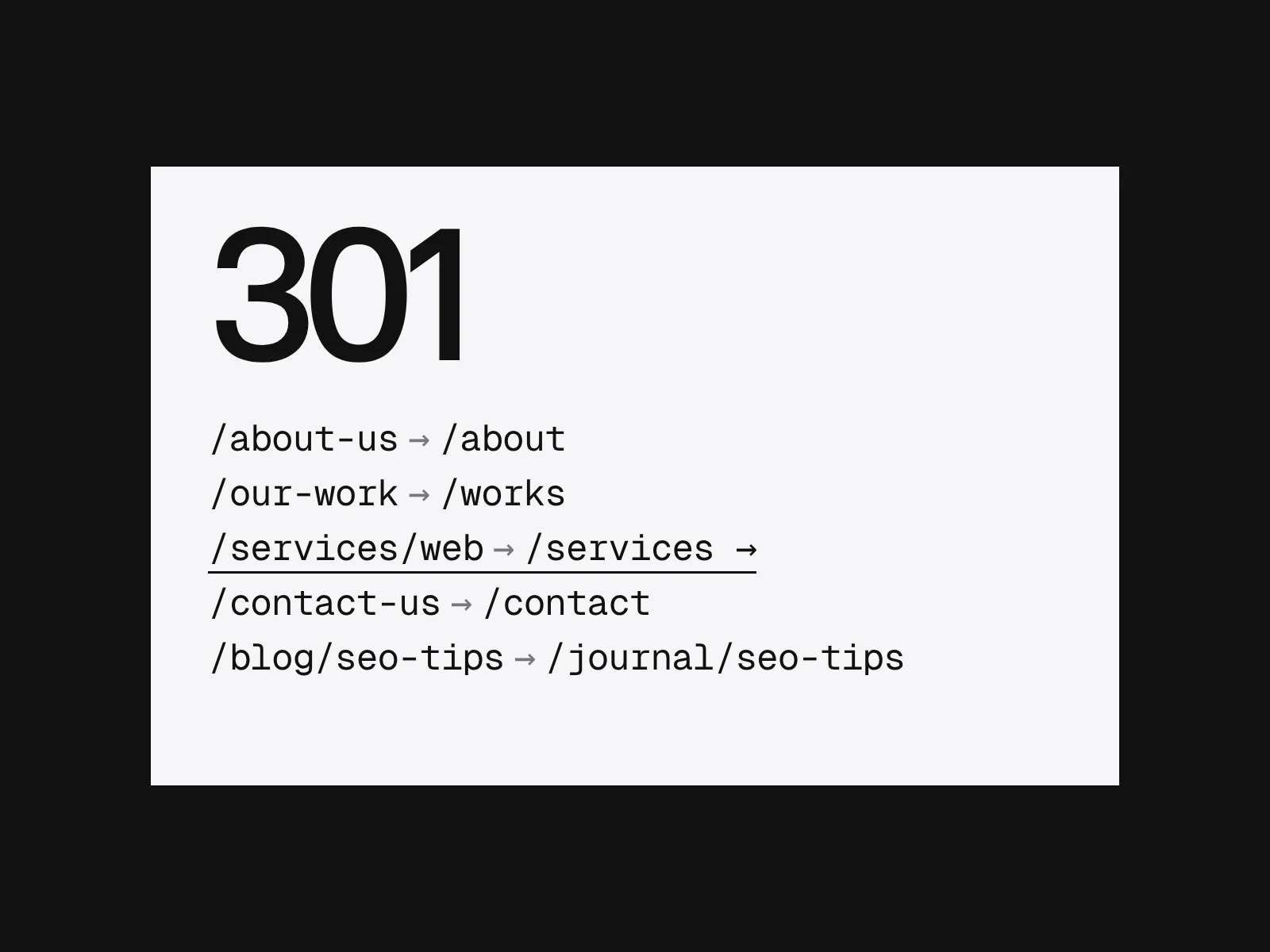
_redirectsfile a line without a status code is a 302. A map pasted from a spreadsheet with two columns ships temporary redirects. The LAIN site's own file writes301on every permanent line and uses302on purpose only for the booking link, which can change. - Prefer rules to rows. When the case studies moved from
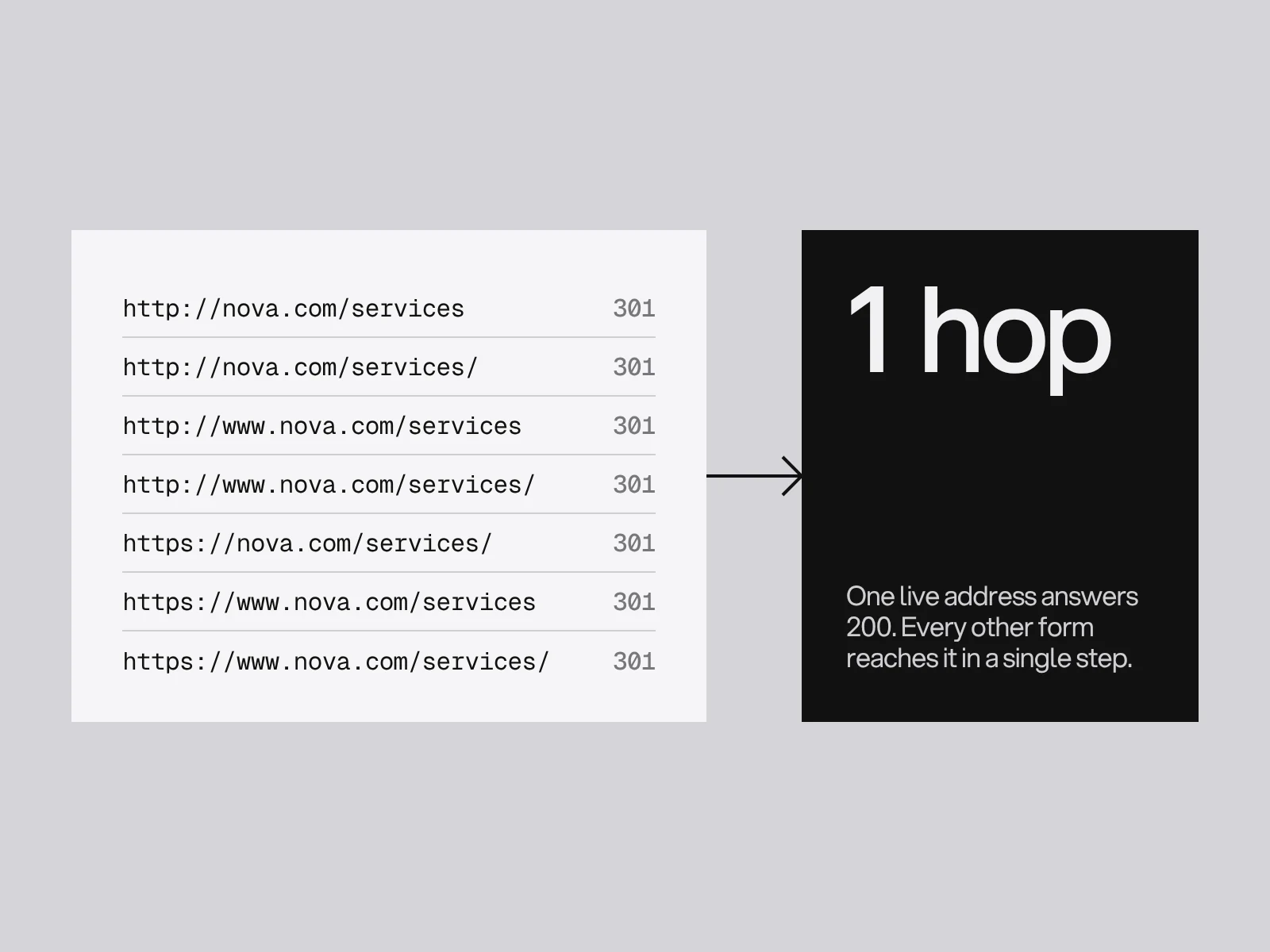
/work/to/works/, one line,/work/* /works/:splat 301, covered every page. Cloudflare allows 2,000 static and 100 dynamic redirects in that file. Webflow says it has no hard limit but recommends about 1,000 as best practice and wildcards where possible. Rules also survive pages added later. - Count the variants. Every page has 2 schemes times 2 hosts (with and without www) times 2 trailing-slash forms: 8 addresses. One should answer 200 and the other seven should reach it in one hop. Chains appear when a map points at a form that is itself redirected. Googlebot follows up to 10 hops but Google asks for direct redirects and, if you cannot, keeping chains under about 3 hops.
- Hash addresses cannot be redirected by the server. In a single-page site whose old pages were
/#/about, the fragment is handled by the browser and, per RFC 3986, "dereferenced solely by the user agent". A server rule cannot see it, and Google's URL guidance says it generally does not support fragments for changing content. Handle those with a script on the old front page, and expect them to be weaker than real redirects. - Keep redirects for a long time. Google says "as long as possible, generally at least 1 year", and notes that from users' perspective you may keep them indefinitely.
Check what most lists skip: links and rendering
Links. Ranking pages usually rank partly because the rest of the site links to them. A new menu can quietly remove those links. Run the baseline crawl and the staging crawl with the same settings, export inlinks for both, and compare tier A pages. Also check how the new links are built. Google follows <a> elements with an href; it "can't reliably extract URLs" from <a> elements without one. A menu rebuilt from buttons and click handlers looks identical and may pass no links at all.
Rendering. Google queues pages for crawling and for rendering, and rendering can wait longer than a few seconds. Two consequences. If the raw HTML says noindex, Google may skip rendering, so a script that removes the tag may never run: remove staging noindex in the source. And under mobile-first indexing Google reads the mobile version, so the mobile page needs the same content, the same structured data and equivalent titles and descriptions. Google also warns not to lazy-load primary content on interaction, because it will not click or swipe. Test with the URL Inspection tool's live test and read the rendered HTML, not the screenshot.
The launch gate: pass or fail
Run these on the staging build with the real redirect rules loaded, and again on the live site within an hour of launch.
| Test | Pass when |
|---|---|
| Every tier A old URL | Returns 200, or one 301 to a 200 page that matches it |
| Hop count | 1 for all, never above 3 |
| Redirect status | 301 or 308 on every permanent rule, none 302 by default |
| Retired URLs | 404 or 410, none sent to the home page |
| Title, h1, canonical on kept URLs | Equal to baseline, or the difference is on your change list |
| Inlinks to tier A pages | At least the baseline count, or one link from the main navigation |
| Rendered HTML | Main text, links and structured data present without a click |
| Mobile and desktop | Same content, titles, structured data |
| robots.txt and meta robots | No block left from staging, a proper 404 if no robots.txt exists |
| Sitemap | New URLs submitted once redirects are live |
After launch: when to wait and when to act
Sources disagree on timing, and they measure different things. Google says a small to medium site usually takes a few weeks for most pages to move, with no fixed crawl schedule, and that rankings may fluctuate. A Search Engine Journal study of 892 domain migrations found an average of 523 days for the new domain to reach the old domain's estimated traffic, with 17% not there after 1,000 days. That study covers only domain changes, uses third-party traffic estimates, and its sample was gathered through social media and mostly from one tool. Its 2023 version, with 171 migrations, found 229 days and 42% that never returned, on a different measure, so the two cannot be compared. We found no comparable figure for a same-domain redesign. A fair reading: URL processing takes weeks, recovery of traffic after a domain change takes months, and a same-domain redesign sits closer to the first if the gate above passed.
Do not wait passively. Check tier A pages for status, indexing and impressions daily in week one and weekly after. When something drops, work through causes in this order, because each is cheaper to rule out than the next.
Where redesigns go wrong, by symptom
| Symptom | Likely cause | Confirm it | Fix |
|---|---|---|---|
| Whole site gone from results within days | Staging noindex or robots block still live | Fetch the live HTML and robots.txt | Remove at source, request recrawl; Google says revisiting can take months, so use URL Inspection |
| One tier A page falls, others hold | Content or heading rewritten, or its inlinks lost | Diff of title, h1, text and inlinks | Restore the removed answer, relink it |
| Many URLs listed as soft 404 | Redirects to the home page or a generic page | Search Console page indexing report | Redirect to the matching page or return 404 |
| Redirects work in tests, pages still show the old address | Temporary status code | Check the status header | Change 302 to 301 |
| Pages indexed but thin in results | Content loaded after interaction or by script | Rendered HTML in URL Inspection | Render it in the initial HTML |
| Field speed worse a month on | Heavier hero media or scripts | Field data after 28 days | Fix the largest element first |
On redirect value, there is a real disagreement. Google's Gary Illyes said in 2016 that 30x redirects no longer lose PageRank. Practitioners still report drops after migrations. Both can be true: the hop itself costs nothing, while the content, links and soft 404 mapping around it do. Trust Google about the hop and trust your diff about everything else. For the structure behind the new page list, see website sitemap planning and the Core Web Vitals guide.
If the domain changes as well
Add Search Console's Change of Address for the old site. Google says you only need it when moving between domains or subdomains. For small and medium sites, move all URLs at once. For large ones, moving in sections is easier to monitor. Choose a low traffic period if you can, and keep both properties verified.
If you want a redesign planned with these checks from the first sketch, as part of a website design project, tell us about it.
Frequently asked questions
Will a website redesign hurt my SEO if the URLs stay the same?
It can. Google's site-move guide does not cover layout changes, and John Mueller has been reported saying a new layout can change rankings even when URLs and content are unchanged. The risks are in content, internal links and rendering, so diff a crawl before and after.
How long should I keep 301 redirects after a redesign?
Google says to keep redirects for as long as possible, generally at least one year. From a visitor's point of view, keeping them indefinitely is fine, and you should update your own links and the biggest external ones to the new URLs.
Should I redirect deleted pages to the home page?
No. Google's help describes redirecting users to the home page instead of returning a 404 as a soft 404 problem. Redirect to a genuinely matching page, or return a 404 or 410. Google treats 404 and 410 the same.
Do 301 redirects lose link value?
Google's Gary Illyes said in 2016 that 30x redirects no longer lose PageRank. Drops after migrations are usually caused by what changed around the redirect: content, internal links, redirects to unrelated pages, or pages that cannot be rendered.
How long does it take for rankings to settle after a redesign?
Google says most pages of a small or medium site take a few weeks to move. A study of 892 domain changes found an average of 523 days to match old traffic, but that covers domain moves only and uses third-party estimates. For a same-domain redesign, expect the shorter end if the launch checks pass.
Can JavaScript remove a noindex tag left from staging?
Do not rely on it. Google says that when it sees noindex it may skip rendering, so a script that removes the tag may never run. Remove noindex in the HTML source, and make sure robots.txt does not block the page, or Google cannot see the change.
Sources and fact check
Facts in this article that come from outside LAIN were checked on 28 Oct 2026 against:
- Google Search Central: Site moves with URL changes
- Google Search Central: Redirects and Google Search
- Google Search Console Help: 404 (Page Not Found) errors
- Google Search Central: Block Search indexing with noindex
- Google Search Central: JavaScript SEO basics
- Google Search Central: Mobile-first indexing best practices
- Google Search Central: SEO link best practices
- Google Search Console API: Get all your search data
- Google Analytics Help: Search Console data in reports (16 months)
- web.dev: Why lab and field data can be different, CrUX
- Cloudflare Workers docs: Redirects for static assets
- Google Search Central: URL structure best practices
- Webflow Help: How do I set up redirects in Webflow?
- IETF RFC 3986: URI generic syntax, fragment
- Search Engine Journal: How long should an SEO migration take?
- Search Engine Journal: Revamping a website and search impact
- Search Engine Land: No PageRank dilution with 30x redirects
Timelines, services and process described here are LAIN's own, as set out on our About and FAQ pages.
[ From our work ]



[ Keep reading ]