[ Website ]
Website sitemap planning: structure the pages before you design them
A planning sitemap is a scope document first and a navigation diagram second: design effort follows the number of page templates, writing effort follows the number of pages. Validate the structure with a card sort and a tree test, ignore the three-click and seven-item myths, and give Google only canonical URLs and honest lastmod dates.
By LAIN9 min read
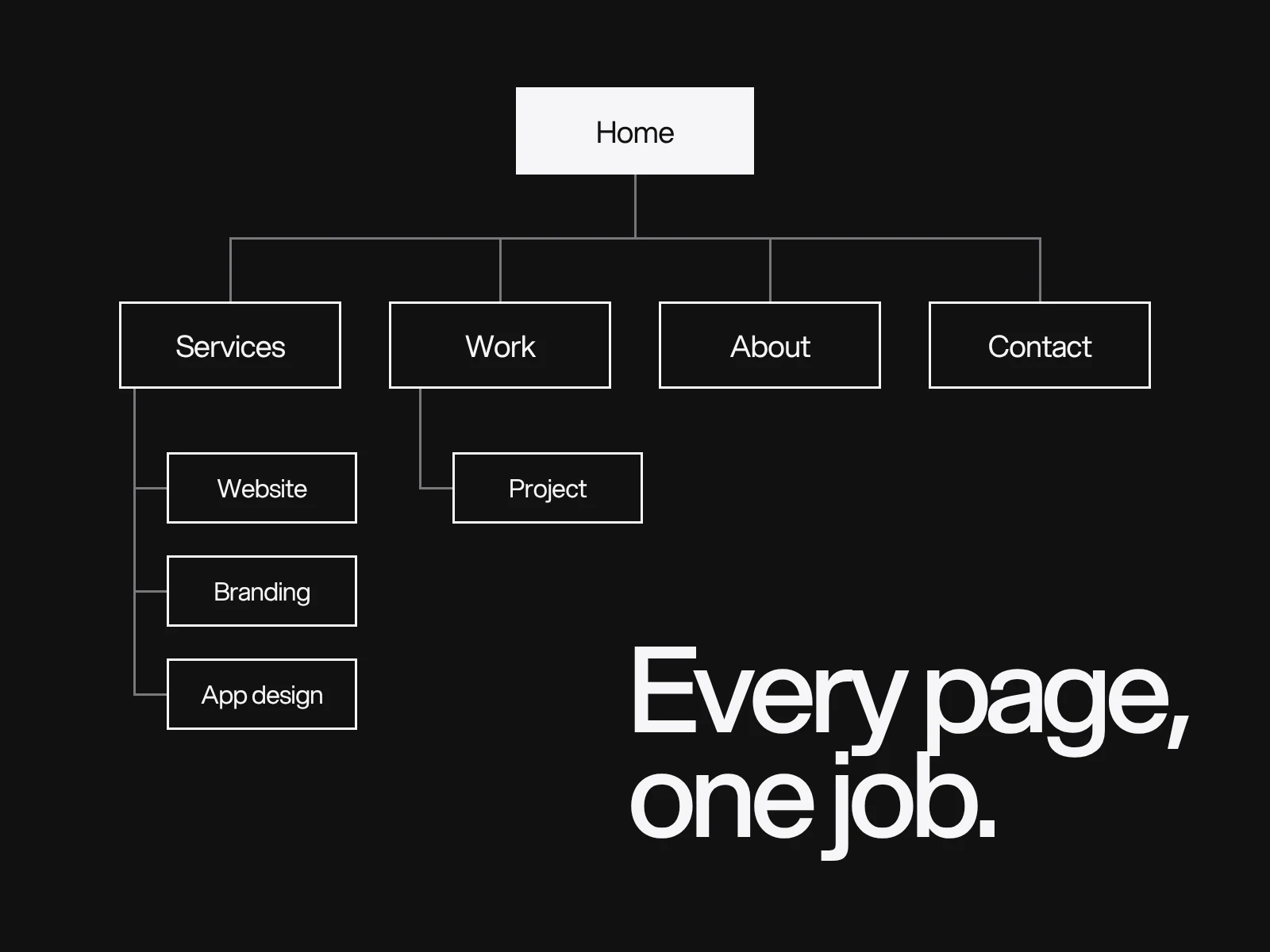
Most sitemap advice stops at "list your pages and group them". That produces a tidy diagram and a weak decision. The planning sitemap is the first document that fixes the scope of a website: how many pages, how many different kinds of page, and how visitors move between them. Treat it as that, test it before design starts, and the later steps get cheaper.
What a planning sitemap is, and is not
Nielsen Norman Group draws the line clearly. A sitemap is "a visual representation of the organization of your site's content", and only one part of the information architecture, which also covers labels, navigation components and the ongoing management of content. In their words, "the IA comes first, the sitemap follows". The diagram is internal and does not show labels in detail, search placement or breadcrumbs. NN/g also notes that the user-facing HTML sitemap page has lost prominence as other navigation has replaced it.
| Kind | Audience | What it decides |
|---|---|---|
| Planning sitemap | The project team | Scope, page types, hierarchy |
| HTML sitemap page | Visitors | A fallback list of links, rarely the main route |
| XML sitemap | Search engines | Which canonical URLs you want found |
Count templates, not only pages
Pages measure writing. Templates measure design and build. A site of 45 pages can have 8 templates, and adding ten more articles adds no templates at all.
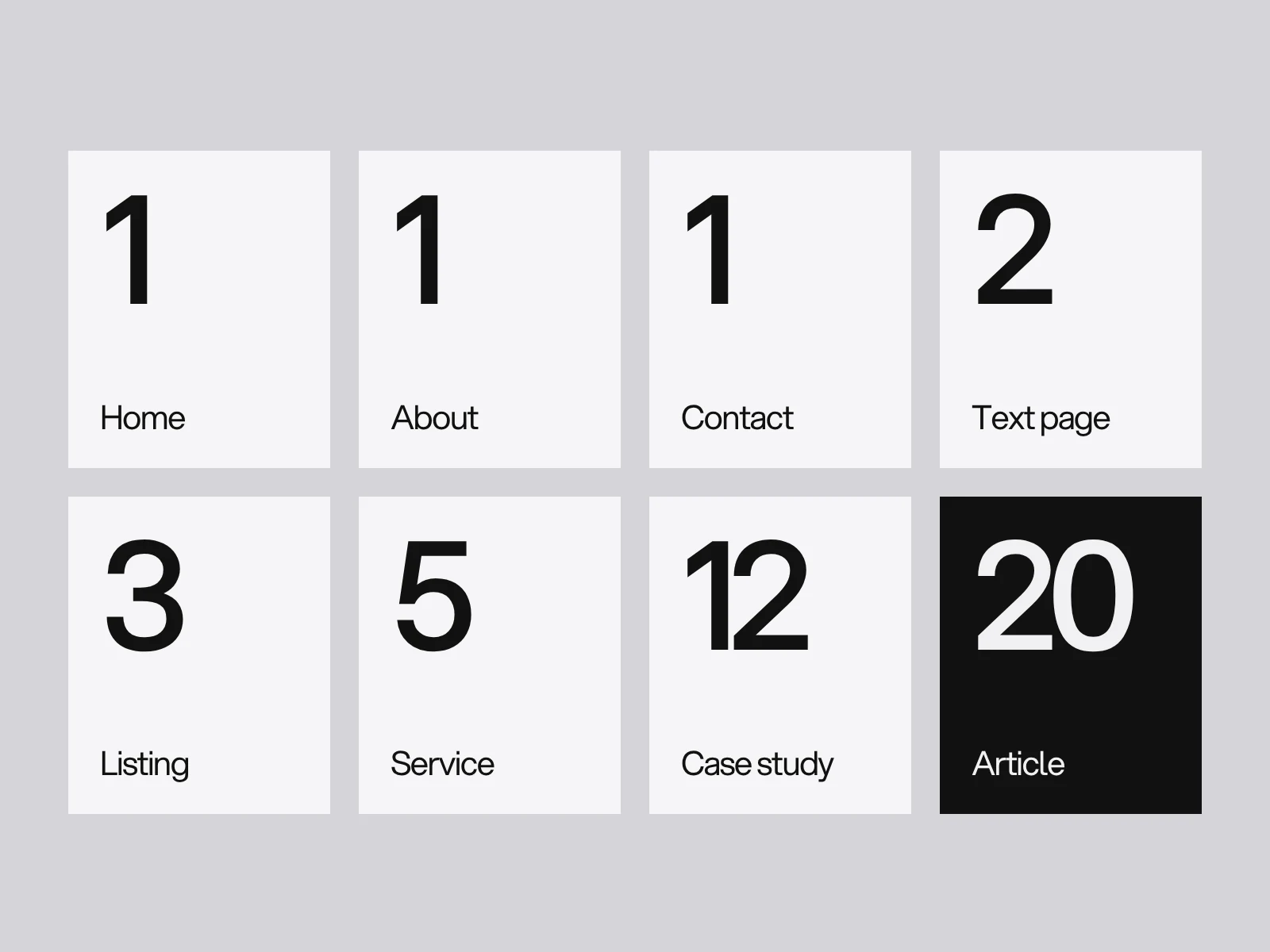
That is why two quotes for "a 45 page website" can differ so much: one may count 45 designs, the other eight. Put a row like this in the plan for every page, so the numbers appear before design begins.
| Page | Visitor question | One action | Template | Content | Indexable | URL |
|---|---|---|---|---|---|---|
| Services | What do you do? | Pick a service | Listing | New, owner named | Yes | /services |
| Website design | Can you build what I need? | Ask for a quote | Service | Partly existing | Yes | /services/website-design |
| Thank you | Did it send? | None | Text page | New, short | No | /thank-you |
The last column matters twice: the same table later becomes your XML sitemap, minus every row marked no.
Group the content the way visitors do
Write each page or content item on a card, then have people sort them. Two settings from NN/g's current guidance are easy to get wrong.
- Use an open sort for a new structure. NN/g calls it the most common type and recommends it for seeing mental models. A closed sort is for validating, and they recommend tree testing instead for judging navigation. They advise against hybrid sorts because predefined categories bias people.
- Keep to 30 to 50 cards. Above about 50, people dump cards into "Miscellaneous" and you cannot tell confusion from tiredness. For participants, NN/g says at least 15 for a qualitative study and at least 30 to 50 for a quantitative one. Older advice of "15 is enough" describes only the qualitative case.
Know the method's limits. It shows one level only, the category names people write are not your final labels, and repeated words bias grouping: if three cards say "Website" they get grouped by the word, not the meaning.
Test the tree before you design
A tree test removes the design and keeps the hierarchy. Participants see nested categories as text and try to find where a task would be answered. NN/g's measures are success (did they reach the correct place), directness (did they go straight there or wander), time, and which other places they chose. The other selections show which labels compete.
Write tasks without the label words. "Find information about starting a business" gives the answer away. Describe the situation instead: "You are thinking of opening a lawn-care service. Find anything here that helps you get started." NN/g gives no sample size or number of tasks for tree tests. As advice, keep to the handful of tasks tied to your goals, and run a few moderated sessions first, because unmoderated results lack the why.
Suggested thresholds, not a standard: a goal task should be found by at least 80% of participants, and if under 60% reach it, rename or move before design. A low-tech version needs no tool: print the tree as an indented list, ask five people five tasks, and note where each person's finger goes first.
Two tool limits. Tools usually accept only a leaf node as the correct answer, so a category that has its own hub page cannot be scored as correct. And a plain text tree cannot show a mega menu that reveals several subcategories at once.
Depth: drop the two numbers everyone quotes
The three-click rule says no page should be more than three clicks away. NN/g states that it "has not been supported by data in any published studies", cites a 2003 study by Porter in which drop-off did not rise after three clicks, and traces it to a 2001 book that gave no data. NN/g makes the same point about "no more than seven items in the menu". Their own alternative: strong labels, wayfinding, and fast pages, because "3 clicks that each have a long load time lead to a worse experience than 5 clicks that quickly load".
For breadth against depth, NN/g says there is no single right answer and that going too far either way backfires.
| Situation | Lean towards | Why |
|---|---|---|
| Categories are distinct and each can be named in a word | Flat | Fewer levels, content is more discoverable |
| Too many categories for one level | An intermediate hub page with context | Showing specific topics too soon confuses |
| Deep levels cannot be avoided | Shortcuts, breadcrumbs, clear hubs | Deep hierarchies are harder to use |
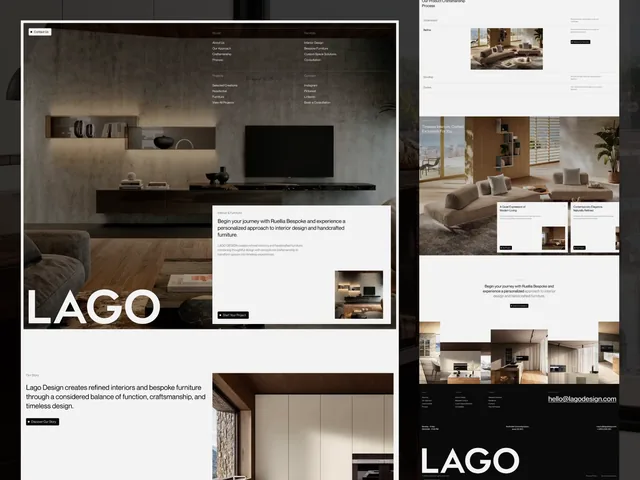
A shallow structure is often enough. The case studies on this site hang from one /works listing at /works/<name>, 26 of them. The designs shown in the LAGO, GravixPoint and Aurel Vance case studies cover three pages each: Home, Studio and Services; Home, Projects and Services; and Home, About and Work.
Names and addresses
Labels should be specific, descriptive and not overlap. "Services" and "Solutions" side by side cannot both be right. Avoid vague link text: NN/g lists "learn more" among the labels you can do better than.
For addresses, Google's guidance is concrete:
- Use hyphens between words, not underscores.
- URLs are case sensitive:
/APPLEand/appleare different URLs, so choose one case. - Do not use fragments (the part after
#) to change page content. Google generally does not support them. Use real URLs, or the History API. - Words people can read beat ID numbers.
- Folder organisation affects crawling mainly "if you have more than a few thousand URLs". Do not bend the structure around folders for a 40 page site.
One piece of advice, not Google's: decouple the label from the address. A menu label may change next year, and renaming a live URL means a redirect map, covered in the website redesign SEO checklist. Pick the address that names the thing, and let the label change. For menu design itself, see website navigation design.
The XML sitemap: what Google really does with it
| Item | What Google's documentation says |
|---|---|
<priority> and <changefreq> | Ignored |
<lastmod> | Used only if consistently and verifiably accurate; a main content, structured data or link change counts, a copyright date does not |
| URLs | Fully qualified and absolute, the canonical ones you want in search results |
| File | UTF-8, entity escaped, at most 50 MB uncompressed or 50,000 URLs |
| Location | At the site root it can cover the whole site; elsewhere it covers only its directory and below, unless submitted through Search Console |
| Submission | "Merely a hint"; no guarantee of crawling or indexing |
| Formats | XML, RSS or Atom, or a plain text list: no preference |
Google also says a well-linked site of about 500 pages or fewer may not need a sitemap, since pages are found by following links. It still helps for new sites with few external links, large sites, and media-heavy ones. The sitemap is a second route to a page, not a substitute for linking to it.
Audit the file with pass or fail checks: every URL returns 200 and is its own canonical; none redirects or carries noindex (our inference from Google's "include the URLs you want to see in search results"); lastmod changes only when the page content does, not on every deploy; the file is under the limits; it is submitted in Search Console or named in robots.txt.
Where planning goes wrong
| Symptom | Cause | How to catch it |
|---|---|---|
| Visitors cannot find a service | The tree mirrors the company's departments | Tree test with tasks in visitors' words |
| Testers pick the neighbouring category | Overlapping labels | "Other selections" in the tree test |
| A category in the menu leads nowhere | The hub page was never planned | The page spec has a row for every hub |
| The quote doubled mid-project | Template count grew, not page count | Count templates at sign-off |
| Google ignores lastmod | Every URL carries the build date | Compare lastmod with real content changes |
| Pages missing from the index after a rename | Old URLs still in the XML file | Crawl the XML file after launch |
| Only the home page gets indexed | A single-page site routes with # fragments | Open each page by its URL without the fragment |
If you want a second opinion on the structure of a new site as part of a website project, tell us about it.
Frequently asked questions
What is the difference between a sitemap and information architecture?
Information architecture is the work of organising content: categories, labels, navigation and how content is managed. A sitemap is one diagram of the result. Nielsen Norman Group puts it simply: the IA comes first, the sitemap follows.
How many participants do I need for a card sort?
Nielsen Norman Group recommends at least 15 participants for a qualitative card sort and at least 30 to 50 for a quantitative one, with 30 to 50 cards. Above about 50 cards, people start dumping cards into a Miscellaneous group.
Is the three-click rule true?
No published study supports it. NN/g says the rule has not been supported by data and cites a 2003 study in which drop-off did not rise after three clicks. What matters more is clear labels, wayfinding and fast pages.
Does Google use priority and changefreq in an XML sitemap?
No. Google ignores priority and changefreq. It uses lastmod only when the dates are consistently and verifiably accurate, so a lastmod set to the build date on every URL is not helpful.
Do I need an XML sitemap for a small website?
Not always. Google says a site of about 500 pages or fewer that is well linked may not need one, because Google finds pages by following links. A sitemap still helps new sites with few links and sites with media content.
Should the URL structure follow the menu?
Not necessarily. Google asks for logical, readable URLs with hyphens, and says folder organisation matters mainly beyond a few thousand URLs. Menu labels change more often than addresses, and renaming a live URL needs a 301 redirect.
Sources and fact check
Facts in this article that come from outside LAIN were checked on 28 Oct 2026 against:
- Nielsen Norman Group: Information Architecture vs. Sitemaps
- Nielsen Norman Group: Card Sorting, Uncover Users' Mental Models
- Nielsen Norman Group: Tree Testing, Evaluate Menu Labels and Categories
- Nielsen Norman Group: The 3-Click Rule for Navigation Is False
- Nielsen Norman Group: Flat vs. Deep Website Hierarchies
- Nielsen Norman Group: Information Architecture Study Guide
- Google Search Central: Build and submit a sitemap
- Google Search Central: Learn about sitemaps
- Google Search Central: URL structure best practices
- Google Search Central: SEO Starter Guide
Timelines, services and process described here are LAIN's own, as set out on our About and FAQ pages.
[ From our work ]


[ Keep reading ]