[ Website ]
Website navigation design: what the menu research supports and what is folklore
A menu has two jobs that fail separately: labels people can predict, and mechanics that work with a mouse, a keyboard and a thumb. Hidden menus cost real usage on desktop, the four to six items rule is folklore, and hover menus, sticky headers and ARIA roles each have a documented failure mode.
By LAIN9 min read

A menu fails in two separate ways. People cannot predict what is behind a label, or they cannot operate the menu with the device in their hand. Most guides cover the first with a rule of thumb and skip the second. This guide separates what has been measured from what is folklore, then gives the mechanics that the specifications require.
What the hidden-menu data says, and what it does not
Nielsen Norman Group (NN/g) published its hamburger study in 2016: 179 participants, six live sites, each tested on desktop and on a phone, two tasks per site. On desktop, people used the navigation in 27% of cases when it was hidden, 48% when it was visible and 50% when some links were visible and some hidden. On phones, 57% used it when hidden and 86% when some links were visible. The extra time on desktop, 5 to 7 seconds, is the figure most guides quote, but the authors report it as only marginally significant (p below 0.1). The stronger result is usage and discoverability.
NN/g's advice follows from that. Do not hide navigation on desktop. On a phone, if there are four or fewer top-level links, show them; if there are more, hide some and add in-page links to the important content. In 2025 NN/g tested the icon itself and found that participants recognised a standard three-line icon in the top left as the main menu even with the word "Menu" removed. It still recommends the label for less experienced users, and the study measured recognition only, not task success. So the hamburger is not unrecognisable. Its cost is that a link nobody can see gets fewer clicks.
LAIN's own site is a deliberate exception. Its five links (Home, About, Works, Lab, Contact) sit behind a menu button at every screen width, with a visible Contact Us button next to it and the same links repeated in the footer. That choice favours a calm first screen, and the visible button and the footer are what keep the cost down. Whether the trade is right depends on how many visitors enter on inner pages.
Four to six items is folklore; depth is the cost
The number seven comes from George Miller's 1956 paper on short-term memory span, and it is often used to cap menu length. A visible menu is recognition, not recall, so the memory limit does not apply, and Miller himself called the number a "pernicious, Pythagorean coincidence".
What research does show is a cost for depth. Larson and Czerwinski (CHI 1998) found that increased depth harmed search performance on the web, and that a medium mix of depth and breadth beat the broadest, shallowest structure. NN/g adds a practical limit for menus: avoid cascading dropdowns of more than two tiers, and use a mega menu when you need two or three. Four to six top-level items is therefore a habit, not a limit. This table is a starting rule of thumb, which is our judgement and not a finding:
| Pages on the site | Structure | Reason |
|---|---|---|
| Up to about 7 | Flat header links, no dropdowns | Everything is visible and one click away |
| About 8 to 25 | Four to six groups, one-tier dropdown or routing pages | Keeps two levels and short labels |
| More than 25 | Mega menu with two tiers plus search | NN/g: each choice shown once, grouped, no widgets |
Labels: test them, do not argue about them
NN/g's information scent principle is that a link name should be clear and self-explanatory, and that scent depends on the goal: a link called "Food" smells strong to someone looking for cheese and weak to someone looking for a facial cleanser. Generic words such as "Solutions", "Resources" or "Explore" carry little scent because they could lead anywhere. That last point comes from practitioners, not from an NN/g study.
The cheap test is a tree test: people get a text-only version of the structure and a task, and click where they would look. Write tasks as situations ("You want to know how long a new site takes"), never as the label itself. How many people? For card sorting, Tullis and Wood tested 168 people in 2004 and found that results from 5 people correlated 0.75 with the full result, 15 people 0.90 and 30 people 0.95; they recommend 20 to 30. For tree tests, the sources we found disagree, from 20 to 50 per group, and so do their pass marks, from 65% to 80%. There is no standard.
Statistics explain why. We computed 95% Wilson intervals for the share of people who found the right place:
| People | Observed success | Plausible true rate |
|---|---|---|
| 30 | 70% (21 people) | 52% to 83% |
| 30 | 80% (24 people) | 63% to 90% |
| 50 | 70% | 56% to 81% |
| 100 | 70% | 60% to 78% |
With 30 people you cannot tell a 70% label from an 80% one. So do not chase a benchmark. Run two label sets against the same tasks and compare them, and read the failing tasks one by one.
Mechanics: hover, focus and the pointer path
Hover menus fail on the path, not the destination. To reach a panel, the pointer travels diagonally across neighbouring items, which can open other menus or close the one you want. Common fixes are a delay of about half a second before opening, which NN/g recommends for mega menus and which adds lag, a "safe triangle" like Amazon's that keeps the panel open while the pointer stays inside it, or opening on click. NN/g's menu checklist prefers click-activated submenus because hover is unavailable to touch and keyboard users.
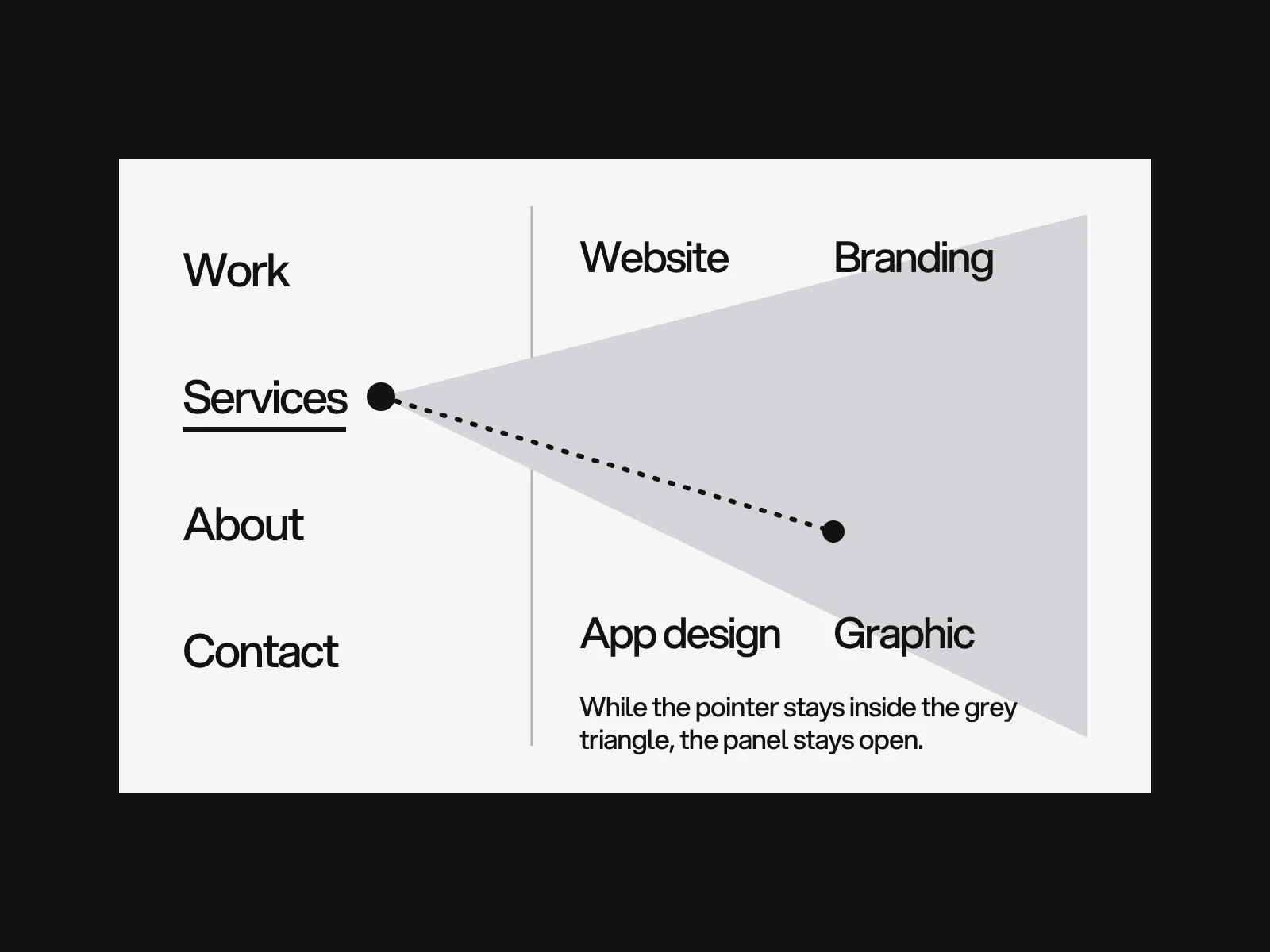
WCAG 1.4.13 makes this a compliance question. Content that appears on hover or focus, which the criterion says includes sub-menus, must be dismissible without moving pointer or focus, hoverable so the pointer can move onto it without it vanishing, and persistent until dismissed. A menu that closes when the pointer crosses a small gap between trigger and panel does not meet the hoverable condition, which is level AA.
Do not use role="menu" for site navigation. The W3C's own disclosure navigation example does not use the menu role because it "does not provide the complex functionality that assistive technologies expect". Adrian Roselli explains the consequence: screen readers announce a menu, users then expect the full arrow-key model, and the role limits children to menu items, so links and headings cannot sit inside. Use a nav containing a list of links. For a dropdown, a button with aria-expanded toggles a nested list. Escape closes it and returns focus to the button. Mark the current link with aria-current="page".
A sticky header can hide the focused link. WCAG 2.2 criterion 2.4.11 (AA) says a focused component must not be entirely hidden by author-created content, and names sticky headers. The fix is a single line of CSS, scroll-padding-top equal to the header height. NN/g also asks for sticky headers to be as small as reasonable and opaque, and judges a content-to-chrome ratio of 13 to 1 reasonable. We worked that out for three header heights:
| Header height | 800 px high desktop window | 664 px high phone view |
|---|---|---|
| 56 px | 13.3 to 1 | 10.9 to 1 |
| 72 px | 10.1 to 1 | 8.2 to 1 |
| 96 px | 7.3 to 1 | 5.9 to 1 |
The 664 px view is our assumption for a 390 by 844 phone once browser bars are in. A header that hides on scroll down and returns on scroll up, in 300 to 400 ms, wins space on phones, but NN/g rates it only moderately effective because people who scroll up to reread are distracted.
Two more AA criteria are cheap to meet. Consistent Navigation (3.2.3) asks that repeated navigation keeps the same relative order across pages. Multiple Ways (2.4.5) asks for more than one way to find a page, such as the menu plus search, a sitemap or links, except for steps in a process.
Where navigation goes wrong
| Symptom | Likely cause | How to detect it | Fix |
|---|---|---|---|
| Search visitors do not know where they are | No current location marker | Land on a deep page and look | Highlight the item, add aria-current and a breadcrumb |
| The dropdown flickers or closes early | A gap or no delay between trigger and panel | Move the pointer slowly, diagonally | Remove the gap, use a safe triangle or click |
| Keyboard users cannot open a menu | Hover only | Tab through the header | Disclosure buttons with Escape |
| The focused link sits under the header | Sticky header, no scroll padding | Tab down a long page | scroll-padding-top |
| Menu says Services, heading says What we do | Labels written by different people | Compare the label with the page heading | Use the same words |
| Labels follow the company chart | Internal view of the structure | Tree test | Rewrite by visitor task |
A pass or fail checklist
- Desktop shows the primary links, or a visible main action beside the menu button: pass if a first-time visitor can see where to go.
- Phones show up to four top-level links, or the hidden menu is labelled "Menu" and in the top left.
- Current page is marked by more than colour and by
aria-current. - Every submenu opens by keyboard, closes with Escape and returns focus.
- A hover panel stays open when the pointer moves diagonally to it.
- No focused link is hidden by a sticky header at any width.
- Eight task-based tree test questions were run on at least 30 people, or two label sets were compared.
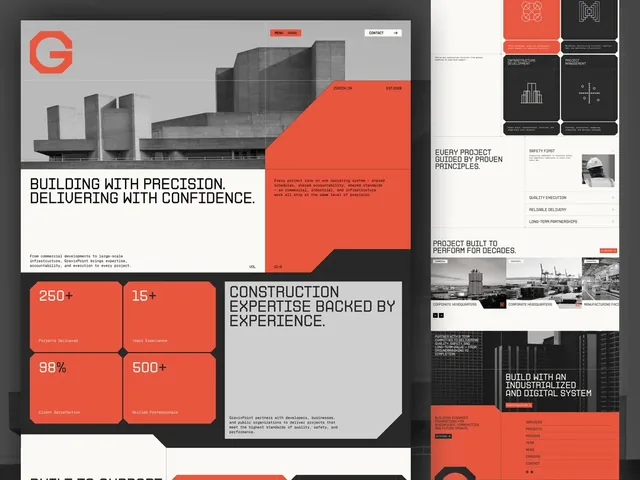
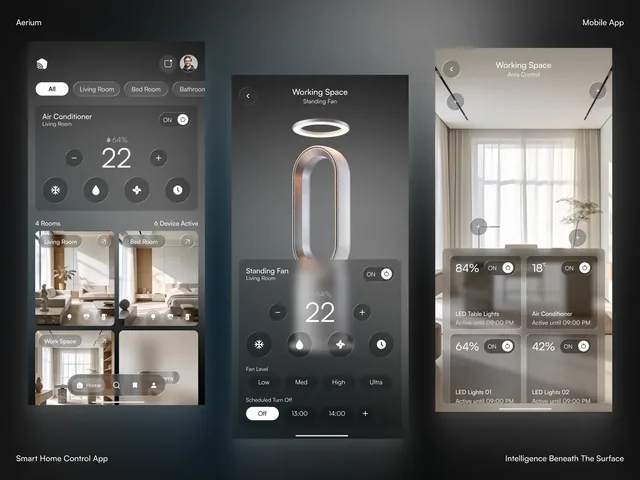
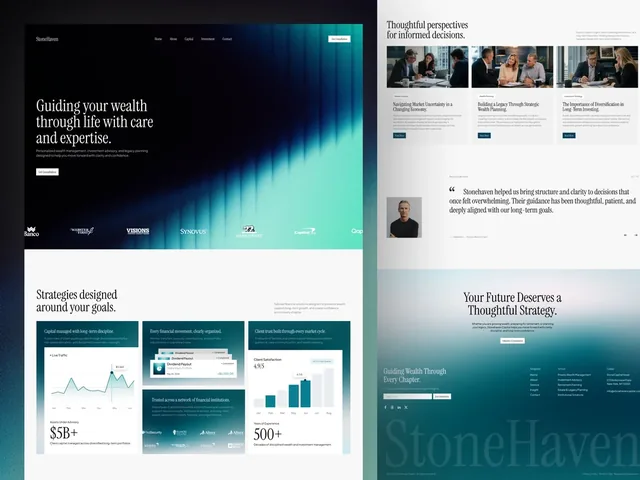
Structure and navigation are settled early in a website project, as covered in website sitemap planning. The GravixPoint site is told in three pages (Home, Projects, Services), StoneHaven in three (Home, About, Services) and Aerium in four (Home, About, Features, Contact); a short list is what makes a flat menu possible. The keyboard rules overlap with the accessibility checklist. To review a menu on your own site, get in touch.
Frequently asked questions
Should I use a hamburger menu on desktop?
Avoid it. In the Nielsen Norman Group study of 179 people, hidden navigation was used in 27% of desktop cases against 48% for visible navigation. The time penalty was only marginally significant, but the usage gap is large. Keep the hamburger for phones.
How many items should a navigation menu have?
There is no research limit. The four to six rule is a practical guide, and the often-cited seven comes from a memory study, not from menus. Depth matters more: two levels beat three, and a long flat list should be grouped.
When should I use a mega menu?
When the site has many pages that group clearly, such as a shop with many categories. NN/g advises grouping at a medium level of detail, showing each choice once, writing distinct front-loaded labels and keeping widgets and search out of the panel.
Should dropdown menus open on hover or click?
Click is safer: hover does not exist on touch and is awkward by keyboard. If you use hover, add a delay of about half a second or a safe triangle, and meet WCAG 1.4.13, which requires the panel to be dismissible, hoverable and persistent.
Should a website menu use role="menu"?
No. The W3C disclosure navigation pattern uses a button with aria-expanded and a list of links instead, because the menu role brings screen reader behaviour that site navigation does not provide, and it stops you putting links inside the menu.
How many people do I need to test navigation labels?
About 20 to 30 per group for card sorting, where Tullis and Wood found 15 people gave a 0.90 correlation and 30 gave 0.95. Tree test sources range from 20 to 50. With 30 people a 70% and an 80% success rate cannot be told apart, so compare two label sets directly.
Sources and fact check
Facts in this article that come from outside LAIN were checked on 28 Oct 2026 against:
- Nielsen Norman Group: Hamburger Menus and Hidden Navigation Hurt UX Metrics
- Nielsen Norman Group: Hamburger Menu Icon Recognizability
- Nielsen Norman Group: Menu-Design Checklist, 17 UX Guidelines
- Nielsen Norman Group: Mega Menus Work Well for Site Navigation
- Nielsen Norman Group: Sticky Headers, 5 Ways to Make Them Better
- Nielsen Norman Group: Card Sorting, How Many Users to Test
- Microsoft Research: Web Page Design, Implications of Memory, Structure and Scent for Information Retrieval
- W3C WAI-ARIA Authoring Practices: Disclosure Navigation Menu
- Adrian Roselli: Don't Use ARIA Menu Roles for Site Nav
- W3C: Understanding WCAG 2.2, Content on Hover or Focus
- W3C: Understanding WCAG 2.2, Focus Not Obscured (Minimum)
- Smashing Magazine: User-Friendly Mega-Dropdowns, When Hover Menus Fail
Timelines, services and process described here are LAIN's own, as set out on our About and FAQ pages.
[ From our work ]
[ Keep reading ]