[ Website ]
Homepage design best practices: a routing page you can test in an afternoon
Treat the homepage as a routing page for visitors who are checking you out, not as a brochure. Judge it with three tests (five seconds, first click, competitor swap), design the order from the visitor's main doubt, keep the first screen inside the small mobile viewport, and give the hero image a weight limit.
By LAIN12 min read
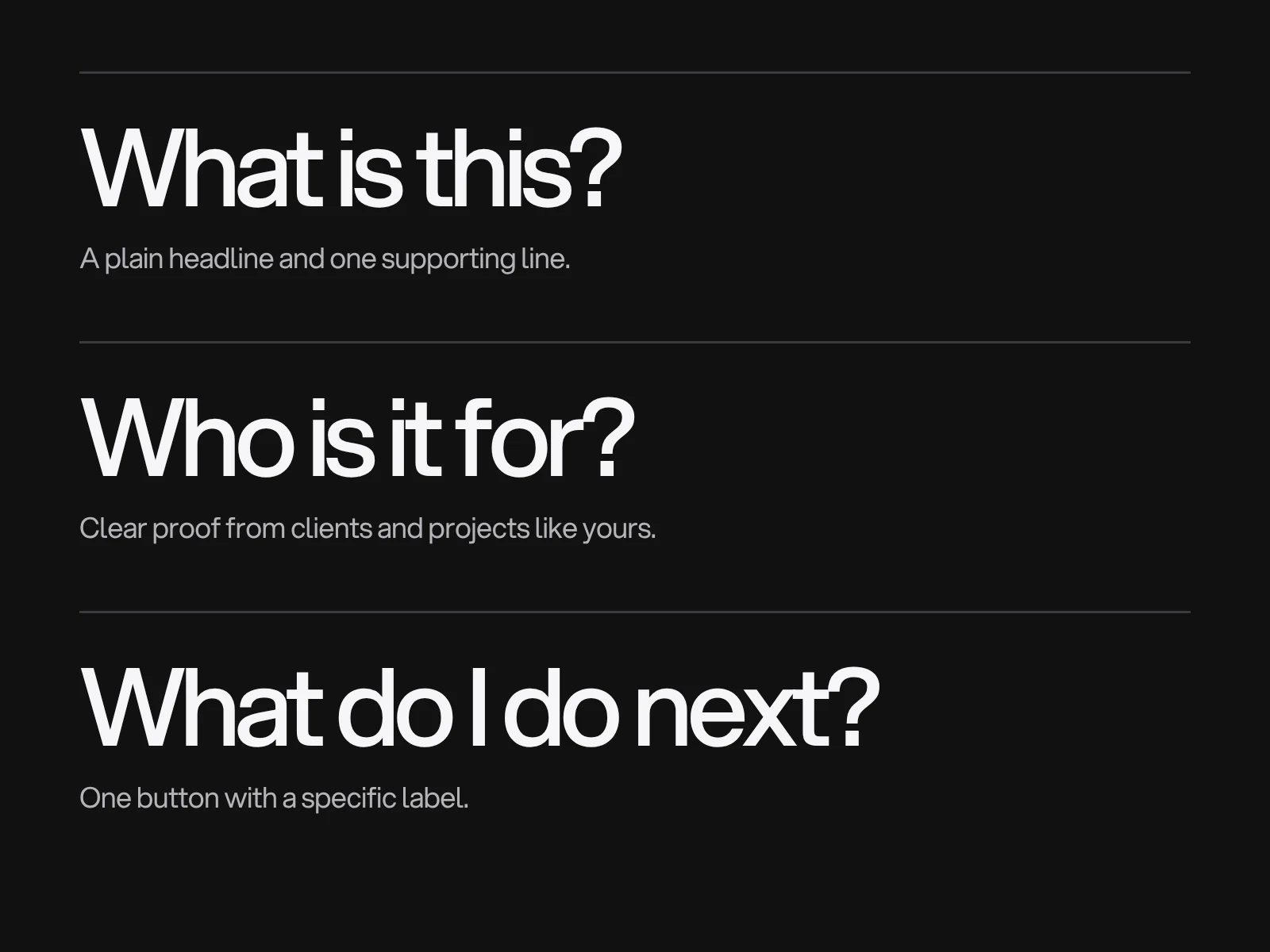
Most homepage advice lists sections to include. That is the easy part. The harder questions are who is actually looking at the page, how fast they decide, and how you would know whether your homepage works before you ship it. This guide answers those, with the evidence behind each rule, and where the sources disagree it says so.
Who actually lands on your homepage
The homepage feels like the front door, but for many sites it is a side room. The best documented numbers come from publishers: The Atlantic reported that about 12 to 13 percent of visits to its main site began on the homepage, and a leaked 2014 New York Times report said only about a third of its readers ever visited it. A web agency's own estimate for its small business clients is 20 to 30 percent. None of these is a controlled study, and a service business with little search traffic will look different from a magazine.
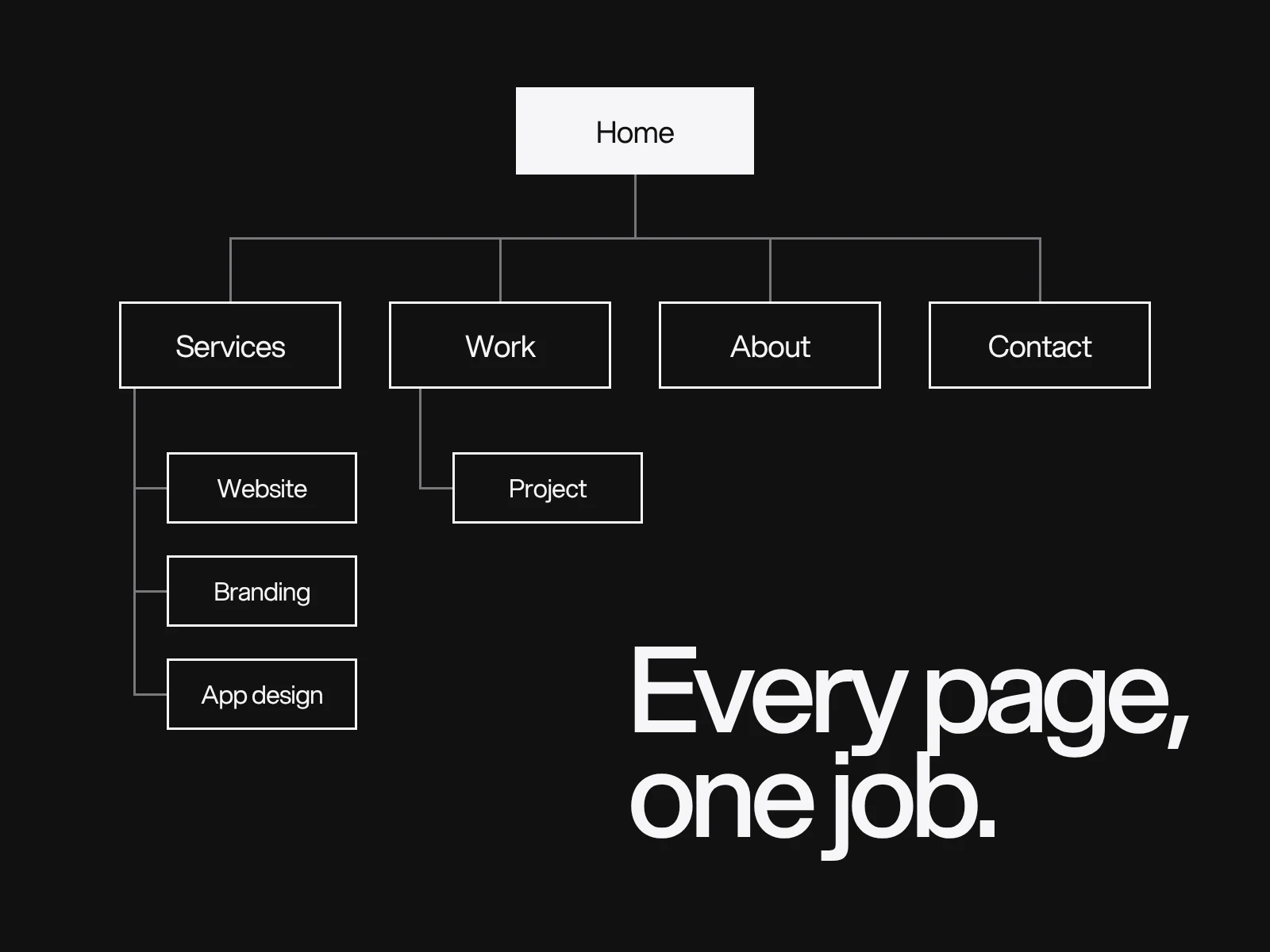
The practical consequence is twofold. First, visitors who do arrive on the homepage are often checking you out after hearing the name or clicking the logo, so the page works as a short pitch plus a router to the right inner page. Second, every inner page needs its own one-line answer to "what is this", because most people never saw your homepage. Before you design, open the landing page report in your analytics and divide homepage sessions by all sessions. That number tells you how much weight the homepage carries for your site.
The first ten seconds, and what the data says
The widely repeated claim is that visitors "leave within 10 to 20 seconds". The source is more interesting. Researchers at Microsoft (Liu, White and Dumais) fitted a Weibull curve to dwell times on 205,873 pages and more than 2 billion visits. Nielsen Norman Group (NN/g) summarises the finding: the first 10 seconds are critical, the chance of leaving stays high until about 30 seconds in, and after that the curve flattens. The paper describes the pattern as "negative aging": the longer a visitor has stayed, the longer they are likely to stay. The average visit lasts a little under a minute, but the average hides the shape.
So the first screen is not about the fold. It is about giving a sceptical visitor enough to decide to stay for the next half minute. One caution on the fold itself: NN/g's 2018 eyetracking analysis (about 130,000 fixations, 120 participants, a 1920 by 1080 screen) found 57 percent of viewing time above the fold and 74 percent in the first two screenfuls, against about 80 percent above the fold in 2010. Attention below the fold has grown, but it still drops sharply after the first screen. These are desktop figures; they do not transfer to phones.
Three tests with pass marks
Opinions about a homepage are cheap. These three checks take an afternoon, need no tools beyond screenshots, and produce a pass or fail. The pass marks are rules of thumb, not published standards, and with five or ten people they find problems rather than measure rates.
| Test | How to run it | Pass mark |
|---|---|---|
| Five seconds | Show the first screen for five seconds to five people outside your industry, then hide it. Ask: what does this company do, and who is it for? | At least 4 of 5 describe it correctly in their own words |
| First click | Show the full page. Ask: where would you click to see examples of your work, and to get in touch? | At least 8 of 10 pick the intended link for each task |
| Competitor swap | Cover the logo. Ask whether a competitor could put this headline on their site unchanged | The answer is clearly no |
The five second test was named by Christine Perfetti in the mid 2000s. Five seconds is a convention, not a measured constant, and the test shows whether the page communicates its purpose, not whether people can complete tasks. The first click test rests on a widely quoted figure: people who get the first click right succeed about 87 percent of the time, against 46 percent when they do not (Bailey and Wolfson, 2006). The original study is hard to find, and a later replication reported a much smaller gap, so treat the exact figures with caution. The direction, that a wrong first click makes success much less likely, is consistent across sources.
The competitor swap is NN/g's old tagline exercise. In "Tagline Blues" Jakob Nielsen observed that most sites seem to pay copywriters to obscure what the site is about rather than state it. A headline that passes is one only you can sign. Website copywriting covers how to write one.
Decide the order from the visitor's main doubt
Templates give every homepage the same order. A better method is to ask which doubt stops this visitor from contacting you, and answer it second, right after the headline. Use this as a starting point and test it.
| Business | The doubt that decides | Second block | Then |
|---|---|---|---|
| Service studio or B2B services | Can you do this for someone like me? | Two or three projects with the client and what you did | Services, how it works, contact |
| Online shop | Is this the thing I want, and can I trust you with my card? | Best sellers or categories | Delivery and returns, reviews |
| Software product | Will it fit how I work? | The product itself, shown, not described | Who uses it, security, pricing route |
| Local business | Are you open, close and legitimate? | Address, hours, phone, a real photo | Services, reviews |
For B2B, one survey series (KoMarketing and Huff, 2014 and 2015 editions, summarised by MarketingCharts) found that 86 percent of respondents wanted product or service information on the homepage and 64 percent wanted contact information, and contact details were the top credibility factor. The samples are small and the data is a decade old, so use it as a prompt to check, not as a benchmark.
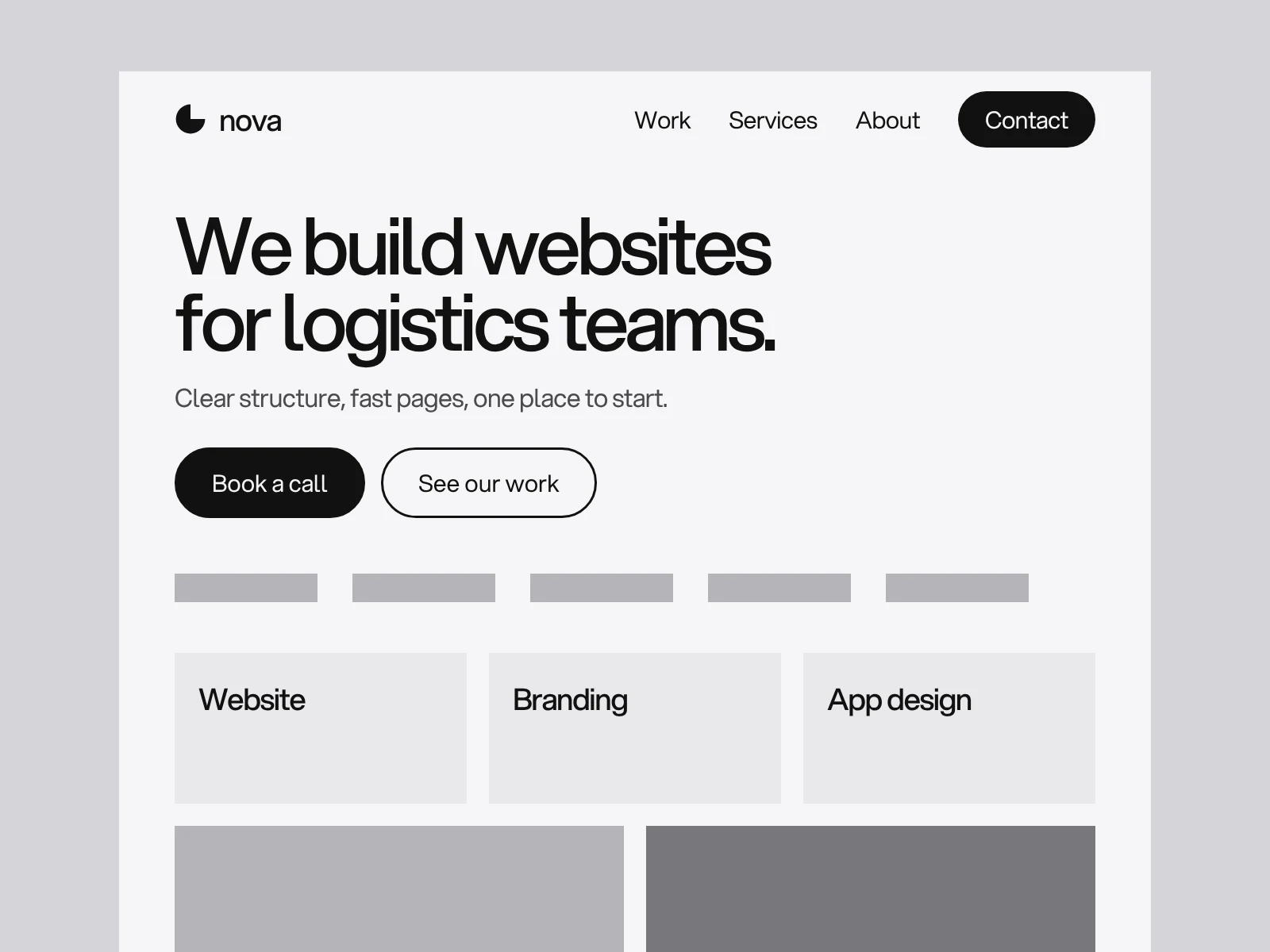
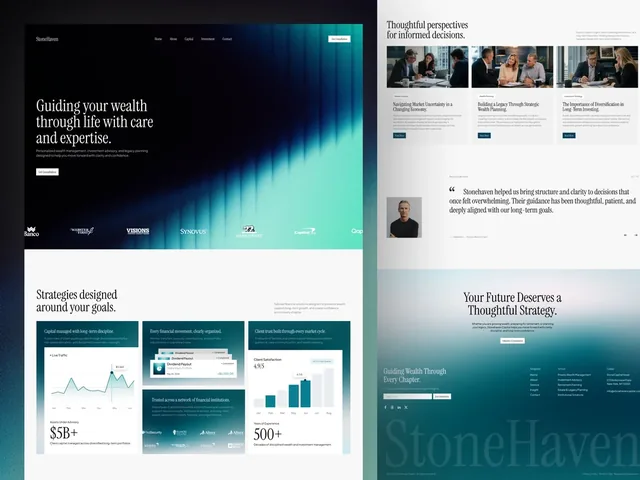
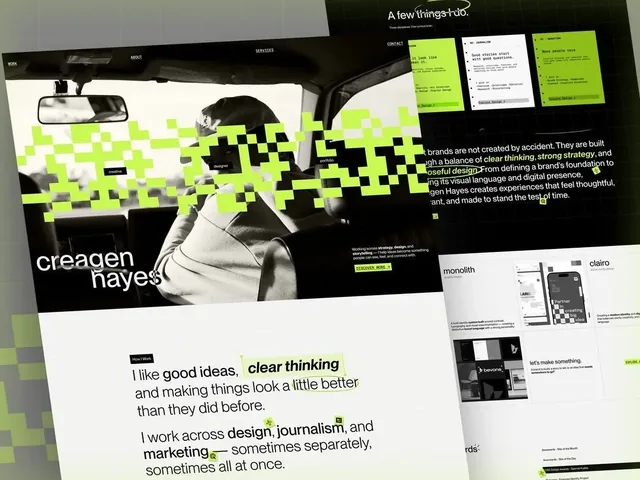
Proof has to be specific to work. A project with a name and a described outcome beats a wall of logos. For a studio, the work itself is the proof: the Elios project page describes a freight company website that opens on the container itself, and StoneHaven describes a wealth manager's site whose first screen is black with bands of teal light and serif headlines. Each is built around one idea that a visitor can name after a glance, which is what the five second test measures. Creagen Hayes is a portfolio for a creative director who works across design, journalism and marketing, the kind of site where the first click test matters most, because one home page has to send each visitor to the right body of work.
Carousels: where the evidence agrees and where it does not
The best known data is Erik Runyon's 2013 tracking of the University of Notre Dame homepage: about 1 percent of visitors (1.07 to 1.08 percent in the accounts that quote it) clicked anything in the auto-advancing carousel. How the clicks were split among slides is quoted differently by different sources, from about 40 percent on the first slide to nearly 90 percent, so cite only the 1 percent. This is one university site, but it matches other findings.
Baymard Institute's research on e-commerce sites reports that 46 percent of the sites it reviewed with a homepage carousel had implemented it with usability problems, and that an alternative pattern performs as well for users and is simpler to build. NN/g's usability sessions found people missed a prominent offer because it sat in a carousel, in line with banner blindness. The sources do not say carousels never work. They say the content is seen by a minority, so nothing essential can live there. Where a carousel exists because several departments each want a slide, the honest fix is to choose the one message and put the others one click away. If you must keep one, let the visitor control it, pause it on hover and focus, and do not auto-advance it on phones.
The first screen on a phone is a budget
A common cause of a hidden button is the unit. On phones the visible height changes as the browser toolbar shows and hides. Classic 100vh matches the large viewport, with the toolbars retracted, so a full-height hero can end up partly behind the toolbar. CSS now has svh (small viewport, toolbars showing), lvh (large) and dvh (dynamic, follows the toolbar and can cause reflow while it moves). Chrome and Edge 108, Firefox 101 and Safari 15.4 support them. For a first screen that must be fully visible on load, use min-height: 100svh.
Then do the sum. Assume a small viewport 664 px tall (an assumed round number; measure real phones in your browser's device mode):
| Element | Height |
|---|---|
| Header | 56 px |
| Headline, 3 lines at 38 px | 114 px |
| Supporting line, 2 lines at 26 px | 52 px |
| Gap above the button | 16 px |
| Button | 52 px |
| Top and bottom padding | 48 px |
| Space under the headline | 16 px |
| Total | 354 px |
That leaves 310 px of the 664 for the visual. If the picture needs more, it moves below the button, not above it. A headline that wraps to five lines costs another 76 px, which is why a long headline is a layout problem before it is a copy problem.
The hero image decides your loading speed
On most homepages the Largest Contentful Paint (LCP) element is the hero image. Chrome splits LCP into four parts: time to first byte, resource load delay (the gap before the browser starts fetching the image), resource load duration and element render delay. If the largest element is text in a system font, the two resource parts are zero. Chrome's advice is that most of the time should go to loading the resource, not waiting.
Two details decide the delay part. A CSS background-image is invisible to the browser's preload scanner, which only reads the HTML as it arrives, so the image is found only after the stylesheet is downloaded and parsed. An img element is found at once. And loading="lazy" on the hero tells the browser to wait, which is the opposite of what you want. web.dev's Google Flights test found that adding fetchpriority="high" to the hero cut LCP from 2.6 to 1.9 seconds.
Then the weight. Lighthouse's mobile profile simulates 1.6 Mbps with 150 ms of latency. That is 200 KB a second (taking 1 KB as 1,000 bytes). Take a 2.5 second target, a 0.4 second server response and two 150 ms round trips for the page and the image. That leaves 1.8 seconds, or about 360 KB for the hero, before you count any CSS or script delay. This is a lab model that ignores connection setup, so it is an upper bound.
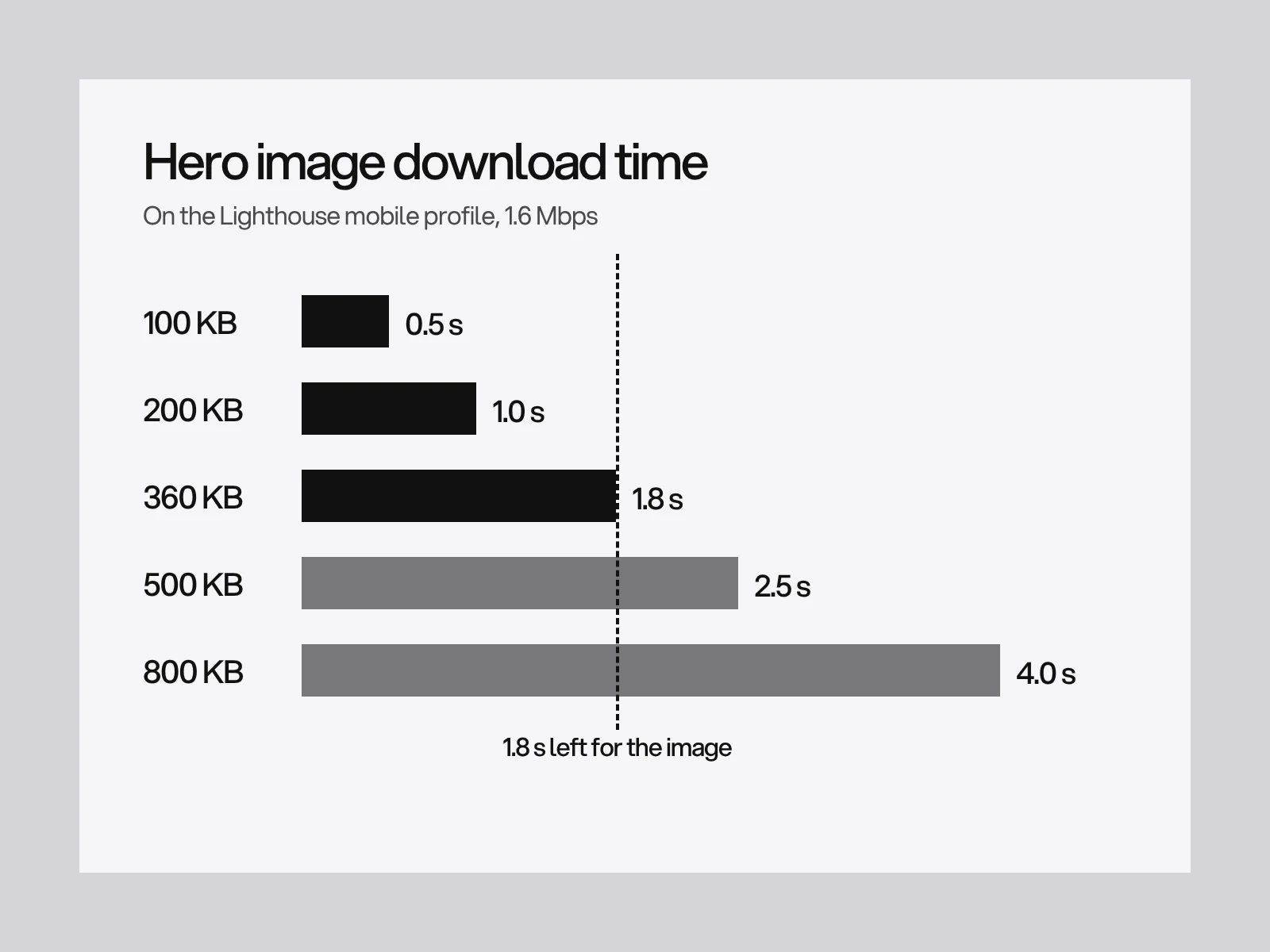
Field data is what Google reports, so confirm in real-user data (see the Core Web Vitals guide) rather than trusting the lab number.
Where homepages go wrong, and how to find out
| Symptom | Likely cause | How to detect it | Fix |
|---|---|---|---|
| The headline could fit any company | Written by committee: each person adds a clause until it is generic | Competitor swap test | One sentence: what you do, for whom |
| The button is missing on phones | Hero set to 100vh, designed on a large monitor | Check on a real phone with toolbars showing | svh, and the budget above |
| Visitors miss the main offer | It sits in a carousel or below a video | Five second test: recall | Move it to the static first screen |
| Slow first paint | Hero loaded as a CSS background or lazy loaded | LCP breakdown: high load delay | img with fetchpriority="high" |
| High exits from the homepage | Visitors cannot find the route they came for | First click test | Rename the link, or promote it |
A homepage audit you can run in an hour
- Read your landing page report: what share of sessions start on the homepage?
- Run the five second test with five people; pass is four correct answers.
- Run the first click test on two tasks with ten people; pass is eight of ten.
- Cover the logo: could a competitor use the headline?
- Open the page on a phone with the toolbar showing: are headline and button visible?
- Check the LCP element and its breakdown in the browser's performance tools.
- Find the sentence a visitor needs to be reassured by, and check it is above the third screen.
If a new homepage is on your list, see how a website design project runs, and tell us about the project. Structure comes first: see website navigation design for menus and website sitemap planning for the page list behind them.
Frequently asked questions
What percentage of visitors land on the homepage?
It varies a lot by site. Publisher data is the best documented: The Atlantic reported about 12 to 13 percent of visits starting on its homepage, and a leaked 2014 New York Times report said only about a third of readers ever visited it. A small business with little search traffic will see more. Check the landing page report in your own analytics.
How long do visitors take to decide whether to stay on a page?
Nielsen Norman Group, summarising Microsoft Research data on 205,873 pages, says the first 10 seconds are critical and the chance of leaving stays high until about 30 seconds, after which it flattens. The longer a visitor stays, the longer they tend to stay. The average visit is a little under a minute.
Are homepage carousels bad for conversions?
The evidence says people mostly do not use them. Erik Runyon found about 1 percent of Notre Dame homepage visitors clicked its auto-advancing carousel, and Baymard found 46 percent of the e-commerce sites it reviewed with a carousel had implemented it with usability problems. They can work if user controlled and if nothing essential is only in them, but a single static message is simpler.
How do I test whether my homepage headline is clear?
Show the first screen to five people outside your industry for five seconds, hide it and ask what the company does and who it is for. Then cover the logo and ask whether a competitor could use the same headline. If fewer than four of five answer correctly, or a competitor could use it, rewrite it.
How big should a hero image be for a fast homepage?
Google gives no weight limit, only an LCP target of 2.5 seconds. As a planning model, on the Lighthouse mobile profile (1.6 Mbps, 150 ms latency), a 0.4 second server response and two round trips leave about 1.8 seconds, or roughly 360 KB, for the image. Use an img element with fetchpriority high, never lazy loading, and check real-user data.
What is the difference between 100vh, 100svh and 100dvh?
On phones the toolbar shows and hides. 100vh matches the large viewport, so a hero can end up behind the toolbar. 100svh is the small viewport, with toolbars showing, so everything inside it is visible on load. 100dvh follows the toolbar as it moves and can cause reflow. Chrome and Edge 108, Firefox 101 and Safari 15.4 support them.
Sources and fact check
Facts in this article that come from outside LAIN were checked on 28 Oct 2026 against:
- Nielsen Norman Group: How Long Do Users Stay on Web Pages?
- Microsoft Research: Understanding web browsing behaviors through Weibull analysis of dwell time
- Nielsen Norman Group: Homepage Design, 5 Fundamental Principles
- Nielsen Norman Group: Tagline Blues, What is the Site About?
- Nielsen Norman Group: Scrolling and Attention
- Baymard Institute: Homepage carousels
- Erik Runyon: Carousel stats
- Nieman Lab: Coming in the side door, the value of homepages is shifting
- MarketingCharts: What B2B buyers want to see on vendor websites
- web.dev: The large, small, and dynamic viewport units
- web.dev: Do not fight the browser preload scanner
- Chrome for Developers: LCP breakdown
- Shopify: Avoid using background images for hero images
- University of St Andrews digital communications: Declining importance of the homepage
- Haden Interactive: Websites and inner pages
- Web Performance Calendar: How does Lighthouse simulated throttling work?
Timelines, services and process described here are LAIN's own, as set out on our About and FAQ pages.
[ From our work ]

[ Keep reading ]