[ Social media ]
A social media content calendar built on capacity, lead time and scheduler limits
Build a content calendar from three numbers: weekly production hours, lead time (which sets your buffer of approved posts) and publish method (what a scheduler can and cannot post). Choose cadence from capacity, not from a benchmark: the best known frequency study is correlation, and the scheduling limits differ by platform and tool.
By LAIN10 min read
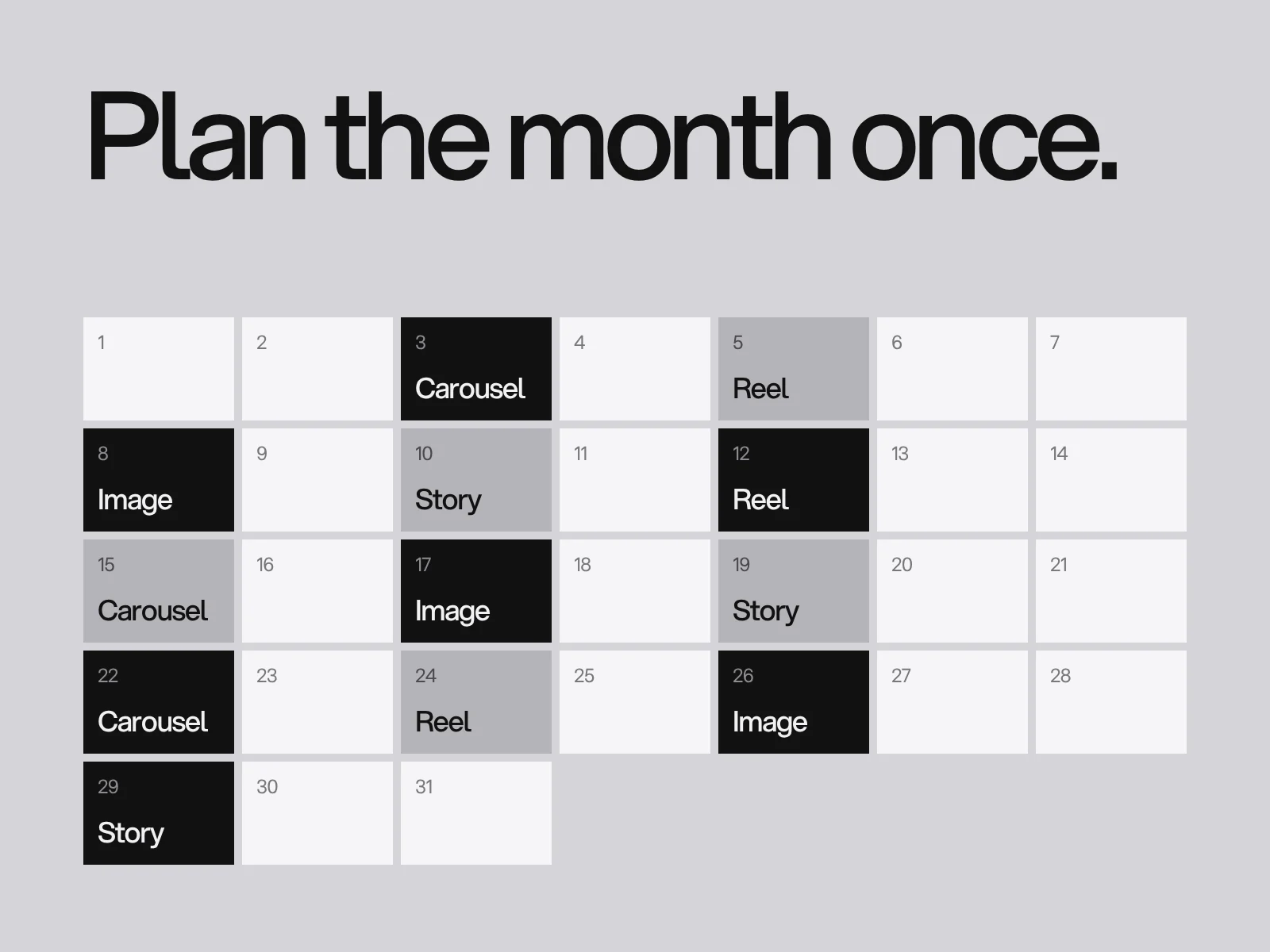
Most content calendars do not fail because of bad ideas. They fail for three operational reasons. The plan asks for more hours than the team has. Approvals take longer than the time left before the post date. Or the scheduler cannot publish what the calendar promised, so the post is made by hand at a bad moment. Build the calendar around those three, and the columns, pillars and templates become easy. This guide gives you the numbers, a worked example, the platform limits we found and what they cost.
Start from capacity, not from a benchmark
Buffer's study of more than 2 million Instagram feed posts from over 100,000 accounts (published in August 2025) is the best known data on frequency. As summarised by Social Media Today and Hypebot, moving from one or two posts a week to three to five was associated with about 12% more reach per post, and follower growth rates of +0.12% (one to two posts), +0.26% (three to five), +0.44% (six to nine) and +0.66% (ten or more). Three to five posts roughly doubles the growth rate of one or two.
Read it as correlation. We could not find how accounts were selected or how growth was measured, and accounts that post ten times a week are usually accounts with a team. Adam Mosseri is quoted by secondary sources as saying to prioritise quality over quantity but that, in general, the more you post, the more people you reach. We found no primary source for that quote either. The two are not in conflict. Posting more helps until the quality falls, and the point where that happens is your capacity.
So set cadence from hours. A worked example, with assumptions you must replace. We found no published study of hours per post, only vendor estimates, so measure your own for two weeks. Suppose a designer has 10 hours a week for social and a writer or manager has 5.
| Item per week | Assumed hours |
|---|---|
| 1 carousel (concept 1, copy 1, design 2.5, fixes 0.5) | 5 |
| 1 image post | 1.5 |
| 1 Reel on an existing clip (cover, caption) | 1 |
| 1 LinkedIn post | 1 |
| Production | 8.5 |
| Review, replies and rework, +25% | 2.1 |
| Total | 10.6 of 15 available (71%) |
That leaves 4.4 hours a week, and building a one week buffer (another 8.5 hours of production) takes about two weeks of spare hours. Now make one estimate wrong: the carousel takes 8 hours, not 5. Production is 11.5, the total with the same overhead is 14.4 hours, and utilisation is 96%. A three hour error on one post removed the spare time, so the buffer never gets built and every week is a rescue. Plan to roughly 70 to 80% of capacity (our rule of thumb) and drop a post before you drop the buffer.
The columns, plus the two that templates miss
Keep the usual columns: date, channel, format, pillar, caption, asset link, owner and status. Add two:
| Column | Why |
|---|---|
| Publish method | Auto (the scheduler posts), notification (the scheduler reminds you and you post in the app) or manual. It forces you to find out, before the day, which posts a tool cannot publish |
| Approve by | The publish date minus your lead time. It turns "in review" from a status into a deadline |
If you use a tool where approval lives apart from scheduling, one vendor warns, there is a gap where approved content is published at the wrong time or to the wrong channel. Put both in one place if you can.
Lead time: where the buffer comes from
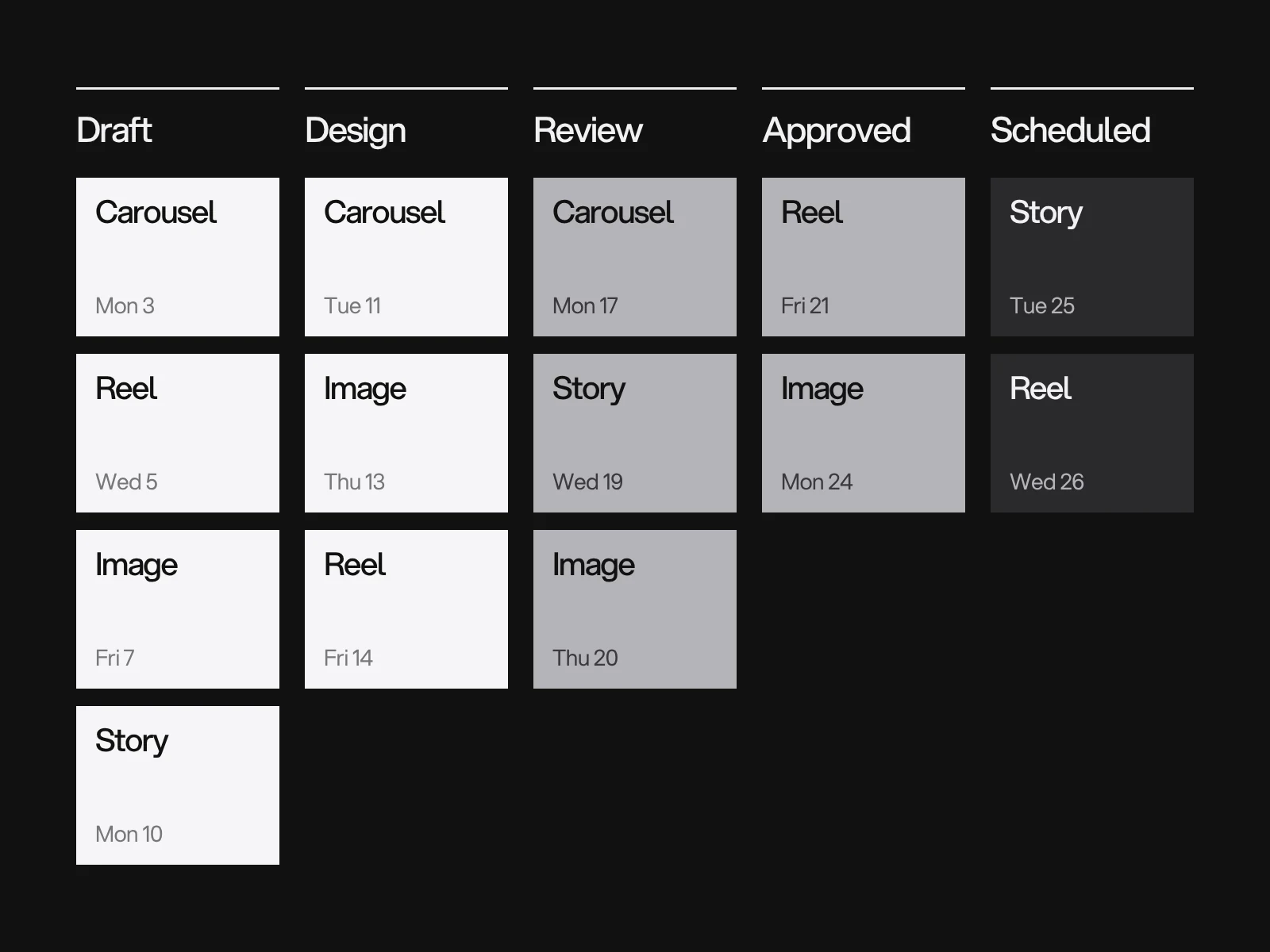
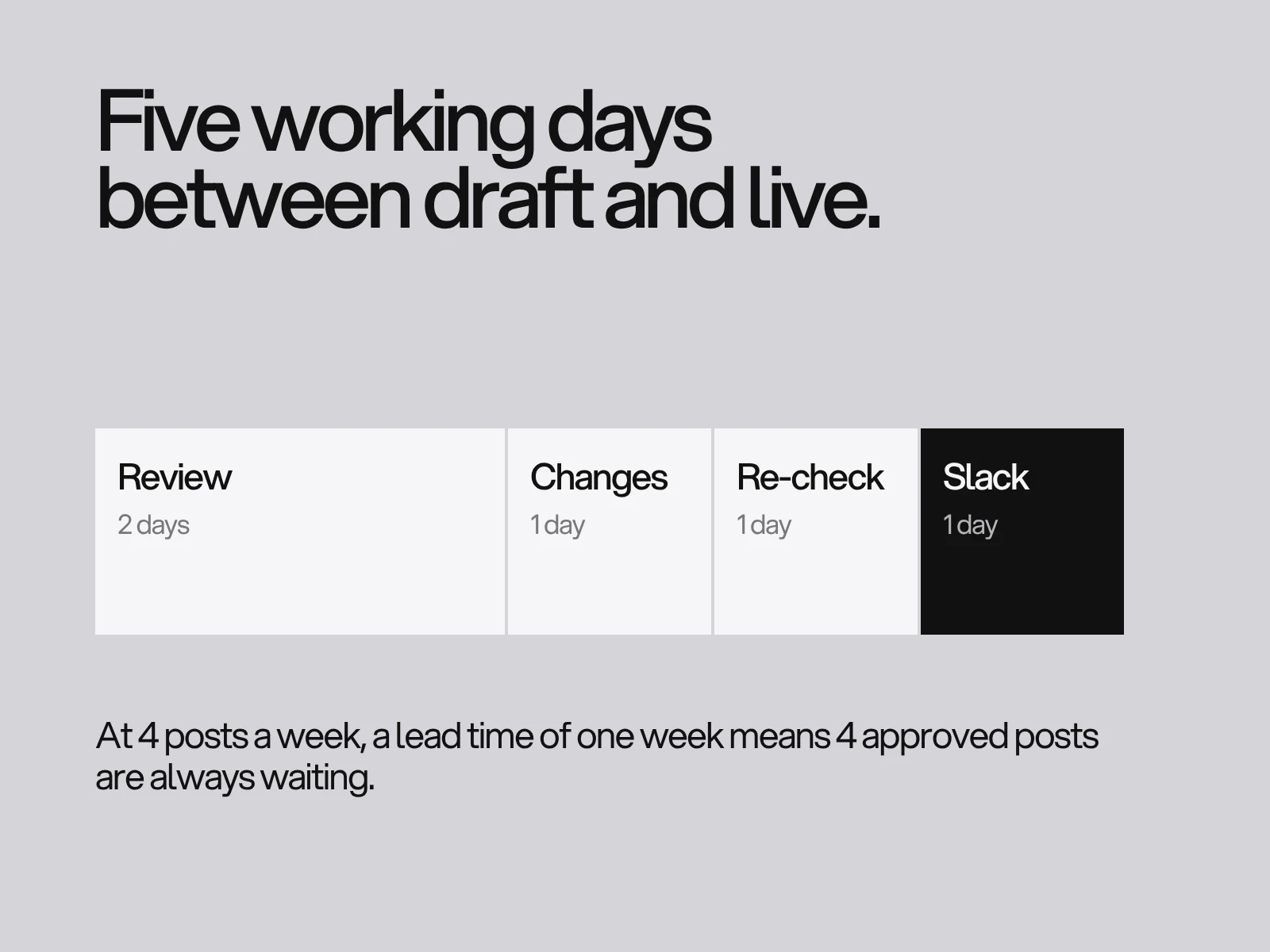
Lead time is the working days between "ready for review" and "live". Write it as a sum:
lead time = first review + changes + second review + slack
Vendor guidance on approvals differs on rounds: one source allows one pass per approver, another calls two rounds the agency norm. We use two, and we give an approver two working days. Then: 2 + 1 + 1 + 1 = 5 working days. The buffer follows from the cadence: posts per week x lead time in weeks. At 4 posts a week and a one week lead time, 4 approved posts should be waiting at all times.
Use the buffer as a rule. If fewer posts than one week of cadence are marked approved, do not start a new post. Finish the ones in review. That rule is our judgement, not a vendor claim, and it stops the usual drift where everything is in draft and nothing is ready. Widely quoted statistics on how many companies miss approval deadlines come from one vendor blog with no original source, so we do not repeat them. Two sensible defaults from the same guidance: low risk posts that get no answer go out as drafted, and high risk ones are pulled and moved.
What your scheduler cannot publish
The publish method column needs facts. These are what we found, with how sure we are.
| Limit | What sources say | Confidence |
|---|---|---|
| Instagram in-app scheduling | Professional accounts only, feed posts, carousels and Reels up to 75 days ahead (TechCrunch, 2022; repeated by a 2026 vendor guide, which adds that collab posts cannot be scheduled and Stories lose interactive features) | Secondary |
| Meta Business Suite window | Guides give three figures: 29, 75 and 90 days | Conflicting; check the date picker |
| Trending audio on Reels | Tools that publish through the API, including Sked and Publer, say they cannot add it; Metricool says it can for some accounts and some tracks; the workaround is a notification post | Vendor statements |
| Collab invites | The publishing API does not expose them (SocialKit, June 2026); send the invite in the app after publishing | One source |
| API publishing cap | Meta's own documentation states 100 posts per rolling 24 hours in one place and 50 in another; a carousel counts as one post; query the content_publishing_limit endpoint for your real figure | Primary, but inconsistent |
| LinkedIn native scheduling | Up to about three months ahead, one post at a time, and a scheduled post cannot be edited, only deleted and recreated | Secondary |
| Token expiry | Tools reconnect to Instagram with a token that vendors say expires in 60 to 90 days, after which every scheduled post for that account fails at once | Vendor claim |
The consequence for the calendar: any post that needs trending audio, a collab invite or interactive Stories stickers gets publish method "notification" or "manual", and a person owns that day. And the calendar's planning horizon is the smallest limit among your tools, not the biggest.
Cadence and timing: what to trust
"Best time to post" studies disagree because they measure different things. Sprout Social counts reactions, comments, shares, direct messages and link clicks together; others use engagement rate or raw counts. One critic points out that the vendors sell scheduling software and their data comes from people already using it, so it is not a random sample. One comparison found major 2026 Instagram studies disagree on the best hour from as early as 5 am to as late as 9 pm. An LSE blog post on 144 million posts argued that audience make-up, not network averages, should set the schedule.
Our approach: start at 9 am to 1 pm in your main audience's time zone, which several guides suggest as a default, alternate two slots for eight weeks with the same format, and compare medians. With about eight posts per slot, a difference smaller than the gap between your own best and worst posts is noise. Do not rebuild the calendar over it.
Where this goes wrong
- The calendar is full and the posts are late. Cause: planned hours were above 80% of capacity, so any overrun ate the buffer. Detect: adherence, meaning posts published on the planned day divided by posts planned. Fix: cut one post a week until adherence holds above 85% for a month (our threshold).
- Everything fails on one morning. Cause: an expired token, an account switched to personal or private, or a lost Facebook Page connection. Detect: a Monday check of the scheduler's failed posts log and the connection status. Fix: reconnect, and look in Instagram's drafts, where the post often still sits.
- A post fails silently. Cause: media outside the accepted ratio or size range, according to one vendor. Detect: compare what was published with what you uploaded. Fix: check ratios against our guides to carousel sizes and Reels covers.
- A timely post is stale by the time it goes out. Cause: it was planned to the lead time. Fix: keep two open slots a week that skip the approval chain, with a named approver who can answer within hours.
- The calendar turns into a document nobody opens. Cause: more than ten columns. Fix: archive any column that nobody edited for a month.
Monthly review with thresholds
Look at five numbers once a month:
- Adherence: posts published on the planned day divided by posts planned. Below 85%, reduce cadence.
- Buffer: approved posts waiting on the last day of the month. Below one week of cadence, stop starting new posts.
- Hours per post: actual against the table above. If a format runs 25% over plan two months in a row, change the plan, not the estimate.
- Manual share: the share of posts with publish method manual or notification. If it grows, a person is carrying the calendar.
- Median reach by format: use medians, not the best post.
Documented strategy helps, though the evidence is old and self-reported. In the Content Marketing Institute's 2016 B2B report, 60% of marketers with a documented content strategy rated their organisation effective, against 32% with only a verbal one. It is a survey of strategy, not of calendars, so read it as a nudge to write things down.
Starter checklist
- Three or four pillars, one sentence each.
- A table of hours per format, measured over two weeks, and a plan at 70 to 80% of capacity.
- Ten columns at most, including publish method and approve by.
- A lead time written as a sum and a buffer rule.
- A scheduler limits table for the tools you actually use.
- A Monday check of failed posts and a monthly review with the five numbers.
The case pages show the other side of a calendar, what a consistent set looks like once it exists: Ordin has three stories and eight posts, each a single idea; Outverge shares a few moves across stories and posts; Monolith cuts its posters into a feed that reads as one wall. Social media design at LAIN is ongoing work, so the calendar and the templates are set up together. If you want help, start a project.
Frequently asked questions
How often should I post on Instagram according to the data?
Buffer's study of more than 2 million feed posts from over 100,000 accounts links three to five posts a week to about 12% more reach per post than one or two, and growth rates of +0.12%, +0.26%, +0.44% and +0.66% for one to two, three to five, six to nine and ten or more posts a week. It is correlation, so set your rate from the hours you have, not from the table.
How far ahead can I schedule Instagram and LinkedIn posts?
Instagram's in-app scheduler allows up to 75 days for professional accounts, according to TechCrunch and later guides. Sources give 29, 75 and 90 days for Meta Business Suite, so check the date picker. LinkedIn's native scheduler allows about three months, one post at a time, and a scheduled post cannot be edited.
Can I schedule Reels with trending audio?
Usually not from a third-party tool. Sked and Publer say the API blocks adding audio, Metricool says it can for some accounts and some tracks, and the common workaround is a notification post: the tool reminds you and you add the audio and publish in the app. Mark these posts "notification" in your calendar.
Why did all my scheduled posts fail on the same day?
Usually the connection, not the posts. Vendors say the access token a scheduler holds expires every 60 to 90 days, and an account switched to personal or private, or a lost Facebook Page link, also stops every post. Reconnect the account and check Instagram's drafts.
How many approval rounds should a content calendar allow?
Vendor advice differs: one allows one pass per approver, another calls two rounds the agency norm. Two rounds with two working days for the approver gives a lead time of five working days, so at four posts a week you should always have four approved posts waiting.
What columns does a content calendar need?
Date, channel, format, pillar, caption, asset link, owner and status, plus two that most templates skip: publish method (auto, notification or manual) and approve by (the publish date minus your lead time). Add nothing else until a real problem asks for it.
Sources and fact check
Facts in this article that come from outside LAIN were checked on 28 Oct 2026 against:
- Buffer: How often should you post on Instagram, data from 2 million posts
- Social Media Today: How often should you be posting on Instagram
- Hypebot: How often should you post on Instagram
- TechCrunch: Instagram scheduling tool for all professional accounts
- Meta for Developers: Instagram content publishing
- Bundle.social: Instagram API rate limits
- Sked Social: Add trending audio to your Reels with notification posts
- Publer: How to add trending audio to Instagram Reels
- Metricool: Troubleshooting for scheduling and publishing
- SocialKit: How to schedule Instagram collab posts
- Buffer: How to schedule LinkedIn posts
- Cloud Campaign: Social media approvals
- Smash Balloon: Instagram scheduled posts not working
- Webtonic: Best times to post on social media, what three datasets show
- LSE Impact Blog: When is the best time to post on social media
- Content Marketing Institute: B2B content marketing report 2016 (PDF copy)
Timelines, services and process described here are LAIN's own, as set out on our About and FAQ pages.


[ Keep reading ]