[ App design ]
SaaS dashboard design: most failures are comparison failures, not chart failures
Most dashboard problems are comparison problems: a half-finished month against a full one, a bar axis that starts at 90, a filter nobody can see. Decide whether the screen monitors or analyses, compare like with like, mark partial data, check chart colours for contrast and design every widget's states.
By LAIN12 min read
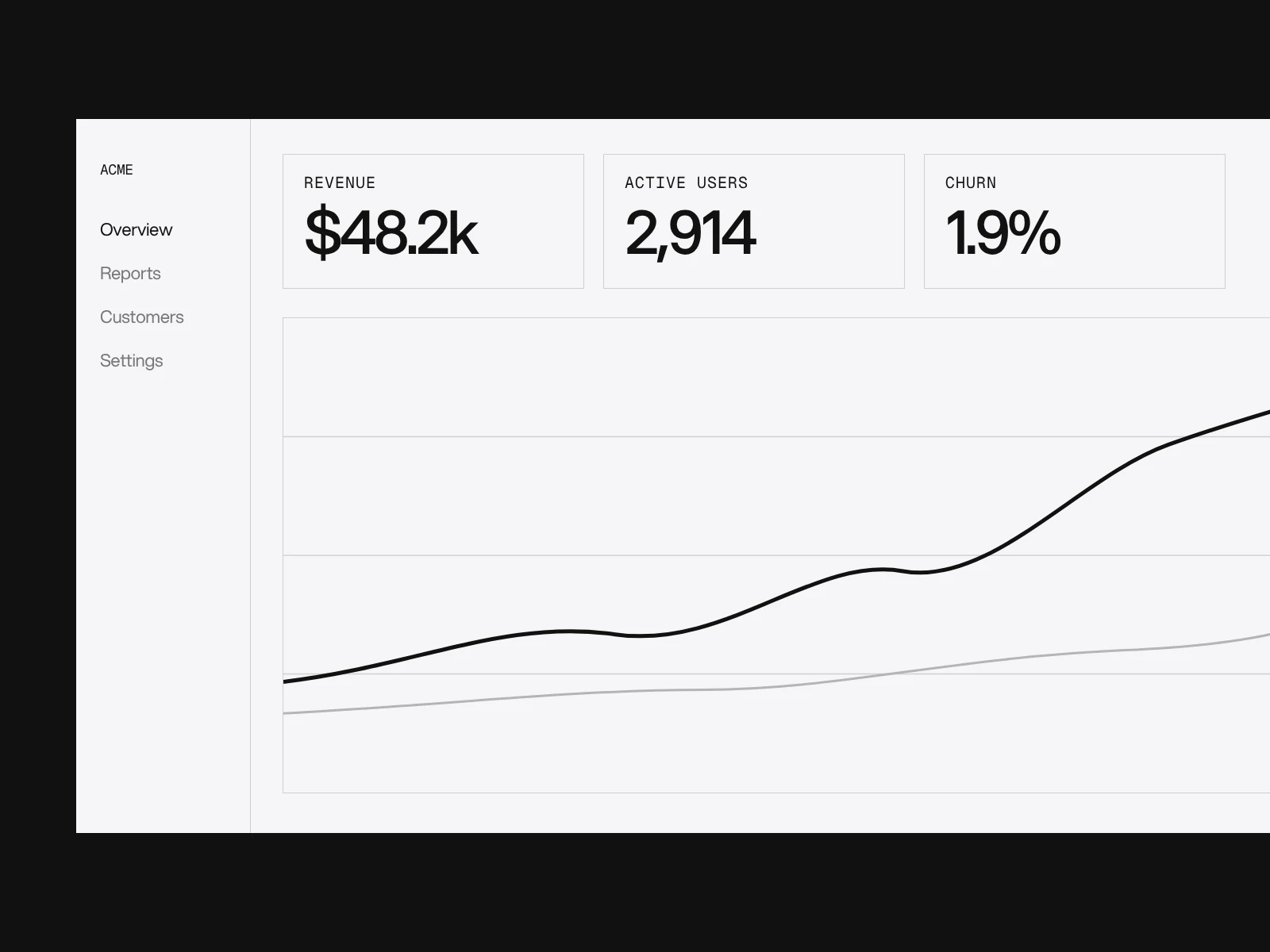
Ask ten designers for dashboard best practices and you get the same list: put key numbers first, use bars not pies, avoid clutter. It is fine advice and it is not where dashboards go wrong. They go wrong in the comparison: the number is right and the reader still draws the wrong conclusion. This guide keeps the short rules short and spends its length on those failures, with the research behind each rule and where the research disagrees with the slogan.
Decide what kind of screen it is
Stephen Few's definition is the one most designers inherit: a dashboard shows the most important information for one or more objectives on a single screen so it can be read at a glance. As reported by Dundas, he also says a dashboard is not for exploring data, and that it should not need scrolling, tabs or clicks to see what is being monitored. NN/g draws the same line from the other side: an operational dashboard supports time-sensitive action, an analytical one supports analysis and decisions later. The single-screen rule is debated, and Juice Analytics argues it is a useful constraint, not a law.
You do not have to settle the argument. You have to decide which job each screen has, because the choices that follow differ:
| Question | Monitoring screen | Analysis view |
|---|---|---|
| The reader asks | Is anything wrong, and what do I do first? | Why did it change, and for whom? |
| Interaction | None required to see the critical numbers | Filters, drill-down, comparisons, export |
| Density | Few numbers, large, stable positions | Many series, tables, small multiples |
| Refresh | Visible timestamp, frequent | On demand, with a stated period |
| Link between them | Every number opens its analysis view | Back to the monitoring screen |
Apple's chart guidance makes the same point about interaction: do not require people to interact to reveal critical information. Dragging to inspect a value is a bonus, not the way in.
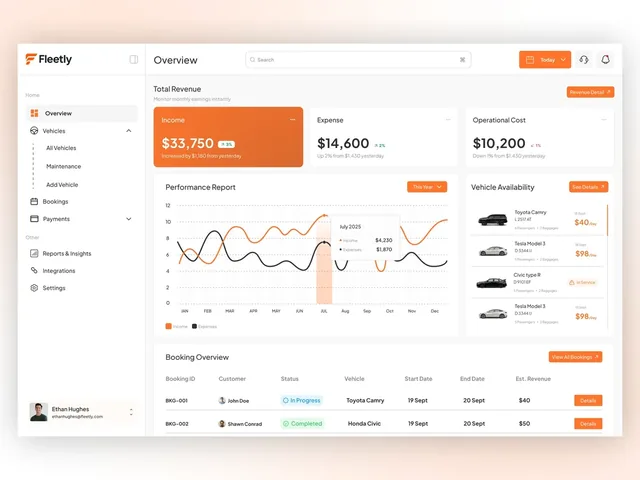
The Fleetly dashboard on our work page is a small example of a monitoring screen: its overview is four panels that answer four questions, with three figures across the top (income, expenses, operational cost, each with its change since yesterday), then the year against itself, which cars are free, and the bookings.
Compare like with like
A KPI card is a value plus a comparison, a period and an age. Drop any of the three and the number can mislead. The most common failure is the partial period.
Worked example, with illustrative numbers. It is the 12th of the month. Orders so far this month: 410. Last month had 1,180 in total over 31 days, and 380 of them fell in its first 12 days.
| Comparison | Calculation | Result |
|---|---|---|
| This month so far against last month in full | (410 - 1,180) / 1,180 | -65.3% |
| Same 12 days against the same 12 days | (410 - 380) / 380 | +7.9% |
| Straight-line pace (410 / 12 x 31 = 1,059) against last month in full | (1,059 - 1,180) / 1,180 | -10.2% |
The first card says the business has collapsed. The second says it is slightly ahead. The third depends on a guess that the remaining days look like the first twelve. Only the second is a fact. If you show a pace, label it a projection, and compare windows of whole weeks where you can, because weekday mix distorts short windows.
Products already handle the incomplete period in four different ways, which is a useful menu:
- Draw it differently. Fathom draws the current, unfinished part of a chart as a dotted line so a drop reads as missing data, not a decline. Vemetric does the same with a dashed line.
- Let the reader hide it. Clerk shows the latest period by default and adds a "Show incomplete period" checkbox.
- Withhold it. Zengain greys incomplete periods and shows no metric until the period ends.
- Separate zero from missing. GitLab renders a dotted line where there is no data, so a true zero and a gap look different.
Pick by the reader's task. A monitoring screen should draw it differently, because the current period is the point. An analysis view can offer to hide it.
Also state the period, the timezone and the age of the data on the card. A number whose period is only implied by a filter in another part of the screen is a number nobody can trust.
Colour the change by meaning, not direction
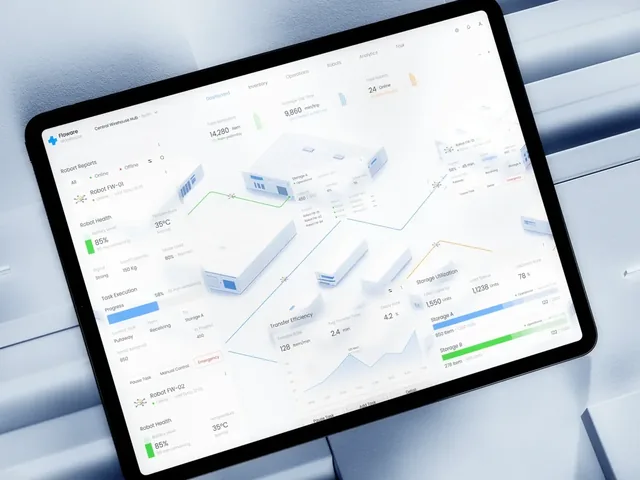
A rising cost is bad and a rising income is good. Put the sign on the delta and let the colour carry the judgement, and never use colour alone for it (see below). Floware, a warehouse dashboard on our work pages, does this at product level: colour is kept for meaning, with green for what is running well, blue for what is moving and orange for what needs attention, and the rest of the interface stays almost white.
Axes and charts: the rules that survive scrutiny
Bars start at zero. Apple's chart guidance says bar charts work well with a zero baseline because the reader compares heights, while lines may need a non-zero lower bound to show meaningful differences. Correll, Bertini and Franconeri (CHI 2020) tested this: truncated bar axes exaggerate the perceived effect, and visual cues that the axis is truncated did not remove the effect.
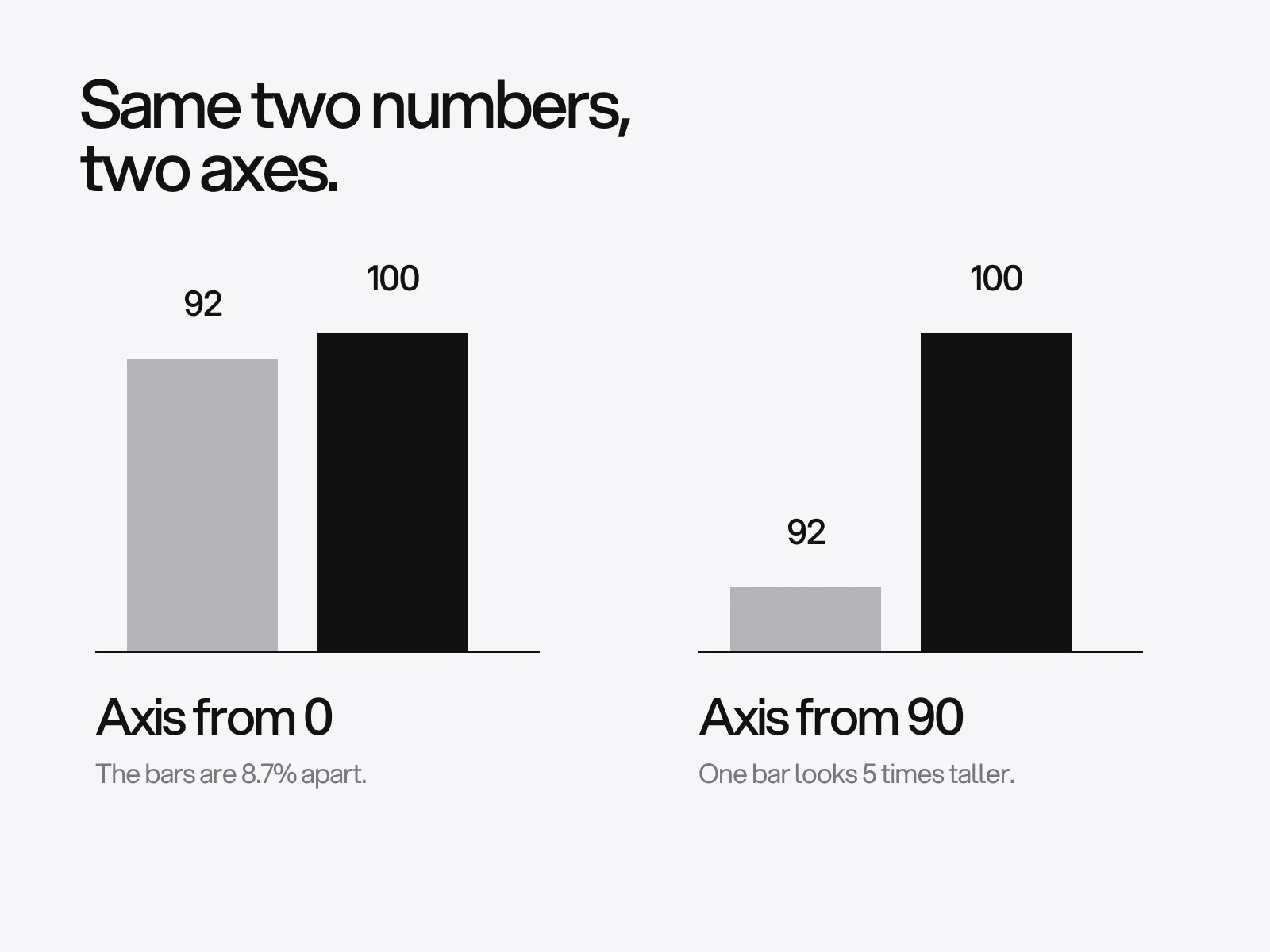
The picture uses a worked example. Two bars, 92 and 100. The data differ by 8.7%. With the axis starting at 90, the bars are 2 and 10 units tall, so the taller looks 400% bigger. Tufte's lie factor, the effect shown divided by the effect in the data, is 4.00 / 0.087 = 46. Starting at 85 still gives 13.
Length and position beat angle and area, but pies are not as bad as the slogan. Cleveland and McGill's 1984 ranking of perceptual tasks puts position on a common scale first, then length, then angle and area. It has been replicated with crowdsourced participants, and newer work questions how well one ranking explains individual differences. NN/g builds on it to advise bars, lines and scatter plots, and to avoid pies, donuts, treemaps and radial gauges for quantities. The research is less one-sided:
- Spence and Lewandowsky (1991) found little to choose between pie and bar charts, with pies slightly ahead when the reader must combine proportions, and both better than a table for the tasks tested. Critics note that the bars lacked scales.
- Skau and Kosara (2016) found that angle is the least important cue in pies and donuts, and that a donut was as accurate as a pie.
How to decide: if the reader must compare or rank values, use bars. If the question is "what share is this one part of the whole", and there are two or three parts with the values labelled, a donut is fine. Anything beyond that, bars.
Small rules from Apple's chart guidance that cost nothing: label ticks with familiar sequences (0, 5, 10, not 1, 6, 11), give the chart a title that states the message, use a legend only for properties not tied to position, and expand the touch target to the whole plot area when the marks are too small for a finger.
Colour that survives contrast and colour blindness
NN/g says up to 4.5% of people have some form of colour blindness, about 8% of men. Two separate requirements apply: colours must be distinguishable by people who see them differently, and the marks must have enough contrast against the background. A palette can pass the first and fail the second.
WCAG 2.2 success criterion 1.4.11 asks for 3:1 against adjacent colours for graphical objects needed to understand the content. For charts that means: each line against its background, each pie slice against its neighbours (or separated by a border), and no need for lines to contrast with each other when they rarely overlap. If visible labels and values carry the same information, the slices are not needed for understanding. Thin lines look fainter after anti-aliasing, so use stronger colours or heavier lines.
Here are measured contrast ratios against a white background, computed from the hex values:
| Colour | Hex | Contrast on white | 3:1 |
|---|---|---|---|
| Okabe-Ito yellow | #F0E442 | 1.32:1 | Fail |
| Okabe-Ito orange | #E69F00 | 2.25:1 | Fail |
| Okabe-Ito sky blue | #56B4E9 | 2.31:1 | Fail |
| Okabe-Ito bluish green | #009E73 | 3.42:1 | Pass |
| Okabe-Ito blue | #0072B2 | 5.19:1 | Pass |
| IBM Carbon red 60 | #DA1E28 | 5.00:1 | Pass |
| IBM Carbon green 60 | #198038 | 5.02:1 | Pass |
The Okabe-Ito palette is designed for colour-blind readers, and three of its eight colours fail 3:1 on white. And the Carbon red and green pass on white, yet the contrast between the two of them is 1.003:1: they have the same luminance and differ only in hue, which is exactly what red-green colour blindness removes. Carbon documents these two as its danger and success colours, so the status needs a second cue. Apple's chart guidance says the same: never rely on colour alone, add shapes or patterns, and add separators between contiguous colour areas such as stacked bar segments. The Fleetly dashboard gives its booking statuses In Progress and Completed each their own colour and an icon.
Numbers and tables
- Tabular figures and right alignment.
font-variant-numeric: tabular-numsmakes digits the same width so columns line up, and it works only if the font has the feature. Adobe's Spectrum guidance is to right-align numbers, use tabular figures and left-align only identifiers such as postcodes. Max Masnick's data tips add that numbers in a column should share one precision. - Compact notation hides rounding.
Intl.NumberFormatwithnotation: "compact"defaults to two significant digits, and the output differs by locale. Checked in Node:
| Value | en-US compact | with one decimal |
|---|---|---|
| 1,250 | 1.3K | 1.3K |
| 12,345 | 12K | 12.3K |
| 999,999 | 1M | 1M |
| 1,234,567 | 1.2M | 1.2M |
For 1,234,567 German gives "1,2 Mio." and Indonesian "1,2 jt". A card that says 1M for 999,999 is correct to its precision and still misleading next to a target of one million, so show the exact value on hover or in the table.
- Signs.
signDisplay: "exceptZero"prints +6% and -3.4% and leaves 0% bare, which is what a delta needs. - Dates. Apple's chart guidance prefers "June 6" over "6/6", which has two readings.
Every widget has its own states
A dashboard is many small requests. One slow or failed widget should not blank the page, so each needs loading, empty, partial, error and stale states of its own. NN/g says to use a skeleton for a full page and a spinner for a single module such as a dashboard card, to show neither under a second, and to use a progress bar beyond ten seconds. Frame-only skeletons, which show just the header and background, read as broken.
| State | Show | Not this |
|---|---|---|
| Loading under 1 s | Nothing extra | A spinner that flashes |
| Loading 1 to 10 s | A spinner in that card | A full-page skeleton for one slow card |
| Empty | What will appear here and how to start | A chart with empty axes |
| No data against zero | A gap or dotted line for no data, 0 for zero | The same flat line for both |
| Error | What failed, retry, last good value with its age | A red card with no number |
| Stale | The age of the data on the card | A fresh-looking number from last week |
Fleetly's vehicle list has one of these built in: a car in the workshop shows "In Service" in place of its day rate.
Where this goes wrong
- Everything is a KPI. Cause: the dashboard was built from the data available. Detect: ask five people which number to look at first; if answers differ, the hierarchy is flat. Fix: one primary number per question and demote the rest to an analysis view.
- The delta contradicts the chart. Cause: the card and the chart use different periods or time zones. Detect: compare the card with the last point of the chart. Fix: one period object for the whole screen.
- A palette that passes in the guide and fails on the screen. Cause: the palette was chosen for colour blindness, not contrast, or checked on white and used on dark. Detect: run the contrast ratios against the real backgrounds, light and dark. Fix: darken the failing colours, add direct labels or borders.
- Filters that change numbers silently. Cause: a filter lives far from the number. Detect: change a filter and see whether the cards say so. Fix: show active filters and the period on each card.
- Tested only with tidy data. Cause: the prototype used ten perfect rows. Detect: feed it a zero, a missing value, a 12-digit number and a 40-character name. Fix: decide the display for each before building.
A review you can run
One point for each pass. Eight or more, ship. Fewer, fix first.
- Each screen is labelled monitoring or analysis, and critical numbers need no interaction.
- Every KPI shows a comparison, its period and its age.
- No card compares a partial period with a full one without saying so.
- Bar charts start at zero, or the truncation is the point and is stated.
- Chart marks reach 3:1 against their background on the light and dark theme.
- No meaning rests on colour alone.
- Numbers use tabular figures, share a precision and keep their exact value one step away.
- Each widget has loading, empty, error and stale states.
- Active filters are visible on the screen.
- Charts have a title that states the message and a data table or labelled values for people who cannot see them.
Working with LAIN on a dashboard
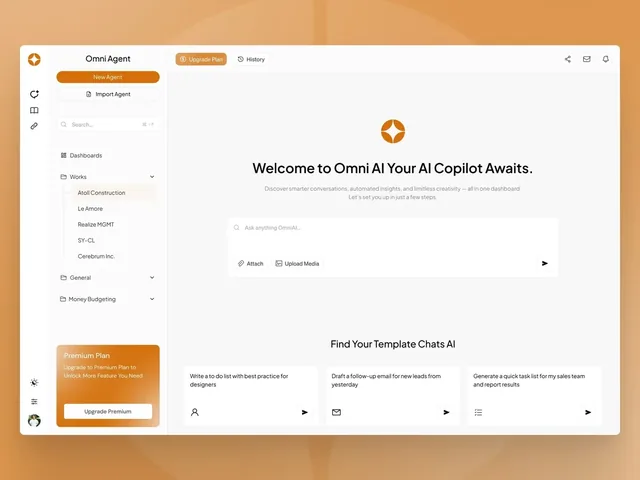
Product and dashboard design at LAIN typically takes 8 to 12 weeks, following four phases: alignment, creative development, refinement and final delivery. For design systems behind a dashboard, see design systems for startups; for phones, mobile app design. Other dashboards we have designed are Floware and Omni Agent. To start, send us a brief.
Frequently asked questions
What is the difference between an operational and an analytical dashboard?
NN/g separates them by purpose: an operational dashboard supports time-sensitive action and should be readable at a glance, while an analytical dashboard supports analysis and decisions later and can afford filters and drill-down. Few adds that a dashboard is for monitoring, not exploration.
How do I show the current month when it is not finished?
Draw the incomplete period differently, for example as a dotted line as Fathom does, or let the reader hide it as Clerk does. Compare like with like: the same number of elapsed days against the same days of the previous period, not a partial month against a full one.
Are pie charts always bad in a dashboard?
No. Cleveland and McGill rank angle and area below length and position, and NN/g advises against them for quantities, but Spence and Lewandowsky found pies about as accurate as bars for proportions, and Skau and Kosara found angle is the weakest cue and donuts are as accurate as pies. Use bars to compare or rank, and a labelled donut only for a share of a whole with two or three parts.
Do chart colours need to meet WCAG contrast?
Yes, graphical objects needed to understand a chart need 3:1 against adjacent colours under WCAG 1.4.11, unless visible labels and values carry the same information. A colour-blind-safe palette can still fail: Okabe-Ito yellow is 1.32:1 on white.
Should a bar chart always start at zero?
Almost always. Apple's chart guidance says bar charts work well with a zero baseline because people compare bar heights, and a CHI 2020 study found truncated bar axes exaggerate the effect even when the truncation is flagged. Line charts may use a non-zero lower bound.
How should a dashboard show that data is missing?
Show a gap or dotted line for missing data and a value for a true zero, so the two never look alike, and say how old the data is on each card. GitLab, for example, draws a dotted line where there is no data.
Sources and fact check
Facts in this article that come from outside LAIN were checked on 28 Oct 2026 against:
- Nielsen Norman Group: Dashboards, preattentive processing
- Dundas: Does everyone know what a dashboard really is? (quoting Stephen Few)
- Juice Analytics: Breaking free of the one-page dashboard rule
- Apple: Human Interface Guidelines, Charts
- W3C: Understanding Success Criterion 1.4.11, Non-text Contrast
- Correll, Bertini and Franconeri: Truncating the Y-Axis, Threat or Menace? (CHI 2020)
- Skau and Kosara: Arcs, Angles, or Areas, individual data encodings in pie and donut charts (EuroVis 2016)
- Spence and Lewandowsky: Displaying proportions and percentages (1991)
- The Risks of Ranking: Revisiting Graphical Perception to Model Individual Differences in Visualization Performance (arXiv)
- Wikipedia: Misleading graph (lie factor definition after Tufte)
- Max Masnick: Data tips, alignment in tables
- Vemetric changelog: dashed line for the current period
- Zengain docs: Unfinished periods
- IBM Carbon Design System: Data visualization color palettes
- Okabe-Ito palette hex codes (R package see documentation)
- Fathom Analytics changelog: Dotted lines for incomplete chart data
- Clerk changelog: Hide incomplete periods
- GitLab merge request 98301: dotted line where no data exists
- Nielsen Norman Group: Skeleton screens 101
- MDN: font-variant-numeric
- MDN: Intl.NumberFormat
- Adobe Spectrum: Table
Timelines, services and process described here are LAIN's own, as set out on our About and FAQ pages.
[ From our work ]
[ Keep reading ]