[ App design ]
Onboarding UX design: the decisions you only get one try at
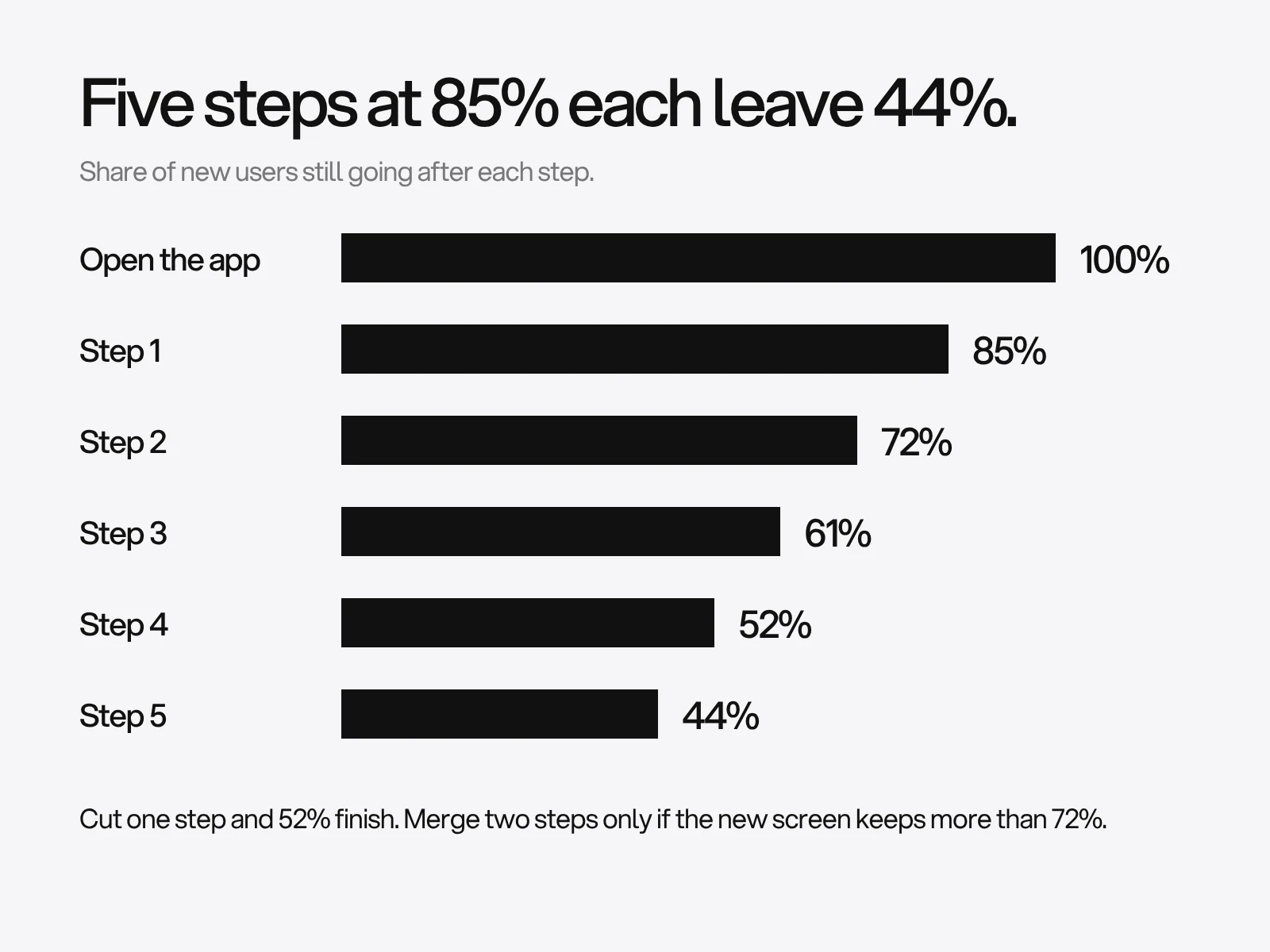
Onboarding has two kinds of decision. Copy and screen order can be tested and changed. Permission prompts cannot: iOS shows its notification prompt once, and Android treats a second denial as permanent. Budget the steps first, since five steps at 85% each leave 44% finishing, then spend your one prompt after the person has done something that makes the answer obvious.
By LAIN11 min read
Onboarding has two kinds of decision. The first kind is reversible: the words on a screen, their order, how many questions you ask. You can test those and change them next week. The second kind is not. A permission prompt can be shown once, an account wall changes who ever sees your product, and app store rules decide some of your choices for you. Most advice treats both kinds the same. This guide separates them, and puts numbers on the reversible ones.
Budget the steps first
Every step is a chance to lose people, and the losses multiply. If each step keeps a share of the people who reach it, the share who finish is that number raised to the power of the step count. We computed it:
| Kept at each step | 3 steps | 4 steps | 5 steps | 6 steps | 7 steps |
|---|---|---|---|---|---|
| 95% | 85.7% | 81.5% | 77.4% | 73.5% | 69.8% |
| 90% | 72.9% | 65.6% | 59.0% | 53.1% | 47.8% |
| 85% | 61.4% | 52.2% | 44.4% | 37.7% | 32.1% |
| 80% | 51.2% | 41.0% | 32.8% | 26.2% | 21.0% |
Three uses of this table:
- Set a target, then derive the step quality. To get 60% through five steps, each step must keep 90.3% of people. Through four steps, 88.0%. Through three, 84.3%.
- Removing a step is worth a fixed amount. Going from five steps to four at 85% each lifts completion from 44.4% to 52.2%, a gain of 17.6% on the starting figure.
- Merging two steps only pays if the merged screen keeps more than the pair did. Two steps at 85% each keep about 72% together. A combined screen that keeps 70% is a loss.
Do not chase published retention benchmarks as a target. Compilations of the same vendor data we could find put overall day-30 retention anywhere from about 4% to 7%, and we could not reach the Adjust or AppsFlyer reports behind them. Compare your own cohorts week on week.
What the one controlled tutorial test found
Nielsen Norman Group ran a remote, unmoderated test with 70 participants on four iOS apps, 35 who completed the app's swipeable tutorial and 35 who skipped it. Each task was one the tutorial taught.
| Measure | Read the tutorial | Skipped it | Significant? |
|---|---|---|---|
| Task success | 91% | 94% | No (p = 0.443) |
| Time per task | 93.5 s | 85.2 s | No (p above 0.1), reading time excluded |
| Perceived ease, 1 to 7 | 4.92 | 5.49 | Yes (p = 0.047) |
The tutorial did not help success or speed, and made the same tasks feel harder. Read the limits as carefully as the result: four iOS apps, all simple, and NN/g's advice is to think twice about tutorials for simple apps. It did not test a professional tool with a steep learning curve. Apple's guidance agrees in direction: onboarding should be fast, fun and optional, it should teach through interactivity, a set of context-specific tips can replace a single flow, and a tutorial that was skipped should not return on later launches but should stay easy to find.
Permissions are one-shot resources
Operating systems limit how often you can ask. These are the rules in the platform documentation, as of its current pages:
| Platform | What the documentation says | What it means for design |
|---|---|---|
| iOS notifications | The first authorization request prompts the person; later requests do not prompt | If you burn it at launch, the only route left is Settings |
| iOS provisional notifications | The provisional option shows no prompt; notifications arrive quietly in Notification Center history with Keep and Turn Off buttons | You can earn trust first and ask later |
| Android 13 and later notifications | Off by default on new installs; apps targeting API 33 or higher choose when to ask; the docs advise asking after a user action or on the third or fourth launch, not on a first launch with no context | Tie the prompt to a button the person pressed |
| Android, apps targeting 12L or lower | The dialog appears at startup; one tap on Don't allow means no more prompts until reinstall or until you target Android 13 | An old target SDK removes your choice of timing |
| Android runtime permissions in general | Tapping Deny more than once is treated as permanent; show an educational screen with a no-thanks button when the rationale check says so | Never loop the person back to the prompt |
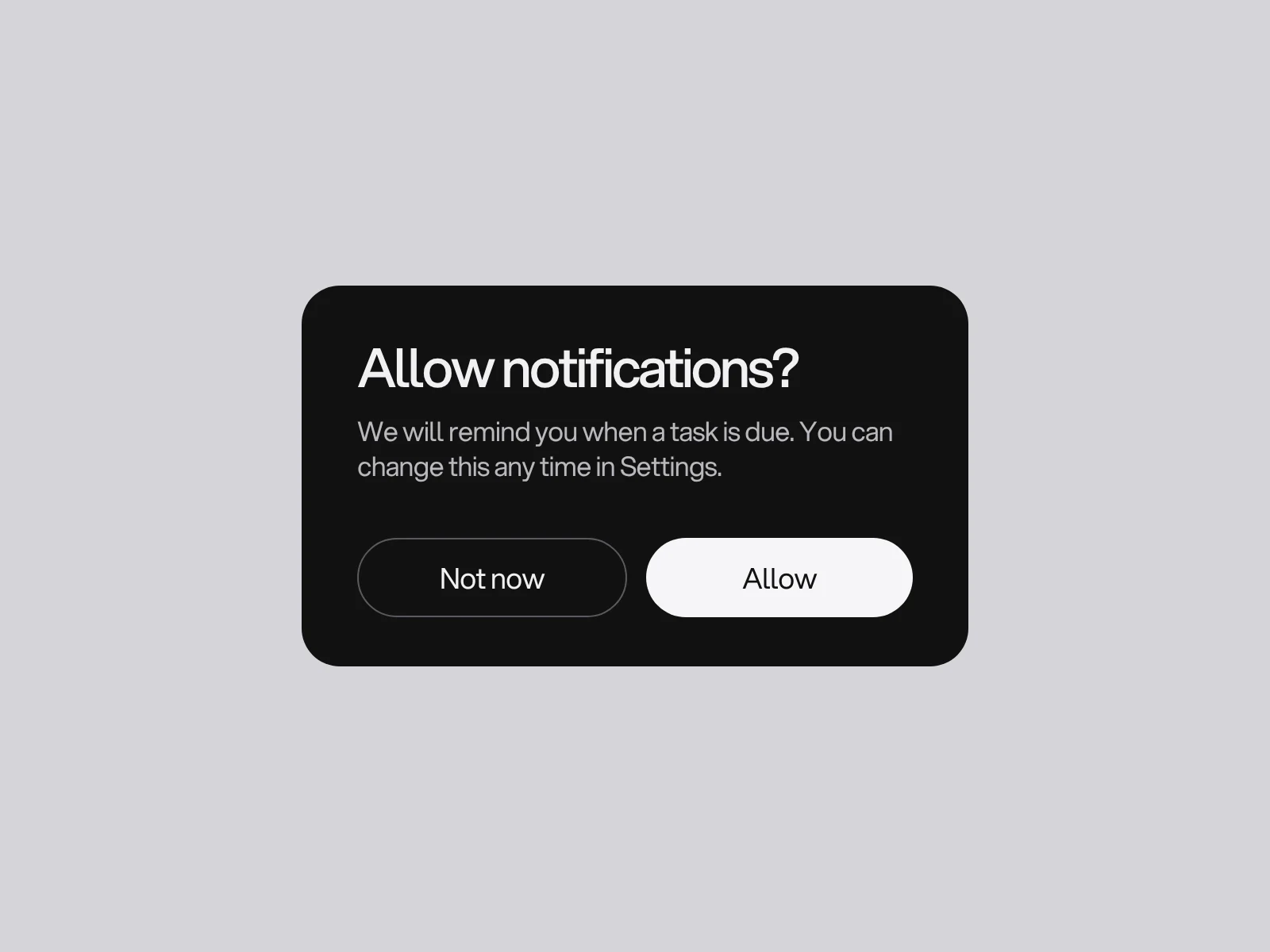
Apple's example for timing is a task app that asks for notifications after the person schedules a first task. One vendor benchmark reported second-hand suggests the effect: Android opt-in fell from 85% to 67% in a year once Android 13 required consent, while iOS moved from 58% to 56%. Treat it as a direction, not a target.
Apple's onboarding guidance adds a distinction that most articles skip: if the app cannot function without private data, ask during onboarding and show the benefit first. Otherwise ask when the person first uses the feature.
| Does the app work without it? | When to ask |
|---|---|
| No (a scanner needs the camera) | In onboarding, with the benefit shown first |
| Yes, but one feature needs it | At first use of that feature |
| Yes, and a softer option exists | Use the softer one: provisional notifications, or a system picker instead of full photo library access |
To catch a wasted prompt, log permission_prompt_shown with the permission and what triggered it. A prompt that appears in the first session before any action is the one to move.
Accounts: what the stores let you require
App Review Guideline 5.1.1(v) says that if an app does not have significant account-based features, people must be able to use it without logging in, and that an app supporting account creation must offer account deletion inside the app. Guideline 5.1.1(iv) bars forcing consent to unnecessary data access and gives the example of offering manual address entry when a person declines location. Guideline 5.1.1(iii) asks apps to use a system picker rather than request full access to Photos or Contacts where possible. Guideline 4.8 requires apps that offer a third-party or social login to also offer an equivalent option that limits data collection to name and email and lets people keep the address private. These are review rules, not taste, so design the account step against them early.
Outside the stores, the cost of an early account is visible in checkout research: Baymard's list of reasons for abandonment puts "the site wanted me to create an account" at 18%, excluding people who were only browsing. That is a shop checkout, not an app, so read it as a direction.
Checklists and the endowed progress effect
In a field experiment by Nunes and Drèze (2006), 300 car wash customers received loyalty cards. Some had eight empty spaces. Others had ten spaces with two already stamped, so the work needed was identical. Secondary summaries report that 34% of the pre-stamped group redeemed, against 19%. The paper's abstract confirms the design (eight steps recast as ten with two complete) and the conclusion that this raises completion and shortens time to complete.
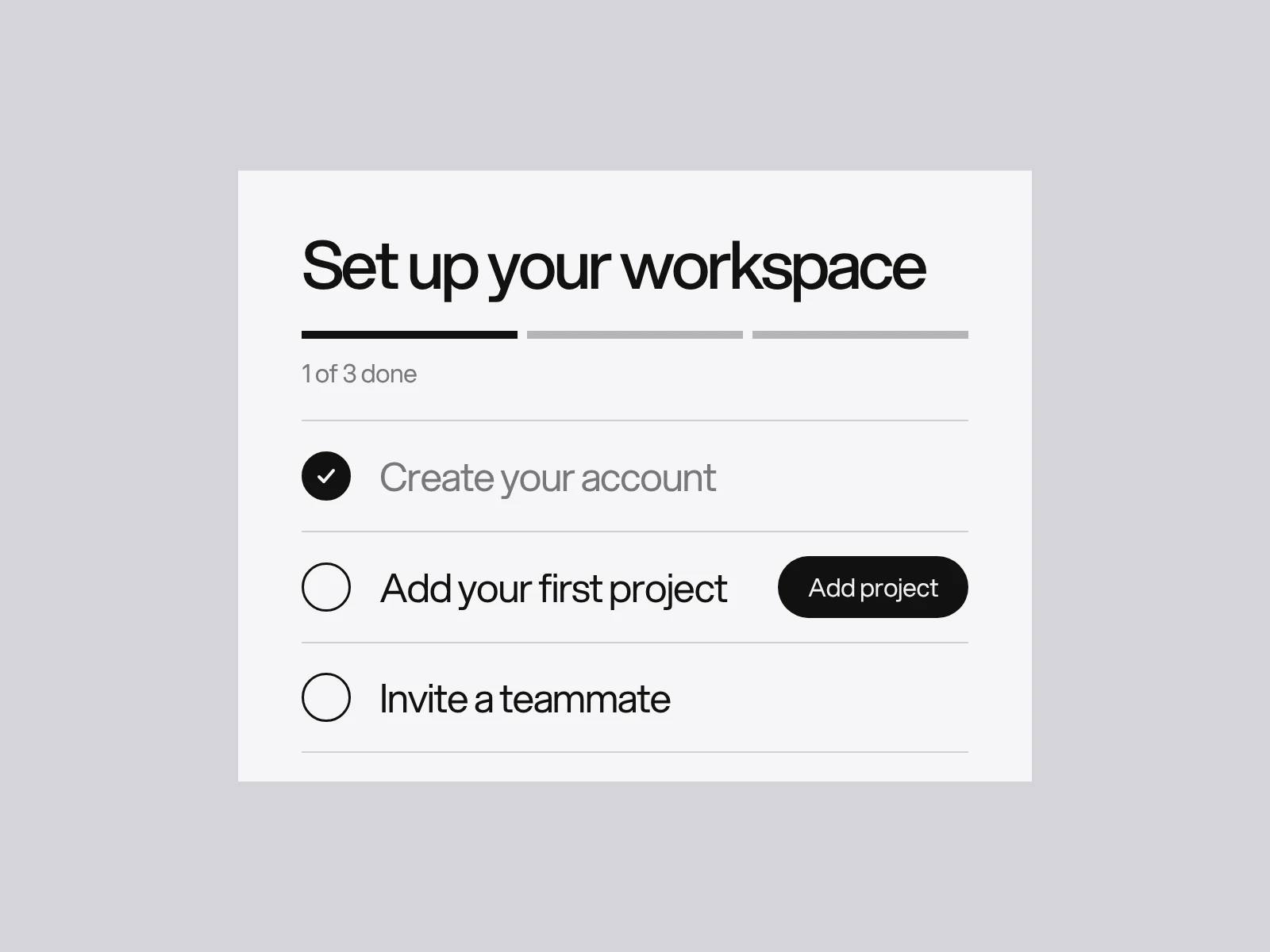
For a setup checklist, the lesson is to start from a real completed step, such as "Create your account", and show it done. It is one field experiment on loyalty cards, and the authors found the effect stronger when people were given a reason for the head start, so a bar that begins at 30% for no reason is manipulation. Each item should be a step toward the first win. "Complete your profile" usually is not.
Empty states and the first question
A new account has no data, so its first screen is usually empty. NN/g gives empty states three jobs: communicate system status, provide learning cues, and offer direct pathways into key tasks. It also warns that an inaccurate status message is particularly harmful. The practical failure is showing "No items yet" while the request is still loading, so people read the product as broken. Show progress until the response arrives, then the empty state.
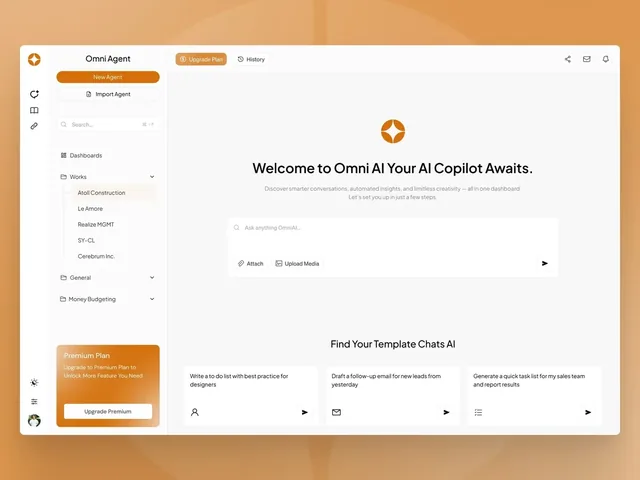
The Omni Agent dashboard, as described on its case page, opens on a single question. Projects sit in a quiet sidebar, three starting points sit under the composer as small cards, and the mark is the only thing allowed to be bright. Its first screen is the answer to the only question the product asks. That is an empty state doing all three jobs.
We found no controlled evidence on whether asking role or goal questions at sign-up improves activation. Treat personalisation as an experiment, and apply one rule: ask a question only if the answer changes the first screen. Otherwise it is a step, and steps multiply.
Measure the first win without fooling yourself
Pick the first win and a way to find it. A common method is to compare 30-day retention between people who did a candidate action in their first three days and similar sign-ups who did not. The action with the biggest gap is a candidate. It is only a correlation: people who were going to stay anyway may also do more early. Confirm by changing the flow to push more people to the action, and see whether retention moves. With only a few hundred sign-ups a week you cannot detect small changes, as UX research for startups shows with sample sizes, so watch five people instead.
| Metric | Definition | Note |
|---|---|---|
| Time to first win | From first open to the win event | Report the median and the 90th percentile, not the mean |
| Step completion | Share who finish each step | Compare with the table above |
| Prompt result | Granted over shown, per permission and per trigger | A low rate on one trigger means move it |
| Skip rate | Share who dismiss the tutorial or checklist | A high rate says it is not needed |
Where it goes wrong
| Failure | Cause | How to see it | Fix |
|---|---|---|---|
| The prompt is wasted at launch | Asking early feels efficient, and the platform allows one shot | Prompt shown in the first session before any action | Move it behind a user action, or use a soft option first |
| A forced tour | Team believes explaining features is safer | High skip rate, flat success | Replace with context tips; make the rest optional |
| The empty state flashes during loading | The screen renders before the data returns | "No items" appears for a moment on slow networks | Show progress until the response returns |
| An account wall before any value | Wanting an email early | Many sessions end at sign-up | Allow use first where the store rules require it, and where they do not, defer anyway |
| A checklist of admin | Items chosen for the business, not the user | Items completed rarely predict retention | Keep only steps toward the first win |
How this fits a project
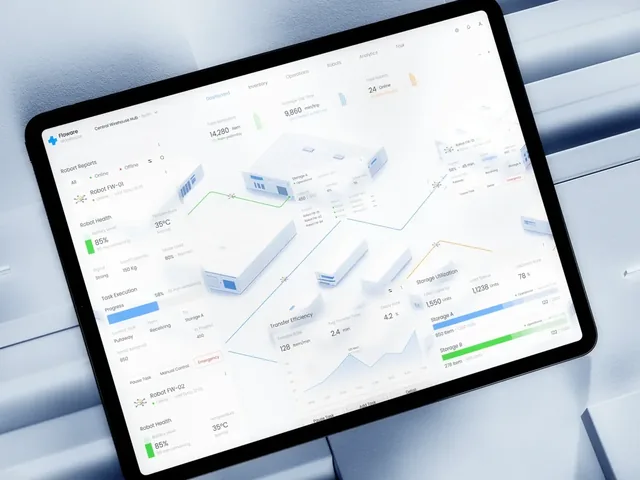
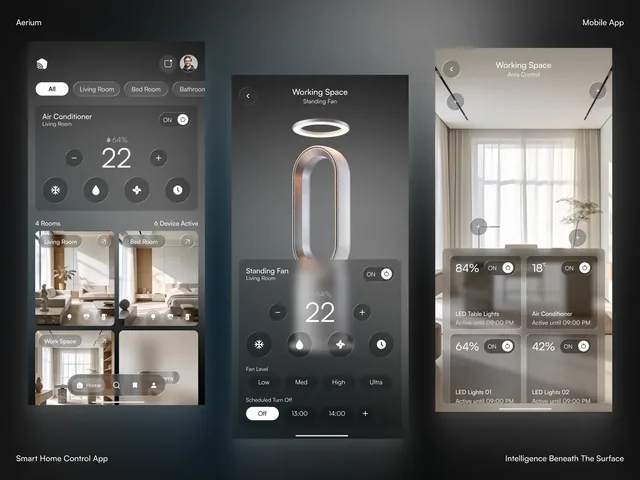
LAIN designs apps and dashboards in four phases, Alignment, Creative development, Refinement and Final delivery, over 8 to 12 weeks. Onboarding belongs in the same pass as the main screens, because the first screen is also the empty state. The Omni Agent page shows a first screen built around one question, the Floware page shows a product designed to read clearly on the website before sign-in and in the dashboard after it, and Aerium shows an app whose first view is a few switches over a photograph of a room. For the wider principles see the mobile app design guide. If you are planning an app and want the first minutes designed properly, tell us about it.
Frequently asked questions
Should an app have a tutorial?
Usually not as a swipeable tour. In a Nielsen Norman Group test of four iOS apps with 70 participants, people who read the tutorial were no more successful (91% against 94%) and rated the tasks as harder (4.92 against 5.49 on a 7-point scale). The test covered simple apps. Use short contextual tips and make anything longer optional.
When should an app ask for permissions?
When the person first uses the feature that needs it, unless the app cannot work without it, in which case ask during onboarding and show the benefit first. Apple documents that iOS prompts only once for notifications, and Android treats a second denial as permanent, so each prompt is a single chance.
What is provisional notification authorisation on iOS?
An option, available since iOS 12, that grants notification permission without showing a prompt. Notifications arrive quietly in Notification Center history with buttons to keep or turn them off. It lets people judge your notifications before deciding, and the app can request it at first launch.
How many onboarding steps are too many?
It depends on how many people each step keeps. Five steps that each keep 85% of people leave 44% finishing, while four steps leave 52%. To reach 60% through five steps, each must keep 90.3%. Remove any step that does not lead to the first win.
Can an app force people to create an account?
Not if it lacks significant account-based features. App Review Guideline 5.1.1(v) says such apps must let people use them without logging in, and apps that allow account creation must offer account deletion in the app. Guideline 4.8 also requires an equivalent privacy-friendly login option next to social sign-in.
What is an empty state?
The screen a new account sees before it has data. Nielsen Norman Group says a good one communicates system status, provides learning cues and offers a direct path into a key task. Do not show a no-items message while data is still loading, because it reads as an error.
Sources and fact check
Facts in this article that come from outside LAIN were checked on 28 Oct 2026 against:
- Nielsen Norman Group: Mobile-App Onboarding, an Analysis of Tutorials
- Nielsen Norman Group: Designing Empty States in Complex Applications
- Apple Human Interface Guidelines: Onboarding
- Apple Developer: Asking permission to use notifications
- Apple Developer: App Review Guidelines
- Android Developers: Request runtime permissions
- Android Developers: Notification runtime permission
- Nunes and Drèze (2006), The Endowed Progress Effect, Journal of Consumer Research
- Wharton Knowledge: the endowed progress effect
- Baymard Institute: Cart abandonment rate statistics
Timelines, services and process described here are LAIN's own, as set out on our About and FAQ pages.
[ From our work ]
[ Keep reading ]