[ App design ]
Mobile app navigation patterns: choose by structure, window width and back stack
Pick navigation from structure, not habit: a tab bar for three to five peer sections, a stack for depth, a rail once the window is 600 dp wide. What breaks apps is underneath: what Back does, what each tab remembers, and the back stack a notification builds.
By LAIN12 min read
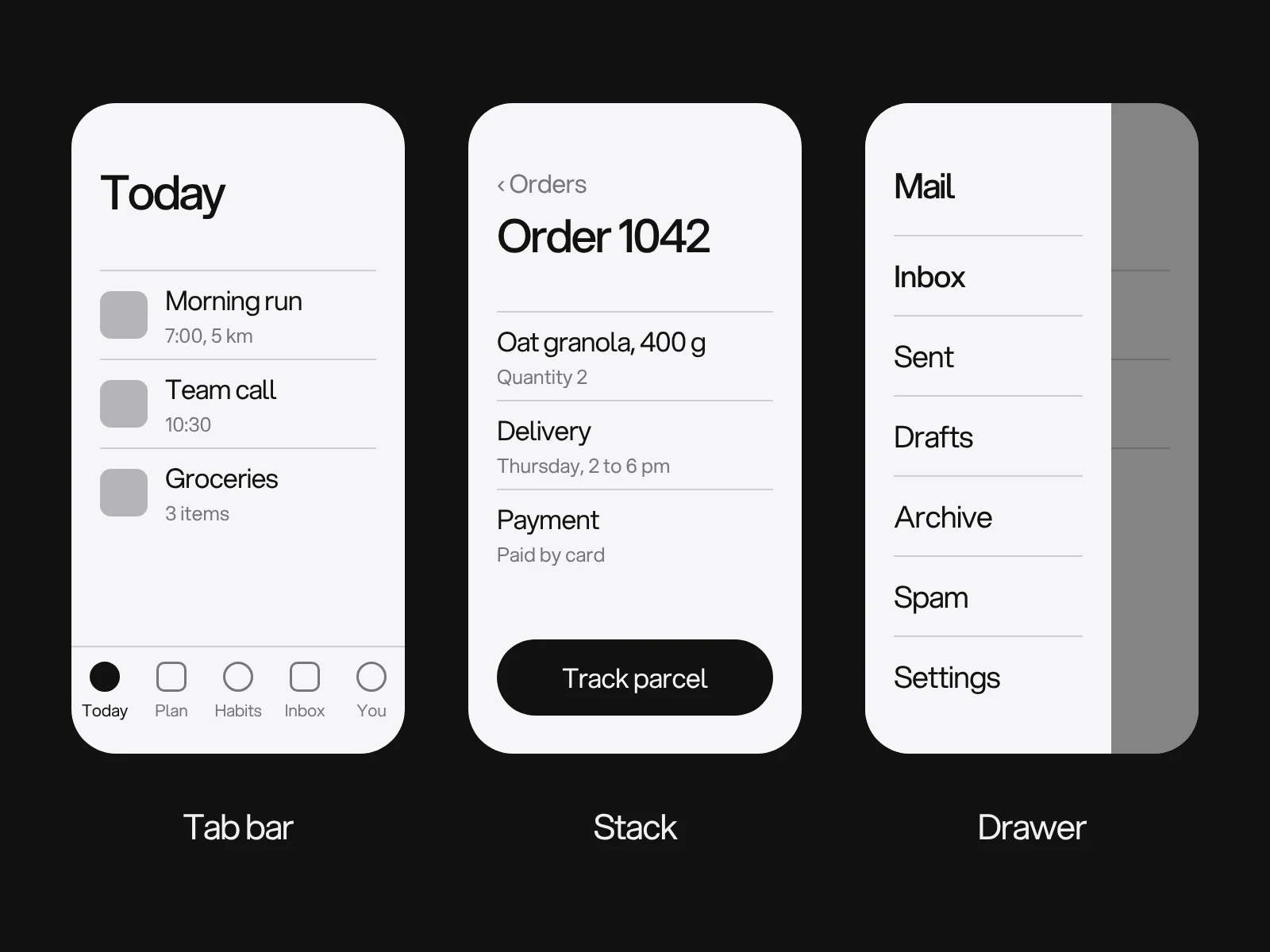
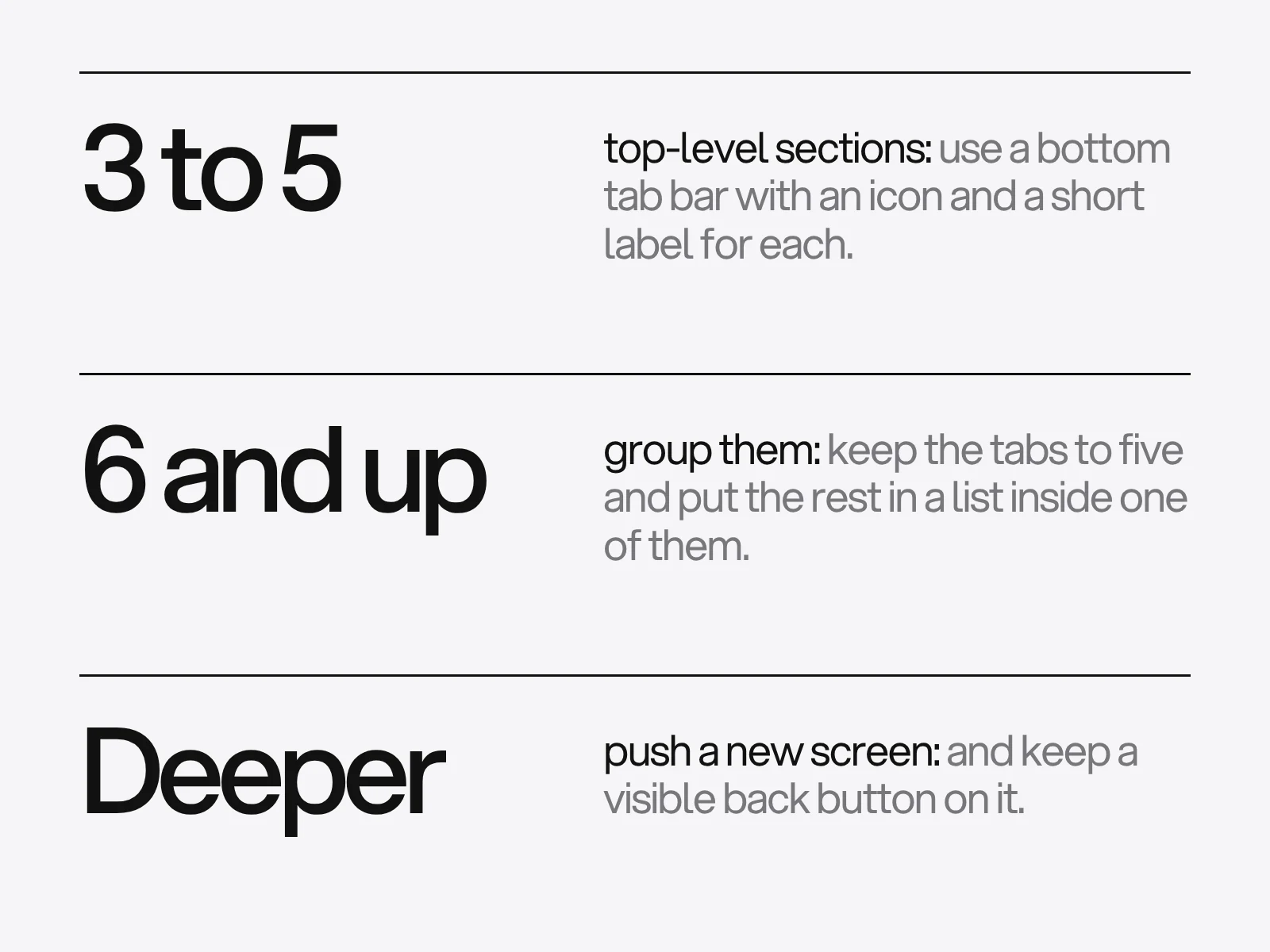
The usual advice is a bottom tab bar for three to five sections, and for a phone it is right. Two things hide inside it. Current Apple guidance does not actually say three to five, and the bar is the easy part. What makes navigation feel right or broken is underneath: what each tab remembers, what Back does, and what a notification builds. This guide covers those, with the numbers and where the sources disagree.
Pick the tabs by scoring them
Start with what the platforms say about count, because it is less uniform than the slogan.
- Apple's HIG says to use the number of tabs your hierarchy needs, that fewer is generally easier, and to avoid overflow tabs. The only number is for iPad customisation: aim for a default list of five or fewer. In UIKit, adding six or more view controllers shows the first four plus a More item, so a sixth tab quietly turns four visible destinations into four and a list.
- Material says a navigation bar has three to five destinations, and the Android
BottomNavigationViewdoes not support more than five. The arithmetic explains why. The Material 3 active indicator is 56 dp wide with 4 dp of margin each side, which implies about 64 dp per item: five items fit at 320 dp, six need 384 dp, which is wider than a 360 dp phone. - A collapsed navigation rail holds three to seven.
To choose which sections get a tab, score each candidate from 0 to 3 on three questions: how often people use it (frequency), how time-sensitive it is (urgency) and whether it is a place you stay rather than an action (a destination). A rubric we made for this guide, with illustrative scores for a food delivery app:
| Candidate | Frequency | Urgency | Destination | Total | Where it goes |
|---|---|---|---|---|---|
| Orders | 2 | 3 | 3 | 8 | Tab |
| Home | 3 | 1 | 3 | 7 | Tab |
| Search | 3 | 2 | 2 | 7 | Tab |
| Favourites | 2 | 1 | 3 | 6 | Tab |
| Offers | 1 | 1 | 3 | 5 | A section inside Home |
| Account | 1 | 1 | 3 | 5 | Profile button in the top bar |
| Wallet | 1 | 1 | 2 | 4 | Inside Account |
| Help | 0 | 2 | 2 | 4 | Inside Account |
The rule is a total of 6 or more and no more than five tabs. It gives four, with room left, and every demoted item has a home. Fill in the frequency column from analytics where the product exists, from interviews where it does not, and test the result as described at the end.
Navigation is a set of back stacks
Android's navigation principles are the clearest statement of how it should work, and they apply as a model on any platform.
- The app has a fixed start destination, the first screen from the launcher and the last one before the launcher when you press Back. One-time screens such as login are not start destinations.
- Navigation state is a stack with the start destination at the bottom. Within the app's task, Up and Back behave identically, and Up never exits the app.
- Deep links simulate manual navigation. A link to a destination replaces the existing back stack with a synthetic one: the start destination, the start destinations of any nested graphs above the target, then the target. It should match a stack the person could have reached by tapping.
Two consequences matter in practice.
Tabs each keep their own stack. Since Navigation 2.4.0, Android saves a tab's stack when you leave it and restores it when you return, so people keep their place. On iOS each tab has its own root view controller, and Apple's documentation says a tap on a tab shows that tab's root view, even if it was already selected. The expectation is simple: leave a deep screen in one tab, visit another, come back, and you are where you left off. An app that loses this teaches people not to trust the tab bar.
A deep link throws away what was there. Per Android's documentation, a link into the app replaces any existing back stack for the task. A notification tapped while someone is halfway through another flow loses that flow. Save drafts before the link is handled, and build the synthetic stack so that Back from the opened order goes to the orders list, not out of the app.
What should Back do from a non-start tab? The documentation I read does not say. A developer thread reports that Material once suggested always returning to the first tab and removed the suggestion, and shipping apps differ: some pop to the first tab, some keep tab history. Treat it as a product decision. Returning to the start tab and then leaving matches the Android principle that the start destination is the last screen before the launcher. Choose it unless your users switch tabs constantly to compare, and test the choice.
Predictive back. For apps targeting API 36 on Android 16, predictive back system animations are on by default, onBackPressed is not called and KEYCODE_BACK is not dispatched. Custom back handling must use the supported back APIs, and an opt-out attribute exists only as a stopgap. The animation previews where Back will go, so a stack that surprises people now surprises them visibly.
Window width decides the component
Most "tab bar or drawer" debates are settled by the window, not by taste. Android's window size classes for width are compact below 600 dp, medium from 600 to 839, expanded from 840 to 1,199, large from 1,200 to 1,599 and extra large from 1,600. The documentation reports that compact width covers 99.96% of phones in portrait and medium covers 93.73% of tablets in portrait. Height matters too: compact height is below 480 dp, which is a phone in landscape.
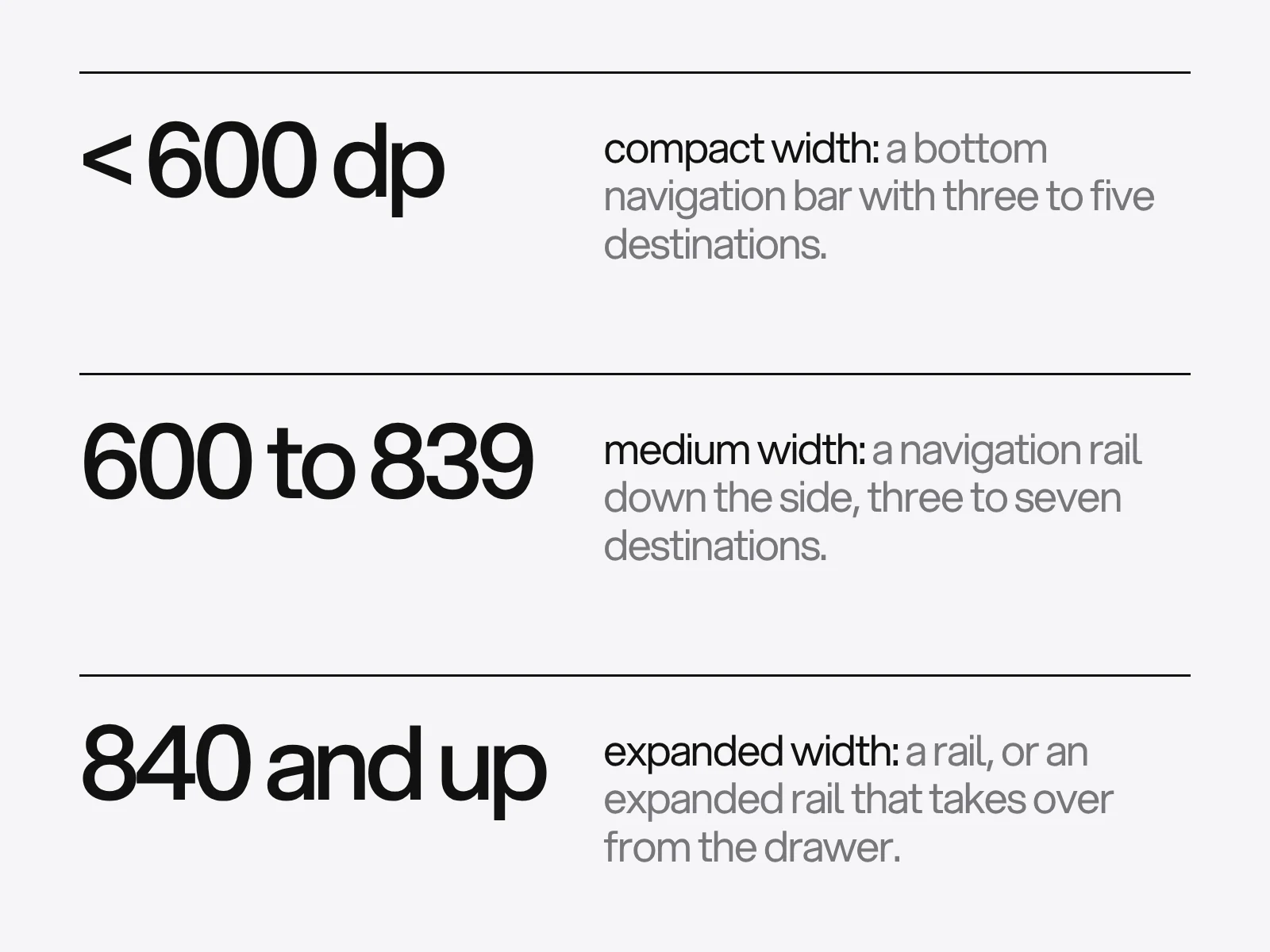
Android's NavigationSuiteScaffold encodes this: it shows a bottom bar when the width or the height is compact, and in tabletop posture, and a rail otherwise. A drawer appears only if you override the type. Material's own pages go further: the navigation drawer is being deprecated in the Material 3 expressive update, and an expanded navigation rail, which adapts better across window size classes, replaces it.
Apple reaches the same place from another direction. On iPad the tab bar sits at the top and can convert to a sidebar (sidebarAdaptable), a sidebar should show no more than two levels and should not be hidden by default, and Apple recommends a tab bar first because it leaves more room for content. Keep the same sections in both so the app is recognisable across sizes.
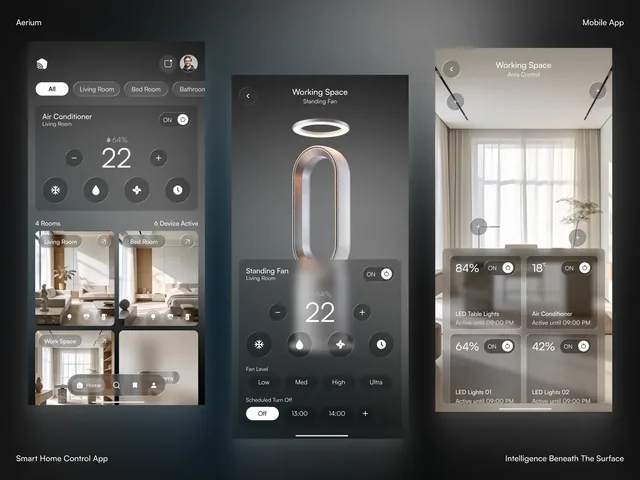
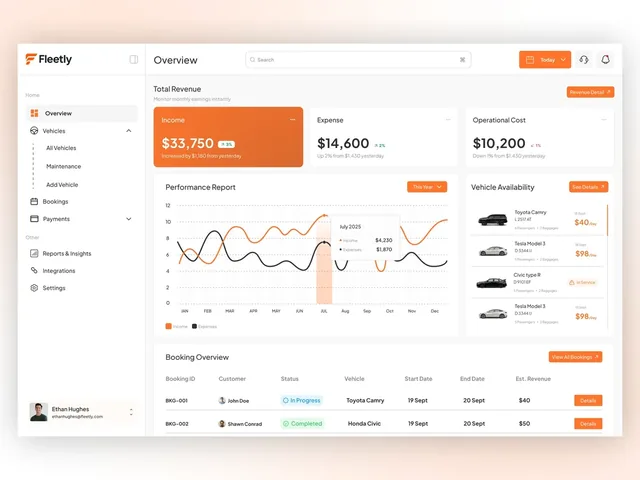
On our work pages, the Fleetly dashboard is the large-window case: its navigation groups the product into home, vehicles, bookings and payments with a quiet second level, which a bottom bar cannot hold. Aerium's app is the compact case, with three screens.
What the hidden navigation evidence supports
The strongest evidence is NN/g's 2016 study: 179 participants, six live sites, two tasks each. Share of cases in which navigation was used: on desktop, hidden 27%, visible 48%, combined (some visible, some hidden) 50%. On mobile, hidden 57% and combined 86%. Content discoverability was more than 20% lower with hidden navigation on both devices, and tasks were rated harder (2.6 on a 7-point scale for hidden, 2.3 combined, 2.1 visible, lower is better).
Read it with its limits. Visible-only navigation was not tested on mobile. Tasks did not tell people to use navigation, so skipping a menu may reflect a better path. The study covered six sites and simple tasks.
The other number you will meet is Redbooth's, a 65% rise in daily active users after dropping the hamburger menu for a five-tab bar. It comes from the company's own January 2015 post: a before-and-after comparison, no control group, released together with a new chat feature, with no sample sizes. It is a good story and not a benchmark.
The defensible reading: put the three or four most-used destinations where people can see them, and hide only the rest.
Details that decide whether the bar works
- Keep it visible. Apple says to keep the tab bar visible when people go deeper, because if you hide it people forget which area they are in. The exception is a modal.
- Do not disable or hide a tab. If a section is empty, show it and explain why.
- Badges mean critical. Apple reserves them for critical information so they keep their weight.
- A tab bar navigates, it does not act. Actions belong in a toolbar.
- Labels. Apple asks for labels, single words where possible. The Material Components docs describe an automatic label mode that shows labels on all items for three or fewer and only on the selected item for four or more, so on a four-tab bar the labels of the other tabs may vanish unless you set the labelled mode. Check your version.
- iOS 26. The tab bar floats over content in the Liquid Glass design, can minimise on scroll (
tabBarMinimizeBehavior), and a tab with the search role sits at the trailing end. Apple warns against label colours close to the content behind the bar. - Gestures supplement. Apple's gesture guidance says a custom gesture must never be the only way to do something important, and keeps a visible Back button even where a swipe exists. On Android, the back gesture is an inward edge swipe and the bottom edge gestures cannot be opted out of, so keep sliders and swipeable rows away from the edges.
Test the structure before the screens
You can test structure with no interface. A tree test gives people tasks against a text-only hierarchy and records success, confidence and time. MeasuringU's margin-of-error table (95% confidence, 50% success rate) shows what a sample can tell you: ±27% at 10 participants, ±17% at 30, ±13% at 53, ±10% at 93 and ±5% at 381. If 21 of 30 find the Wallet, the true rate could be as low as 53% or as high as 87%. Halving the margin needs four times the people, and comparing two structures needs more again.
A card sort needs fewer. Nielsen's reading of Tullis and Wood's 168-person Fidelity study is that the result correlates 0.75 with the full study at 5 participants, 0.90 at 15 and 0.95 at 30.
For first clicks, be careful with the famous pair. Bailey and Wolfson reported 87% task success after a correct first click against 46% after a wrong one, from about twelve studies on live sites between 2006 and 2009. MeasuringU's replication on five live sites (750 participants, 21 tasks) found 78% against 70%, while its tree-test data (137 tasks) found 81% against 14%. The first click matters most when structure is the only way to find something, and much less when other cues rescue people.
Where this goes wrong
- A sixth tab. Cause: the structure was not scored. Result: iOS shows four plus More, and a Material bar cannot fit six on a 360 dp phone. Fix: demote to a section.
- Tabs that forget. Cause: switching tabs rebuilds the screen. Detect: scroll a list, switch tab and come back. Fix: one saved stack per tab.
- Back exits from a notification. Cause: the link opened the target with nothing beneath it. Fix: build the synthetic stack.
- Labels disappear. Cause: the library's automatic label mode. Fix: set the labelled mode.
- Edge controls fight the system. Cause: a slider in the gesture strip. Fix: move it in.
- Custom Back breaks on newer Android. Cause: interception through
onBackPressed. Fix: migrate to the supported back handling.
A review you can run
- The longest journey is three levels or fewer.
- The tab list comes from a scored list, with every demoted item placed.
- At 320 dp the bar fits without truncated labels (items x 64 dp).
- Each tab keeps its stack, and tapping the active tab returns to its root.
- A notification opens its target with a sensible Back path, and drafts survive it.
- The tablet layout uses a rail or sidebar from the width breakpoint, not a stretched phone layout.
- No important action depends on a gesture.
- A tree test of the structure reaches at least 80% success on the five most important tasks, with the margin of error noted (80% is our threshold, not a standard).
If you are planning an app and are unsure how to organise it, see mobile app design for the surrounding rules, SaaS dashboard design for data-heavy products, and look at Aerium and Fleetly. App and dashboard projects at LAIN typically take 8 to 12 weeks across four phases: alignment, creative development, refinement and final delivery. To start, send us a brief.
Frequently asked questions
How many tabs should a mobile app have?
Material says three to five destinations in a navigation bar, and the Android BottomNavigationView does not support more than five. Apple's HIG gives no phone number: it says to use the number your hierarchy needs, that fewer is easier, and to avoid overflow tabs. In UIKit, six or more tabs show four plus a More item.
When should I use a navigation rail instead of a bottom bar?
Use the window width. Android's NavigationSuiteScaffold shows a bottom bar when the width or height is compact (under 600 dp wide or under 480 dp high) and a rail otherwise. Material says an expanded navigation rail replaces the drawer in Material 3 Expressive.
Is the hamburger menu bad for mobile apps?
Hidden navigation is used less. In NN/g's 2016 study of 179 people on six sites, mobile users used hidden navigation in 57% of cases against 86% for combined navigation, though visible-only was not tested on mobile. The popular 65% gain from Redbooth was a company before-and-after with a new feature launched at the same time.
What should Back do from a non-start tab on Android?
Android's documentation says the start destination is the last screen before the launcher, which supports returning to the start tab and then leaving, but it does not spell out the tab case. Apps differ, so choose one behaviour and test it.
How do notifications open a deep screen without breaking Back?
Build a synthetic back stack. Android replaces the existing stack with the start destination, the start destinations of any nested graphs and then the target, which should match a stack the person could have reached by tapping. Save any draft before the link is handled, because the previous stack is discarded.
How many people do I need to test navigation?
For a card sort, Nielsen's reading of Tullis and Wood finds a 0.90 correlation with the full study at 15 participants and 0.95 at 30. For a tree test, MeasuringU's table gives a margin of error of about 17% at 30 participants and 10% at 93, so size the sample to the precision you need.
Sources and fact check
Facts in this article that come from outside LAIN were checked on 28 Oct 2026 against:
- Apple: Human Interface Guidelines, Tab bars
- Apple: Human Interface Guidelines, Sidebars
- Apple: Human Interface Guidelines, Gestures
- Apple Developer Documentation: UITabBarController
- Android Developers: Navigation principles
- Android Developers: Multiple back stacks
- Android Developers: Use window size classes
- Android Developers: Build adaptive navigation
- Android Developers: Behavior changes in Android 16
- Android Developers: Gesture navigation
- Material Components for Android: Bottom navigation
- Material Components for Android: Navigation rail
- Material Components for Android: Navigation drawer
- Nielsen Norman Group: Hamburger menus and hidden navigation hurt UX metrics
- Redbooth: Why we banished the hamburger menu from our iPhone app
- MeasuringU: Using tree testing to test information architecture
- MeasuringU: Do click tests predict live site clicks?
- Nielsen Norman Group: Card sorting, how many users to test
- Donny Wals: Exploring tab bars on iOS 26 with Liquid Glass
Timelines, services and process described here are LAIN's own, as set out on our About and FAQ pages.

[ Keep reading ]