[ Graphic design ]
Infographic design: pick the encoding, keep the axis honest, limit the decoration
A good infographic makes one finding obvious in seconds and does not distort it. Encode the numbers by position or length, not by angle or area. Start bar charts at zero, because a cropped axis misleads even when it is flagged. Allow decoration only if it carries the topic and leaves the data marks alone. Check colour for colour blindness and for 3 to 1 contrast.
By LAIN10 min read
A good infographic makes one finding obvious in a few seconds and does not distort it. Style matters less than three decisions: how the numbers are encoded, where the axis starts and how much decoration you allow. Each has research behind it, and on two of them the researchers disagree. This guide gives the rule, the evidence and the point where you have to use judgement.
Start with one finding
"Orders by device" is a topic. "Most orders now arrive on phones" is a finding. A topic gives you a pile of facts. A finding gives you a spine: every number, label and colour either supports it or goes. Write it as one sentence with a number in it before you open a design tool. If it needs the word "and", you probably have two infographics. Then decide who it is for, what they should know after five seconds and what they should do next.
Pick the encoding by the task
The chart is the evidence, and some ways of drawing a number are read more accurately than others. Cleveland and McGill (1984) ranked the basic tasks people use to read quantities from a graph. The order, from most to least accurate: position on a common scale, position on non-aligned scales, then length, direction and angle, then area, then volume and curvature, then shading and colour saturation. Heer and Bostock (2010) replicated much of this with crowd workers, and their results largely agreed. Later studies with other tasks dispute parts of the ranking, and sources differ on the middle ranks. Treat it as a strong default, not a law.
| You need the reader to | Use | Be careful with | Why |
|---|---|---|---|
| Compare exact values | Bars on one baseline, or a dot plot | Pie slices, bubbles | Position and length beat angle and area |
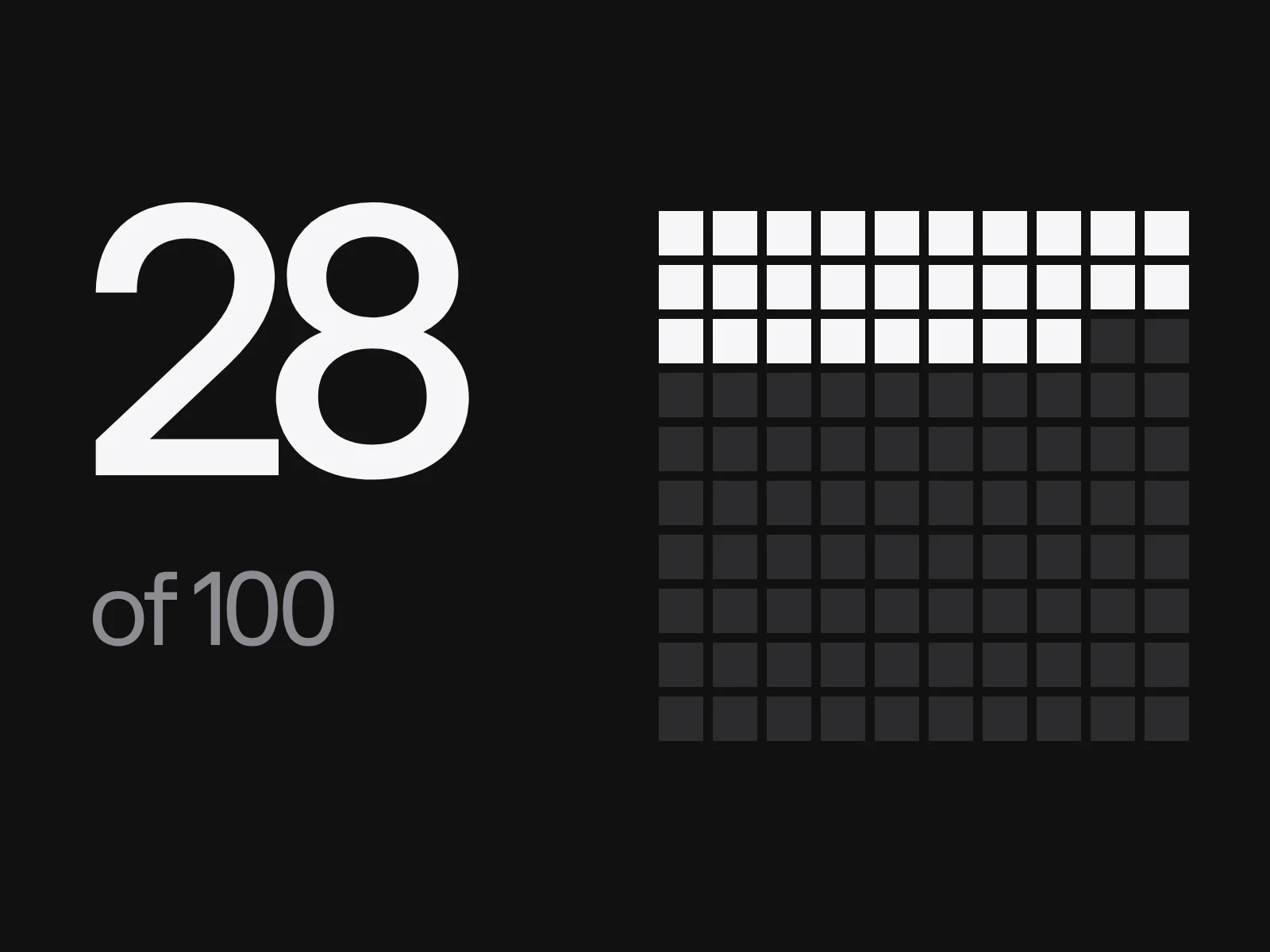
| See one share of a whole | One large number plus a grid of 100 squares | A pie with many slices | Counting squares is a position task |
| See change over time | A line chart | One pie per year | The eye follows position along a line |
| Rank items | Sorted horizontal bars | Alphabetical order | Sorting makes the rank visible |
If you must use circles, scale them by area, not by diameter. With a diameter in proportion to the value, 100 against 25 draws a ratio of 4 to 1 in width and 16 to 1 in area. Scaling by area gives a radius ratio of 2 to 1. Flannery found that readers underestimate circle area and proposed raising the radius exponent from 0.5 to 0.5716. For the same pair that gives a radius ratio of 2.21 and an area ratio of 4.9. Whether to apply the correction is disputed, and many tools do not. Label the values and do not let circles carry a comparison that matters.
The axis rule, and what research adds
Bar and column charts are read by the length of the bars, so the baseline must be zero. Datawrapper's charting tool does not allow a column chart to start above zero. Line charts and dot plots are read by position, so a non-zero start is reasonable, although Datawrapper recommends a zero baseline when the data sits near zero and Observable notes that a cropped line chart still exaggerates trends.
Correll, Bertini and Franconeri (CHI 2020) tested truncated axes with crowd-sourced experiments. Truncation exaggerated the apparent effect, and the distortion persisted even when the design included explicit cues that the axis was cut. So an axis break symbol does not repair a truncated bar. They also note that truncation can help or hurt depending on the aim, and advise designers to think about the size of the effect that matters.
Here is the arithmetic. Two values, 80 and 100, differ by 25 percent. Start the axis at 76 and the bars are 4 and 24 units tall. One is six times the other, so the shown change is 500 percent. Tufte's lie factor is the size of the effect shown divided by the size of the effect in the data: 500 over 25 is 20. A critic on Tufte's own site argues that the factor should be the ratio of the two ratios, 6.0 over 1.25, which is 4.8. The computation is disputed. The verdict is not, because both are far from 1.
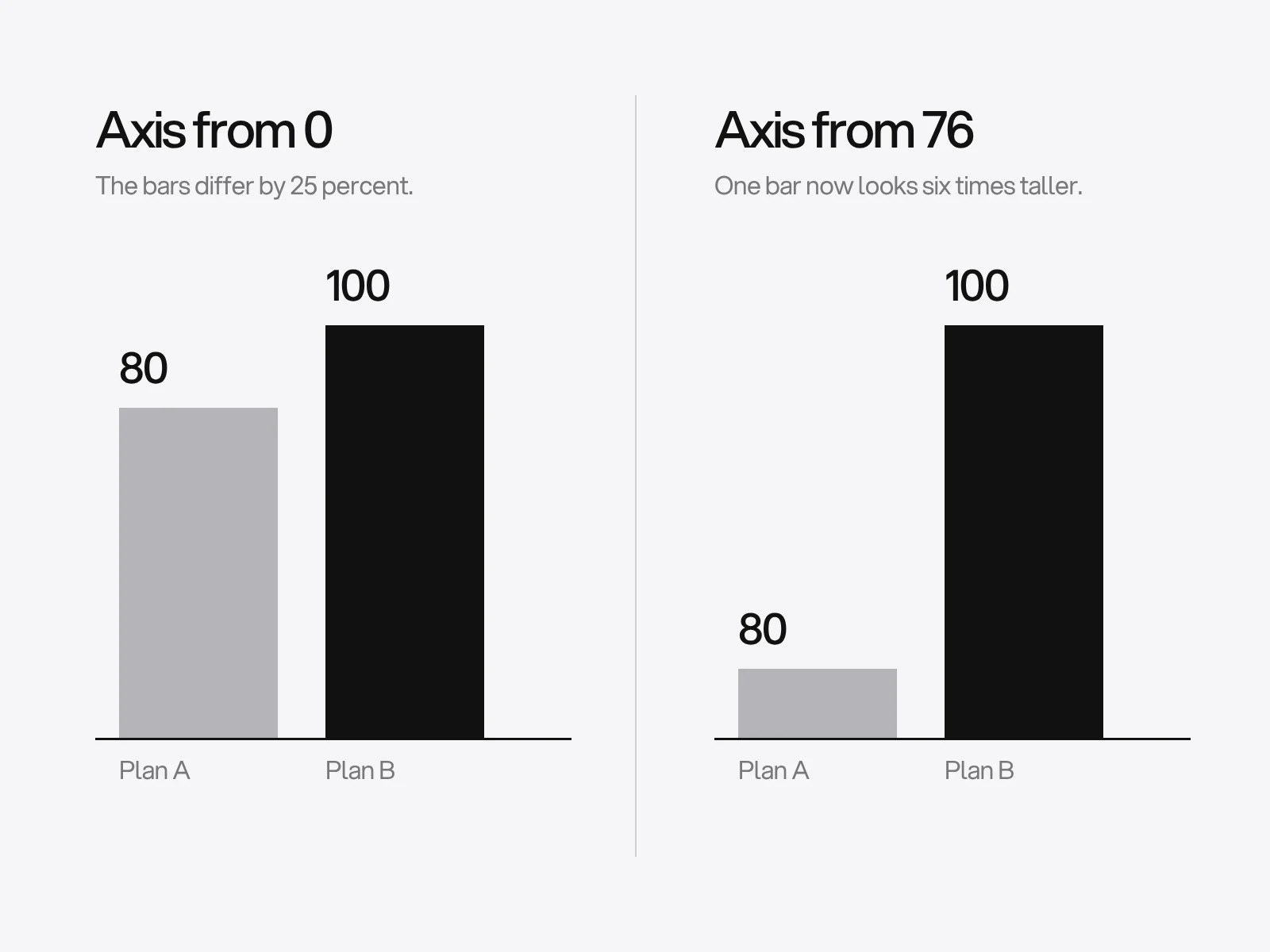
What to do when the real difference is small? Do not crop the bars. If the interesting number is a gap of 25 percent, plot the gap itself, or use a dot plot where no filled bar implies a zero. That choice is ours, and it follows the research above.
How much decoration? The research disagrees
Tufte's data-ink principle says to erase ink that carries no information. Nielsen Norman Group applies it to charts: once the bars have data labels, the value axis and the gridlines repeat the same information and can go. Two studies complicate the picture.
Bateman and colleagues (CHI 2010) compared plain charts with embellished, illustrated ones. Interpretation accuracy was the same, and recall after two to three weeks was significantly better for the embellished charts. The sample was about 20 university participants, and Stephen Few later criticised the validity of the study. Borkin and colleagues (2013) rated memorability of 2,070 visualisations. Colour and a human-recognisable object raised memorability, and uncommon chart types were remembered better than common ones.
These studies measure recall, not accuracy under pressure. Together they suggest decoration need not harm reading and can help memory. The rule we use is ours, built on those results. Keep decoration if it:
- shows the topic, such as a bicycle in a chart about cycling;
- leaves the geometry of the data marks alone, so no icon's height or width stands for a value;
- sits outside the plot area; and
- can be removed without losing any data in a greyscale or print version.
Remove anything that fails one test. Do not cut annotations: a short note beside the chart saying what changed and why is part of the finding.
Colour that survives colour blindness and contrast rules
About 1 in 12 men and 1 in 200 women have a colour vision deficiency, red and green being the most common confusion. The Okabe and Ito palette was designed to stay distinguishable across the common types: #E69F00, #56B4E9, #009E73, #F0E442, #0072B2, #D55E00, #CC79A7 and black. Being safe for colour blindness is not the same as meeting WCAG 1.4.11, which asks for a 3 to 1 contrast against adjacent colours for graphical objects needed to understand the content, such as lines and pie slices. Measured on a white page:
| Colour | Contrast on white | Passes 3 to 1 |
|---|---|---|
| Black | 21.0 | Yes |
| Blue #0072B2 | 5.19 | Yes |
| Vermilion #D55E00 | 3.87 | Yes |
| Green #009E73 | 3.42 | Yes |
| Purple #CC79A7 | 3.06 | Barely |
| Sky blue #56B4E9 | 2.31 | No |
| Orange #E69F00 | 2.25 | No |
| Yellow #F0E442 | 1.32 | No |
So three of the eight colours need a dark outline or a direct label on white. The same check applies to neutrals. The common advice of one accent plus pale greys has a catch: #b4b4b9 bars on a #f6f6f7 page measure 1.91 to 1, while #77777c measures 4.12. WCAG applies to graphical objects required to understand the content, and a bar that is labelled with its value arguably is not the only carrier of the data. That is an interpretation, so darken the neutral where you can. Never let colour be the only signal.
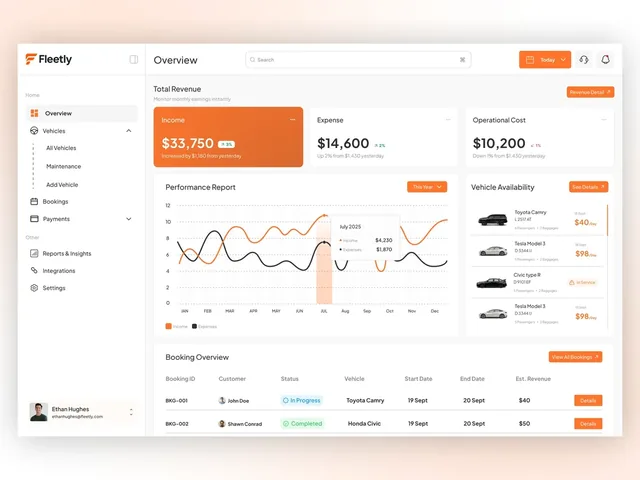
Our Fleetly case page describes the pattern: income in orange and expenses in white on the figures row, and the only place orange fills a whole card. One accent, one place.
Make the parts add up
Percentages that sum to 101 cost trust. Take shares of 33.5, 22.5, 22.5, 11.25 and 10.25, which sum to exactly 100. Rounding half up gives 34, 23, 23, 11 and 10, a total of 101. The largest remainder method rounds every value down to 33, 22, 22, 11 and 10, which is 98, then gives the missing 2 to the values with the biggest remainders. Three remainders tie at 0.5, so one of the two identical 22.5 values ends up as 23 and the other as 22. Libraries that implement the method note this side effect. Choose one of two honest options: show one decimal place, or keep the rounding and add "figures rounded, may not sum to 100".
Make it readable and accessible
- Text contrast of 4.5 to 1, or 3 to 1 for large text. See our typography hierarchy guide for grey text on a tinted page.
- Not colour alone. Label series directly or add a pattern, so it works in greyscale and for colour-blind readers.
- Phone first. A tall single column survives a small screen. A wide poster shrunk to 390 pixels does not.
- A text version. The W3C advises a short alternative text that names the infographic, plus a long description of the key information placed in the page where everyone can read it. Keep text as live text where you can. The accessibility checklist has the rest.
- Source and date on the graphic, with a second person tracing every number back to its origin.
Where infographics go wrong, and why
- A topic, not a finding. The designer had no sentence to cut against, so everything stayed. Detect it by trying to write the sentence.
- Cropped bars. Someone wanted a small gap to look big. Plot the gap instead.
- Scaled icons. Doubling an icon's height and width quadruples its area, so a value that doubled looks four times bigger.
- Pie charts with many slices. Readers judge angle less accurately than position, so close slices cannot be compared.
- Parts that do not sum. Rounding, covered above.
- Pale neutrals and colour-only coding. They fail the contrast check and the greyscale print.
Pass or fail rubric
Score each item pass or fail. Fix every fail before you publish.
- Can someone state the finding, with its number, after five seconds?
- Do all bars and columns start at zero, with any other non-zero axis on a line or dot chart and labelled?
- Is the lie factor within 10 percent of 1 for every comparison? (That threshold is ours.)
- Are circles scaled by area and values labelled?
- Do percentages sum to 100, or carry a rounding note?
- Does every data colour reach 3 to 1 against its neighbours, or have an outline or label, and does the picture still work in greyscale?
- Does each decoration pass the four tests?
- Are the source, the date and a text version in place?
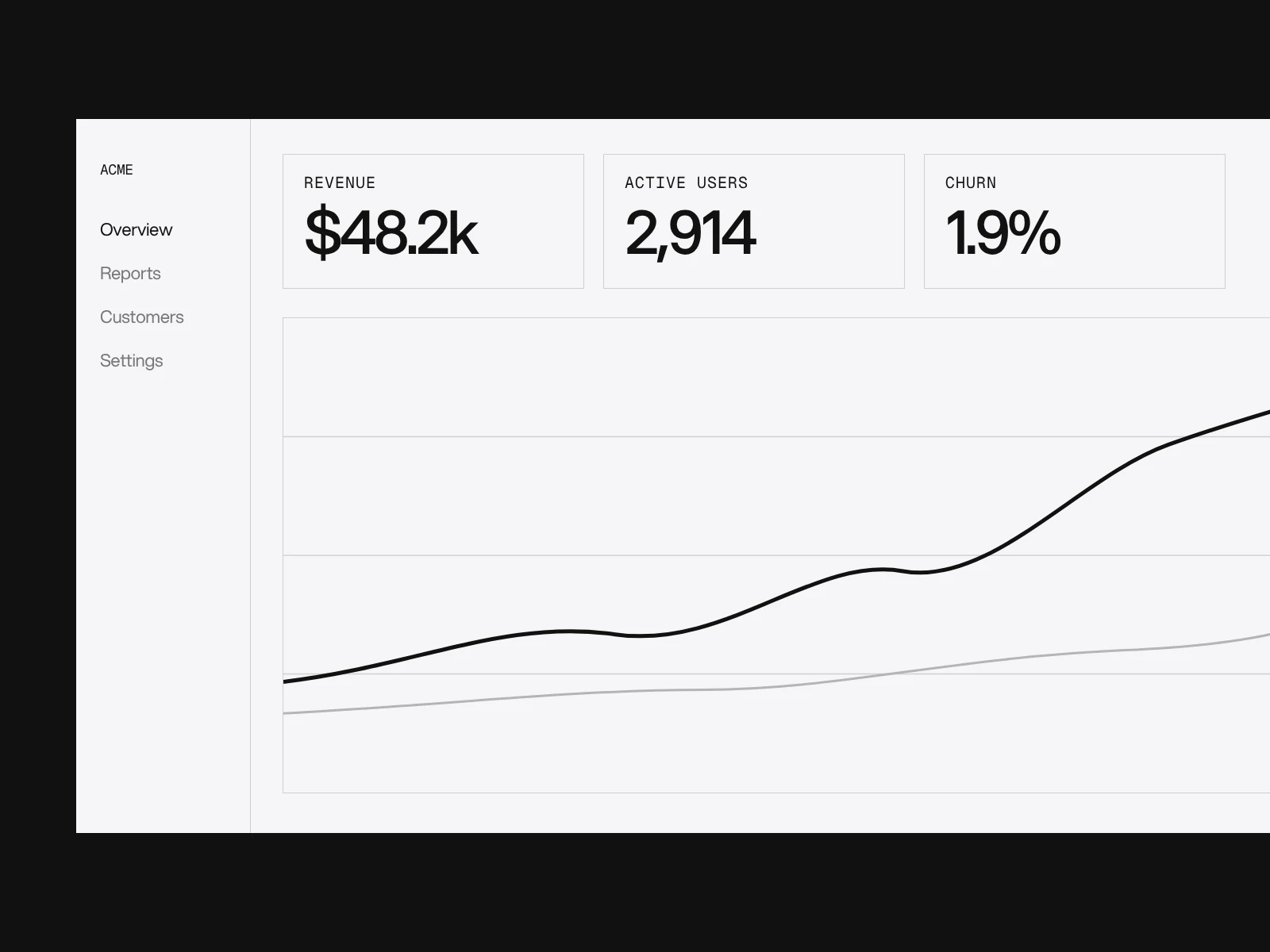
If the infographic is part of a dashboard, the same rules apply on a product screen; see SaaS dashboard design. Graphic design projects at LAIN typically take 2 to 4 weeks. If you have data that needs to be understood quickly, start a project and send us the finding first.
Frequently asked questions
Should a bar chart always start at zero?
Yes. Readers compare bar length, and research by Correll, Bertini and Franconeri (CHI 2020) found that truncated axes exaggerate the effect even when the design flags the truncation. Line charts and dot plots are read by position, so a non-zero start can be acceptable if the axis is clearly labelled.
Is a pie chart ever a good choice?
Rarely. Cleveland and McGill found that people read angle less accurately than position or length, so slices that are close in size cannot be compared reliably. A pie can work for one share of a whole with a direct label. For anything else use bars, or one large number with a grid of 100 squares.
How should I scale circles in an infographic?
By area, not diameter. A diameter in proportion to the value makes 100 against 25 look 16 times larger in area. Flannery proposed a radius exponent of 0.5716 instead of 0.5 to compensate for readers underestimating area, but this is disputed, so label the values.
Which colours are safe for colour-blind readers and still accessible?
The Okabe and Ito palette suits common colour vision deficiencies, but on white only black, blue #0072B2, vermilion #D55E00, green #009E73 and purple #CC79A7 reach the 3 to 1 WCAG 1.4.11 contrast for graphical objects. Sky blue, orange and yellow need an outline or a direct label.
Do illustrations and icons make charts harder to understand?
In Bateman and colleagues (CHI 2010) embellished charts were interpreted as accurately as plain ones and remembered better after two to three weeks, though the sample was about 20 people. Borkin and colleagues (2013) found colour and human-recognisable objects raise memorability. Keep decoration off the data marks.
Why do my percentages add up to 101?
Each value was rounded separately. Shares of 33.5, 22.5, 22.5, 11.25 and 10.25 sum to 100 but round to 34, 23, 23, 11 and 10, which is 101. Use the largest remainder method, show one decimal place, or add a note that figures are rounded and may not sum to 100.
Sources and fact check
Facts in this article that come from outside LAIN were checked on 28 Oct 2026 against:
- Cleveland and McGill (1984): Graphical perception, Journal of the American Statistical Association
- Heer and Bostock (2010): Crowdsourcing graphical perception, Stanford HCI
- Correll, Bertini and Franconeri (2020): Truncating the Y-Axis, Threat or Menace?
- Datawrapper Academy: Why our column and bar charts start at zero
- Datawrapper Academy: What to consider when creating line charts
- Observable: It is never okay to crop the y axis, except when it is
- Edward Tufte: Computing lie factor by dividing percentages
- Michael Friendly, datavis.ca: The lie factor
- Nielsen Norman Group: Clutter-free charts
- Bateman et al. (2010): Useful junk? Visual embellishment, comprehension and memorability of charts
- Borkin et al. (2013): What makes a visualization memorable?
- Wikipedia: Proportional symbol map (Flannery scaling)
- Deque University: 1.4.11 Non-text contrast
- Washington University: Colorblindness is common
- ConceptViz: Okabe-Ito palette hex codes
- GitHub: largest remainder method
- W3C WAI: Complex images
Timelines, services and process described here are LAIN's own, as set out on our About and FAQ pages.
[ From our work ]


[ Keep reading ]