[ Graphic design ]
A brochure design checklist: panels, folds, stock and the print-ready file
Most brochure print problems are geometry and paper, not bleed: panels in the wrong order, a flap too wide to close, folds that crack, creep and images too small for the sheet. Plan the reveal order, size the panels, match scoring to the stock, count image pixels and send the PDF standard your printer names.
By LAIN10 min read
Most advice on brochure files stops at bleed, 300 dpi and CMYK. Those matter, but they are rarely why a brochure arrives wrong. The failures that cost a reprint are geometry and paper: panels in the wrong order, a flap that is too wide to close, a fold that cracks, photographs that are too small for the sheet, a spine that eats the margin. This checklist covers those first, with the arithmetic, then the file.
Start from the reveal order
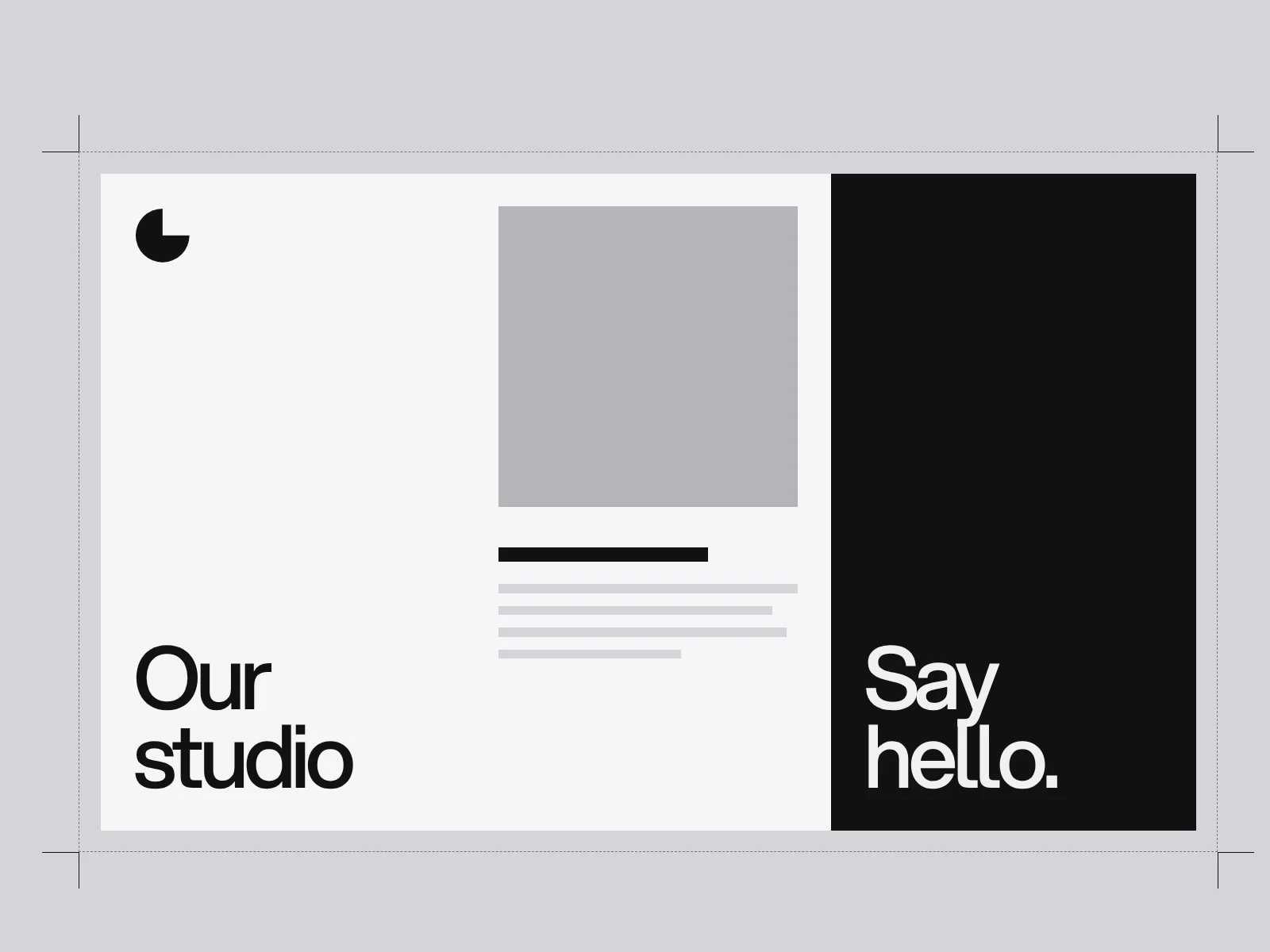
A folded brochure is read in a fixed sequence, and the file does not show it. Take the most common format, the letter fold (C-fold), where a flat sheet folds in three. The sequence is: front cover, then the flap (the first thing revealed when the cover opens), then the full inside spread, then the back. The outside of the sheet runs, left to right, flap, back cover, front cover. The inside runs left, centre, right, and the right panel is the one that folds in first. A Z-fold is different: all three panels are equal and the printer's guide says "there is no first panel, only a first crease". A gate fold opens both outer panels together.
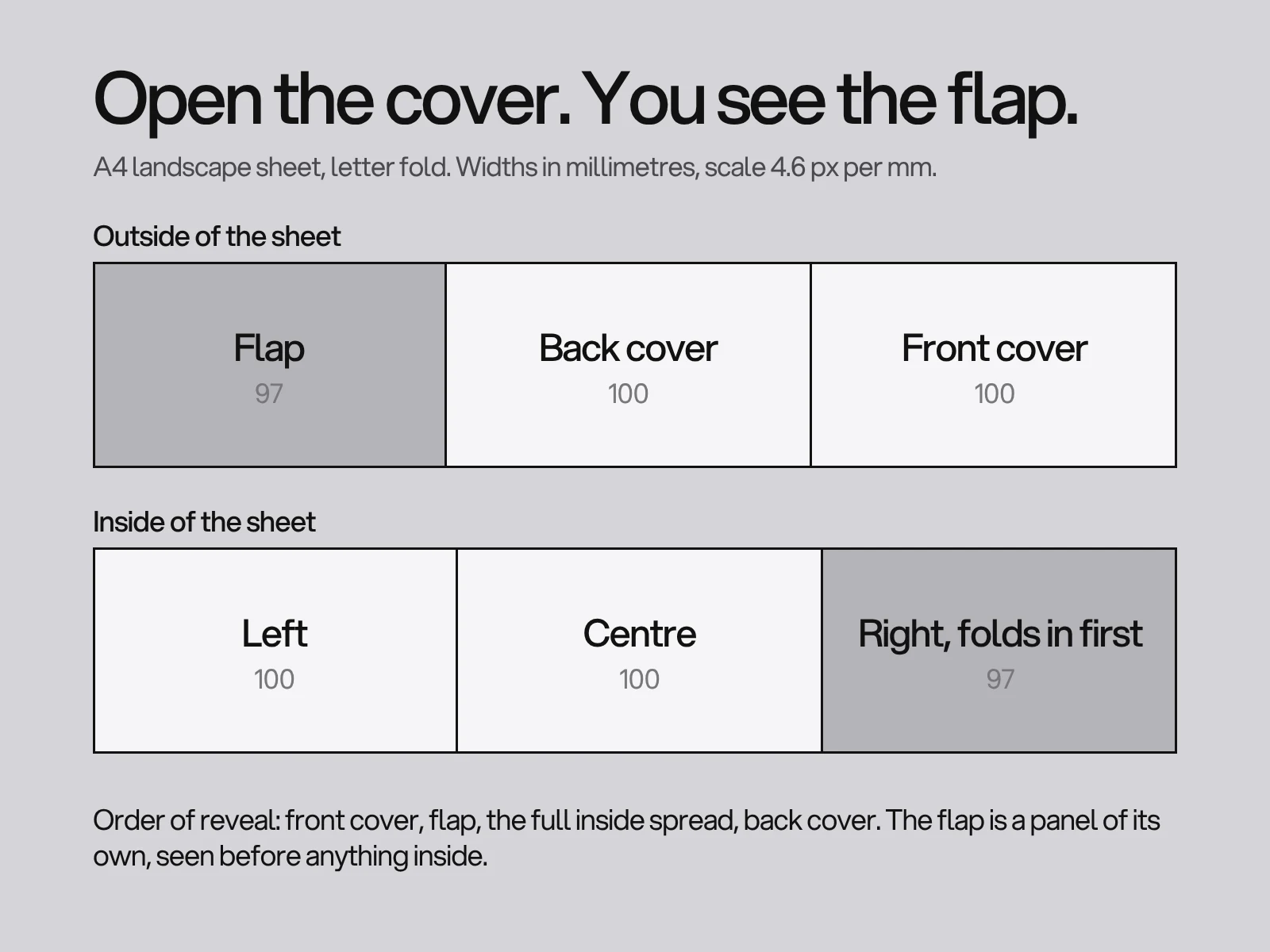
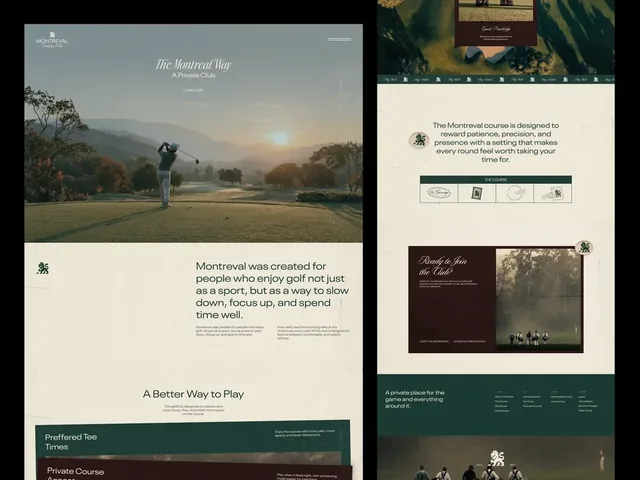
Two decisions follow. First, the flap is a teaser, not leftover space: it is the second thing anyone sees, before any content. Give it one promise and one reason to open the spread. Second, the most common error in print files is designing panels as flat pages in reading order, so the printer's proof shows inside content outside. Print a draft on ordinary paper, fold it by hand and walk through the reveal before you build anything else. Order content by the reader's question, not the company's. Our Montreval prospectus goes: the course first, then the clubhouse, membership, partnerships and a private way to start a conversation.
Panel widths: do the arithmetic
In a letter fold the panel that folds in must be narrower than the others, or the brochure bulges and will not lie flat. Printer guides give 1/16 to 1/8 inch, which is 1.6 to 3.2 mm. One designer's guide to placing letter-fold guides on an 11 inch sheet gives 3.625, 3.688 and 3.688 inches outside, and 3.688, 3.688 and 3.625 inside. The general formula for a sheet of width S with the flap narrower by d is: full panels (S + d) ÷ 3, flap one d less.
| Sheet | Narrowing d | Full panels | Flap |
|---|---|---|---|
| A4 landscape, 297 mm | 2 mm | 99.67 mm | 97.67 mm |
| A4 landscape, 297 mm | 3 mm | 100 mm | 97 mm |
| Letter, 11 in | 1/16 in (1.6 mm) | 3.688 in | 3.625 in |
Use your printer's template where it differs, because paper thickness and folding machines vary. Keep text and logos at least 5 mm from a fold (one printer's template says so) and keep faces off the crease.
Stock decides whether the fold survives
Printers disagree on when a fold needs scoring. 4over4 says anything above roughly 100 lb text (about 148 gsm) or any coated card will craze and split along an unprepared fold. Another of its guides asks for scoring on stock heavier than 80 lb text (about 119 gsm). Another printer says scoring helps especially above 170 gsm. They are describing the same mechanism: a coating, or a thick sheet, cannot stretch on the outside of the fold, so the surface splits and a white line runs through the ink. Our rule, a synthesis and not a standard: score coated stock from about 120 gsm, uncoated from about 150 to 170 gsm, and always when you fold against the grain.
Two details printers give. Scoring or creasing makes a channel or bead, and you fold away from it so the bead sits inside the fold; if the ridge faces out, the coating has to stretch over it and cracks. And paper folds more cleanly with the grain than against it. The terms "long grain" and "short grain" are used inconsistently, so ask the printer which way the sheet runs and set the fold direction in the file.
Uncoated stock also prints darker. The ICC registry lists tone value increase at 40 per cent as 14.0, 12.3, 13.1 and 16.0 (cyan, magenta, yellow, black) for coated FOGRA39, and 18.5, 18.0, 18.9 and 21.9 for uncoated FOGRA47. That is 4.5 to 5.9 points more spread, so photographs darken and light tints and small reversed type fill in. Ask for the uncoated profile and read our RGB vs CMYK guide.
Creep and spine, if it is a booklet
A stitched booklet needs a page count in multiples of four. Nested sheets push the inner pages outward, and the fore edge is trimmed afterwards. One printer's rule on a trade forum is pages ÷ 4 × paper caliper, and another adds 20 per cent because measured creep is usually larger. These are forum rules of thumb, not a standard.
| Pages | Creep at 0.10 mm caliper | At 0.15 mm caliper |
|---|---|---|
| 8 | 0.2 mm | 0.3 mm |
| 16 | 0.4 mm | 0.6 mm |
| 32 | 0.8 mm | 1.2 mm |
| 64 | 1.6 mm | 2.4 mm |
| 96 | 2.4 mm | 3.6 mm |
The calibres are assumed, so ask for the real figure. The result is useful: a brochure of 8 or 16 pages (Urbanova's brochure has eight, which would be two folded sheets if stitched) loses a fraction of a millimetre, and a 3 to 5 mm safe margin absorbs it. Do not pay for creep compensation there. Sources disagree about where it starts to bite: one printer's guide says over about 40 pages on heavy stock and warns of 5 mm or more above about 60 pages, with margins of 15 to 20 mm, which is more than the rule above gives. The difference is stock thickness and what is being measured. The reliable method, which printers themselves recommend, is a blank dummy on the real stock.
Images: count the pixels
Compute what a picture needs before you buy or shoot it. Pixels at 300 ppi for the trim size plus 3 mm bleed on each side:
| Format | With bleed | At 300 ppi | At 150 ppi |
|---|---|---|---|
| A5 page | 154 by 216 mm | 1819 by 2551 | 909 by 1276 |
| A4 page | 216 by 303 mm | 2551 by 3579 | 1276 by 1789 |
| A4 landscape, open letter fold | 303 by 216 mm | 3579 by 2551 | 1789 by 1276 |
| A4 spread (A3 open) | 426 by 303 mm | 5031 by 3579 | 2516 by 1789 |
A 4000 by 3000 pixel photograph from a 12 megapixel phone, scaled to fill the whole open letter fold with bleed, is 335 ppi: enough, with no room to crop. Cropped to its central half it is 168 ppi. Printers disagree on the target: 300 dpi is typical, one requires 350, and Tradeprint advises 150 for large format because the eye cannot see finer detail at that viewing distance. A brochure is held at arm's length, so keep 300 for photographs, and accept lower only for soft backgrounds. Check effective resolution in your layout's links panel, not the file's own number, because scaling in the layout changes it. Enlarging in an image editor adds no detail.
The PDF: X-1a or X-4
PDF/X-1a:2001 (ISO 15930-1, based on PDF 1.3) allows only CMYK and spot colour and no live transparency. PDF/X-4 (ISO 15930-7:2008, based on PDF 1.6) allows colour managed RGB, CMYK, grey and spot colour, live transparency and layers. Both need the printing condition stated in the file. Practitioner sources lean towards X-4 as the default, and one argues the real choice is where responsibility sits: with X-1a you flatten and convert, with X-4 the printer's workflow does. We found no standard that says one is better; the printer's specification is the rule. If they ask for X-1a, convert with their profile and inspect the flattened file, since forum reports describe stitching lines at flattened transparency edges.
Set 3 mm bleed (US printers say 0.125 in, which is 3.175 mm) and a 3 to 5 mm safe margin, sources give 0.125 to 0.25 in. Add crop marks only if they ask.
Where it goes wrong
Content lands on the wrong panel. Cause: panels were laid out as flat pages. Detect: a hand folded draft. Fix: build on the printer's template with the outside and inside faces.
The flap buckles. Cause: equal widths. Fix: narrow the folding panel by 1.6 to 3.2 mm.
A white line crosses a dark fold. Cause: coated or heavy stock folded without scoring, or against the grain. Fix: score, fold with the grain, keep dark solids off the crease.
Photographs look soft. Cause: effective resolution fell below 300 after cropping. Fix: use the pixel table, then crop.
Everything prints darker on uncoated. Cause: higher dot gain and the wrong profile. Fix: the printer's uncoated profile and a proof.
Text is cut at the fold or trim. Cause: no margin from folds, or creep on a thick booklet. Fix: 5 mm from folds, a larger margin above about 40 pages on heavy stock, and a dummy.
Pre-flight, with pass or fail
- Reveal order: a paper dummy folds in the order planned. Fail if any panel is out of sequence.
- Panel widths: the folding panel is 1.6 to 3.2 mm narrower, or matches the printer's template.
- Text and folds: nothing important within 5 mm of a fold or trim.
- Stock: scoring requested when the stock is coated, heavy or folded against the grain.
- Images: every photograph at 300 ppi effective or better, or a written reason.
- Colour: the printer's named profile, and a proof for any brand colour.
- PDF: the standard the printer names, bleed included, fonts embedded.
- Proof: every phone number, address and link read aloud by someone else.
Working with LAIN
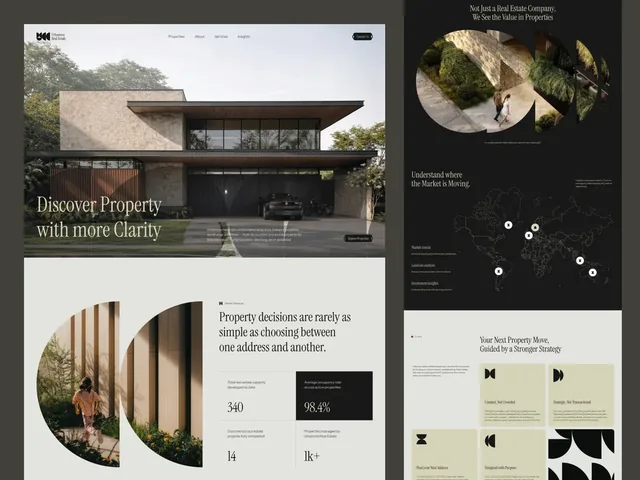
Graphic design projects at LAIN, such as brochures, company profiles and decks, typically take 2 to 4 weeks. For Urbanova the eight page brochure runs from a black cover through the agency, buying, selling and investing, the process and a property, to the way to reach an advisor, with the half-disc pattern pressed behind the type. See also Outverge on paper, and our guide to company profiles. To start, send us a brief with what the brochure is for and who will read it.
Frequently asked questions
How wide should the panels of a tri-fold brochure be?
For a letter fold, the panel that folds in is narrower than the other two by 1/16 to 1/8 inch (1.6 to 3.2 mm), or the brochure bulges. On an A4 landscape sheet of 297 mm a 3 mm difference gives 100, 100 and 97 mm. Z-folds use equal panels. Always check the printer's own template.
Which panel does a reader see first when opening a letter fold brochure?
After the front cover, the flap: the narrow panel that folds in. It is the first thing revealed when the cover opens, before the full inside spread. On the flat file the outside runs flap, back cover, front cover from left to right.
When does a brochure need scoring?
Printers give different thresholds: above roughly 100 lb text (about 148 gsm) or any coated card, according to 4over4, stock heavier than 80 lb text (about 119 gsm) in another of its guides, and above 170 gsm according to another printer. Score coated stock from about 120 gsm, uncoated from about 150 to 170 gsm, and always when folding against the grain.
What resolution do brochure images need?
About 300 ppi at the printed size is typical, one printer asks for 350, and 150 is accepted for large format. A 4000 by 3000 pixel photo across an open A4 letter fold with bleed is 335 ppi, and 168 ppi if cropped to half its width. Check effective resolution in the layout, not the original file.
Should I send PDF/X-1a or PDF/X-4 to the printer?
Send what the printer names. PDF/X-1a:2001 allows only CMYK and spot colour with no live transparency, so you flatten and convert. PDF/X-4 allows colour managed RGB, live transparency and layers. Practitioners lean towards X-4 as a default, but the printer's specification is the rule.
How long does brochure design take at LAIN?
Graphic design projects at LAIN, such as brochures, company profiles and decks, typically take 2 to 4 weeks, depending on length and how much content needs to be written or organised.
Sources and fact check
Facts in this article that come from outside LAIN were checked on 28 Oct 2026 against:
- 4over4: How do I make sure my tri-fold panels are the right size?
- 4over4: How to fold a brochure, 8 popular fold styles explained
- 4over4: Scoring and creasing for crisp, crack-free folds
- Placing guides for a classic tri-fold brochure (C-fold or letter fold)
- Rogue Print and Mail: Page creep in saddle stitched books
- Print Planet forum: Creep, how do you calculate it?
- ICC Registry: FOGRA39 characterisation data
- ICC Registry: FOGRA47 characterisation data
- Wikipedia: PDF/X
- Hybrid Helix: PDF/X-1a vs PDF/X-4, what is the difference
- Tradeprint: Using 150 dpi resolution in large format prints
- Cardstock Warehouse: Paper 101, scoring, folding and paper grain
Timelines, services and process described here are LAIN's own, as set out on our About and FAQ pages.

[ Keep reading ]