[ Graphic design ]
RGB vs CMYK: why the colour mode matters less than the print profile
RGB and CMYK are two gamuts that overlap, not one inside the other, and a CMYK value means nothing until you name the print condition: ink, paper and press. Standard profiles exist per paper, with ink limits from 300 to 350 percent. Ask the printer for the profile and PDF/X version, set small black text as 100 percent K only, and use a spot colour when a brand colour cannot be matched.
By LAIN9 min read
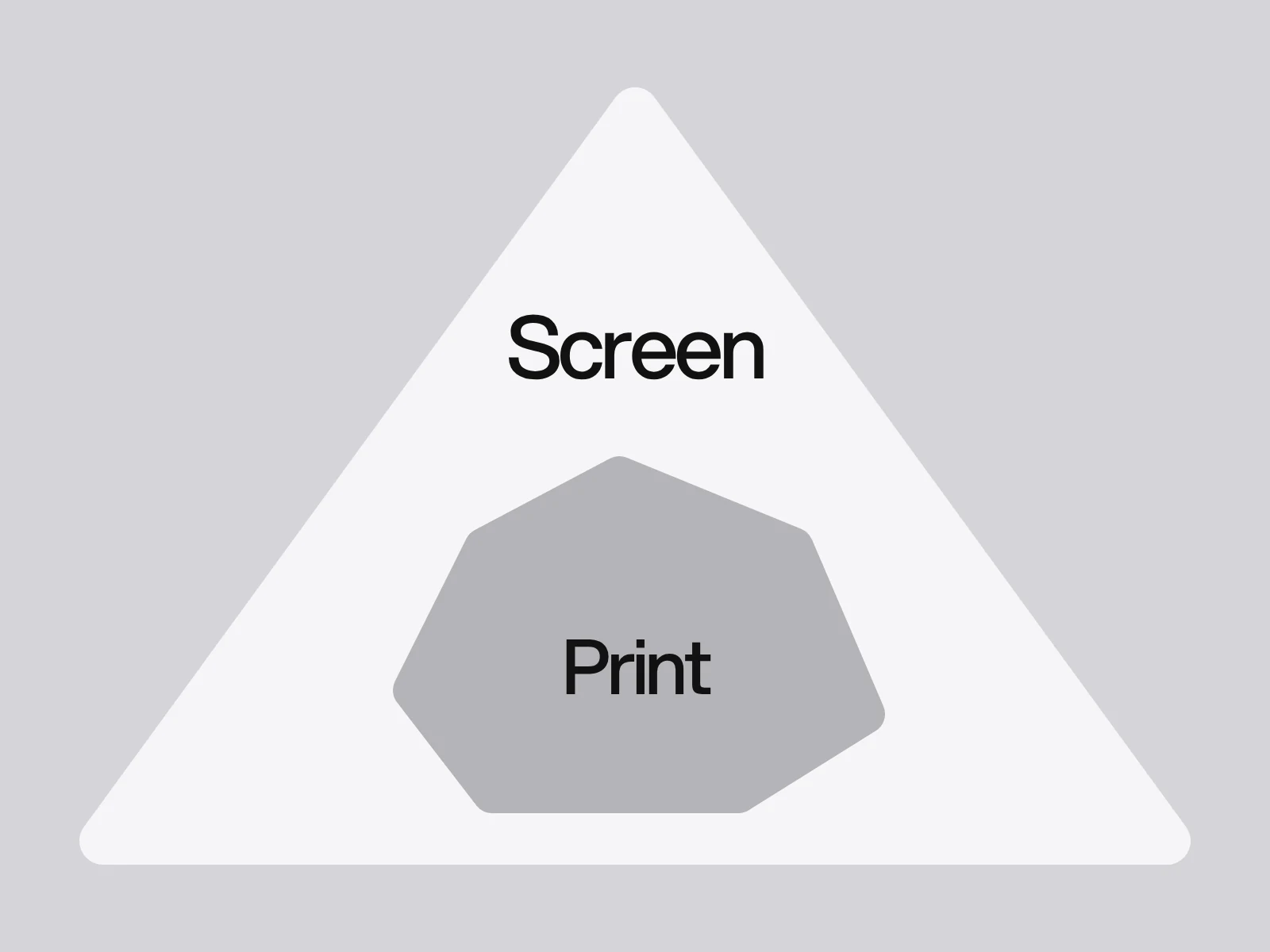
Screens add light and presses subtract it, which is why the usual advice is "RGB for screens, CMYK for print". That advice is incomplete. A set of CMYK numbers describes amounts of ink, and the colour you get depends on which ink, on which paper, on which press. So the useful question is not "which mode?" but "which print condition?" Ask your printer three things before you convert anything: which profile, which PDF standard and what total ink limit.
Two gamuts that overlap
RGB mixes red, green and blue light on a dark screen. CMYK absorbs light from white paper with cyan, magenta and yellow ink, and adds black as a separate plate because black gives outlines and text more precision, uses less ink, dries faster and gives more consistent dark tones than mixing the other three.
The two gamuts are not nested. The sRGB gamut, defined by red (0.64, 0.33), green (0.30, 0.60) and blue (0.15, 0.06) with a D65 white, is not large enough, especially in the blue-green region, to contain every colour a CMYK press can print. So a colour can be outside CMYK and another can be outside sRGB. Mapping into a smaller gamut loses information that converting back cannot recover, which is the reason to keep masters in the widest space you have.
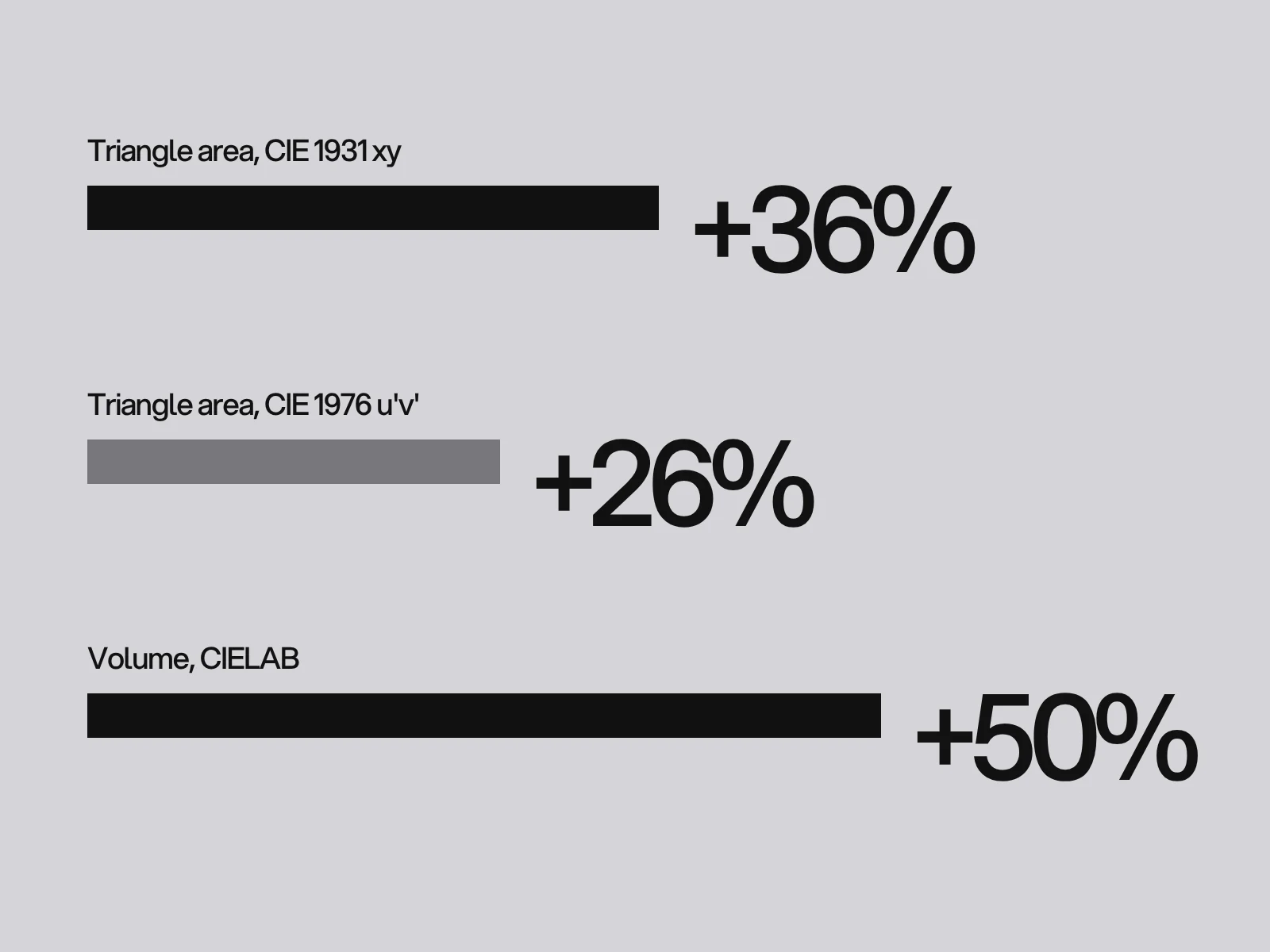
Wide-gamut screens add a second problem. Display P3 uses red (0.68, 0.32), green (0.265, 0.69) and the same blue. WebKit says it is "around 50 percent larger" than sRGB, with greens gaining the most. Wikipedia says about 25 percent larger in area and 50 percent in volume. The figures are compatible once you name the measure. We computed it:
| Measure | Display P3 compared with sRGB |
|---|---|
| Triangle area in CIE 1931 xy | 36 percent larger |
| Triangle area in CIE 1976 u'v' | 26 percent larger |
| Volume in CIELAB (CSS Color 4: 1.233 against 0.820 million units) | 50 percent larger |
Always ask "larger by what measure?" before repeating a percentage. The practical point is our inference from WebKit's note that greens gain the most: a vivid green you approve on a modern phone may sit further from anything a press can print.
The profile is the print condition
An ICC characterisation data set records what a particular ink, paper and press produce. The registry lists them by paper:
| Profile | Paper | Region | Ink limit (total) |
|---|---|---|---|
| ISO Coated v2 (FOGRA39) | Gloss or matt coated | Europe | 330 percent (a 300 percent variant exists) |
| PSO Coated v3 (FOGRA51) | Premium coated | Europe | 300 percent |
| PSO Uncoated v3 (FOGRA52) | Uncoated white | Europe | not listed in our sources |
| US Web Coated SWOP v2 | Coated publication stock | North America | 300 percent |
| GRACoL 2006 Coated 1v2 | Premium coated sheetfed | North America | 340 percent |
| Japan Color 2001 Coated | Coated sheetfed | Japan | 350 percent |
Two consequences follow. First, coated and uncoated stock have different profiles, so one set of CMYK numbers is not one colour: converting for coated stock and printing on uncoated gives different results from what you proofed. Second, a file separated for one ink limit may not suit a press expecting another, so ask for the printer's named profile and use it as is.
Do not expect an exact match. A colour difference of about 2.3 in CIELAB is generally taken as the smallest visible step, and a typical print tolerance is about 2.0 with some processes allowing up to 5.0. A printed colour within a few units of its target is normal, not a fault.
Convert when the printer says, not before
"Convert once, at the end" depends on the PDF standard the printer works to. The three print-ready PDF/X standards behave differently:
| Printer asks for | Colour allowed | What you do |
|---|---|---|
| PDF/X-1a (ISO 15930-1, 2001) | CMYK and spot only, no RGB | Convert at export with their profile, output intent set |
| PDF/X-3 (ISO 15930-3, 2002) | Adds calibrated RGB and Lab with an ICC profile | Either convert or send managed RGB |
| PDF/X-4 (ISO 15930-7, 2008) | Managed CMYK, grey, RGB or spot, transparency allowed | Send managed colour and let the press convert, so nothing is flattened early |
There is no single right habit, because it depends on the printer's workflow. Our rule: keep the master in the widest space, make one conversion with the printer's profile and never go CMYK to RGB to CMYK. If a file shifts every time you reopen and re-export it, a second conversion is happening.
Pick the rendering intent per element. Relative colorimetric leaves in-gamut colours alone and clamps the rest to the edge of the gamut, which holds the hue of a flat logo colour. Perceptual compresses colours gradually to preserve gradations, which shifts in-gamut colours too and suits photographs with many out-of-gamut tones. Saturation suits flat charts where vividness matters more than exact hue. Absolute colorimetric holds a specified colour exactly, treats the paper white differently from relative, and can leave a cast on natural images.
Black is a decision, not a value
A default conversion of RGB black usually builds a mix of inks, so set it yourself:
- Small text and thin lines: C0 M0 Y0 K100. Four inks must register, and slight misregistration blurs small text.
- Large black areas: a rich black, for example C60 M40 Y40 K100, which totals 240 percent. Recipes for cooler and warmer blacks differ between guides, for example 70/35/40/100 (245) in one and 60/0/0/100 (160) in another.
- Never the Registration swatch: it is C100 M100 Y100 K100, 400 percent, meant only for crop and fold marks.
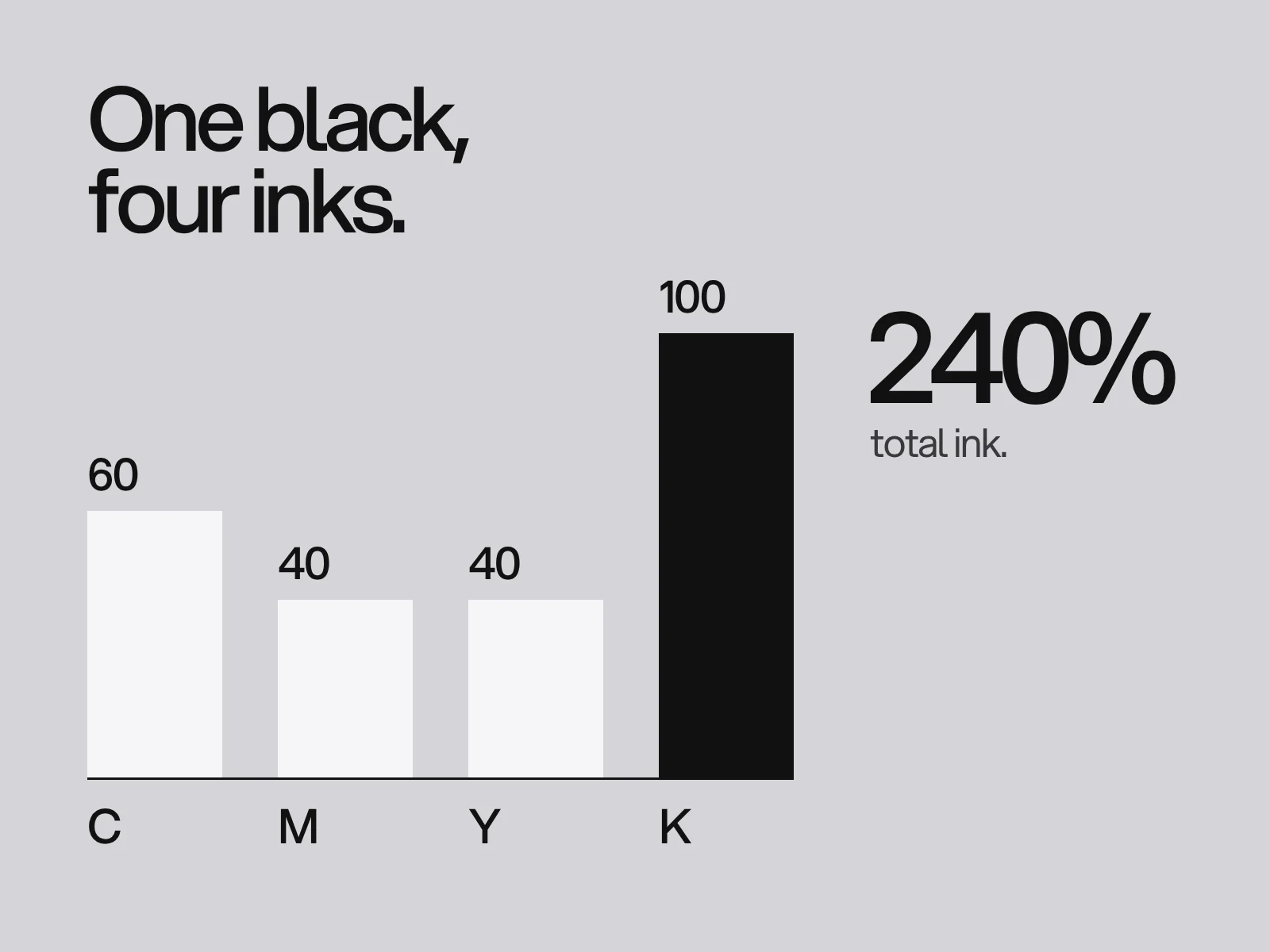
Two guides say to keep rich black near 240 percent on normal paper, while the profiles above allow 300 to 350 percent over a whole page. Both are true. The profile limit is what the press can handle in the darkest spot of a job. A flat area of heavy ink dries slowly and is prone to smudge, so the lower figure is a practical budget. Follow your printer's number.
White text on colour has the opposite problem. One printer explains that small or thin knocked-out text on a colour background cannot be registered correctly, and its rule is 100 percent black only for text under 12 points. Set small reversed text larger and bolder, or ask for a single-ink background.
Spot colour: when CMYK cannot match
A spot ink is premixed to a numbered swatch and prints the same from the first card to the ten-thousandth. CMYK builds the colour from four inks and can drift between runs. Wikipedia's Pantone entry says about 30 percent of the 1,114 spot colours counted in 2000 cannot be simulated with CMYK. The share varies by source, so check the swatch book, which labels the colours that can be reproduced in CMYK.
Spot ink needs its own plate. A common split is spot for the logo and the one or two colours that define the brand, CMYK for photographs and everything else.
A colour spec you can copy
Give each brand colour one row, and say which column is the master:
| Name | HEX (sRGB) | CMYK coated | CMYK uncoated | Spot | Use |
|---|---|---|---|---|---|
| Ink | #121212 | text: C0 M0 Y0 K100 | same | none | Body text |
| Ink, large area | #121212 | C60 M40 Y40 K100 (240) | per printer | none | Solid black panels |
| Brand colour | #______ | C__ M__ Y__ K__ via the printer's profile | via their uncoated profile | Pantone ____ if needed | Logo, signal |
The values in the CMYK columns must come from the printer's profile, not a converter website. Check each row against the total ink limit (the four numbers added) and proof one printed sample under daylight.
Where this goes wrong
Colours come out flat. Cause: converted for coated stock and printed on uncoated, or the wrong regional profile. Detect: soft proof with paper simulation. Fix: use the printer's profile for the actual paper.
The brand green will not match. Cause: it was chosen on a wide-gamut screen and sits outside the print gamut. Detect: the out-of-gamut warning when you convert. Fix: choose the nearest printable value as the print master, or move to spot.
Small black text looks fuzzy. Cause: a four-ink black that misregistered. Fix: K100 only.
Colours drift between reprints. Cause: process inks vary by run. Fix: spot colour for the defining colours, and keep the printed sample.
White text prints ragged. Cause: reversed type too small for four plates to register. Fix: bigger, bolder, or a one-ink background.
Put it into practice
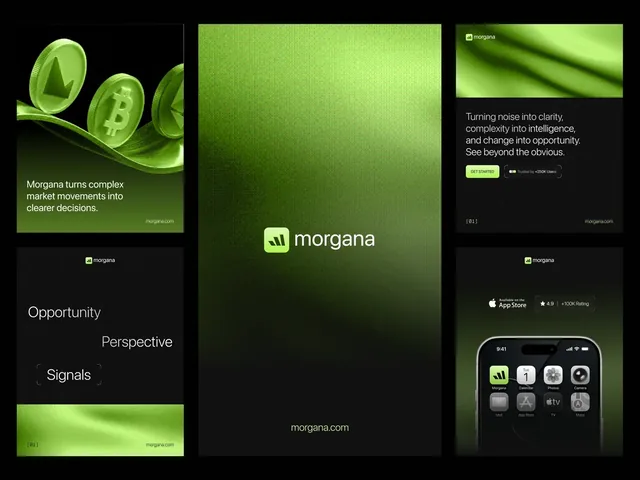
Ask the printer for the profile, the PDF/X version and the ink limit, then write the answers on the colour spec. A palette like Volt Lime #ACF44D on Carbon Black #101010 in the Morgana identity has one vivid green as its signal. A colour like that is the first to proof for print. The Urbanova brochure and the identity for Montreval carry brand colour across screen and paper, and the colour pages of our brand guidelines record the values for each. The rest of the print file is in the brochure checklist, and the thinking behind choosing colours is in choosing brand colours and fonts. If you want a brand that holds up on screen and paper, start a project.
Frequently asked questions
What is the difference between RGB and CMYK?
RGB mixes red, green and blue light and is used for screens. CMYK mixes cyan, magenta, yellow and black ink and is used for print. Their gamuts overlap rather than nest: sRGB cannot show every colour a press can print, especially in the blue-green range, and CMYK cannot print the vivid colours of a wide-gamut screen.
Should I design in RGB or CMYK?
Design in the widest space your tools offer and convert once, using the printer's named profile and the PDF standard they ask for. PDF/X-1a allows only CMYK and spot colour, while PDF/X-4 accepts colour-managed RGB with an output intent. Website, app and social work stays in sRGB.
Why do my colours look dull when printed?
Commonly because they sit outside the gamut of the print condition or because the file was converted with a profile for a different paper. Coated and uncoated stock have separate profiles, such as FOGRA39 and FOGRA52, so the same CMYK numbers give different colours. A soft proof or a printed proof shows the change early.
What is rich black and how much ink is safe?
Rich black adds the other inks to black for depth on large areas, for example C60 M40 Y40 K100, which totals 240 percent. Guides suggest keeping it near 240 percent on normal paper, while standard profiles allow 300 to 350 percent for a whole page. Small text should be C0 M0 Y0 K100 only. Use the limit your printer gives.
When should I use a Pantone colour?
When a defining brand colour must match across print runs or cannot be reproduced in CMYK. Wikipedia reports that about 30 percent of 1,114 Pantone spot colours counted in 2000 cannot be simulated with CMYK, though the share varies by source. Spot ink needs its own plate, so use it for one or two colours.
Is Display P3 50 percent larger than sRGB?
It depends on the measure. WebKit says around 50 percent. By triangle area, we computed 36 percent in CIE 1931 xy and 26 percent in CIE 1976 u'v', and by CIELAB volume the figure is 50 percent. The gain is mostly in greens, which is where print has the least to match.
Sources and fact check
Facts in this article that come from outside LAIN were checked on 28 Oct 2026 against:
- WebKit: Wide gamut color in CSS with Display-P3
- W3C: CSS Color Module Level 4
- Wikipedia: sRGB (primaries and the CMYK gamut)
- Wikipedia: DCI-P3 (Display P3 primaries and size)
- Wikipedia: Gamut
- ICC: Characterization Data Registry (CMYK)
- ECI: Offset profiles for download
- print.app: ICC profiles, what each one is for
- Wikipedia: PDF/X
- Wikipedia: Rendering intent
- Wikipedia: Color difference
- 4over4: What is RGB black and why black prints muddy
- Wikipedia: Rich black
- Tradeprint: why has my white text printed a different colour
- Wikipedia: Pantone
- Wikipedia: CMYK color model
Timelines, services and process described here are LAIN's own, as set out on our About and FAQ pages.


[ Keep reading ]