[ App design ]
A design system for startups: build the decisions, adopt the behaviour
A startup design system is two jobs with different economics. Decisions, meaning tokens, names and modes, are cheap to write down and must be yours. Behaviour, such as focus handling and keyboard support, is costly, standardised and worth adopting. Start when a second person writes UI, keep about 36 named values, and test every colour pair in every mode.
By LAIN12 min read
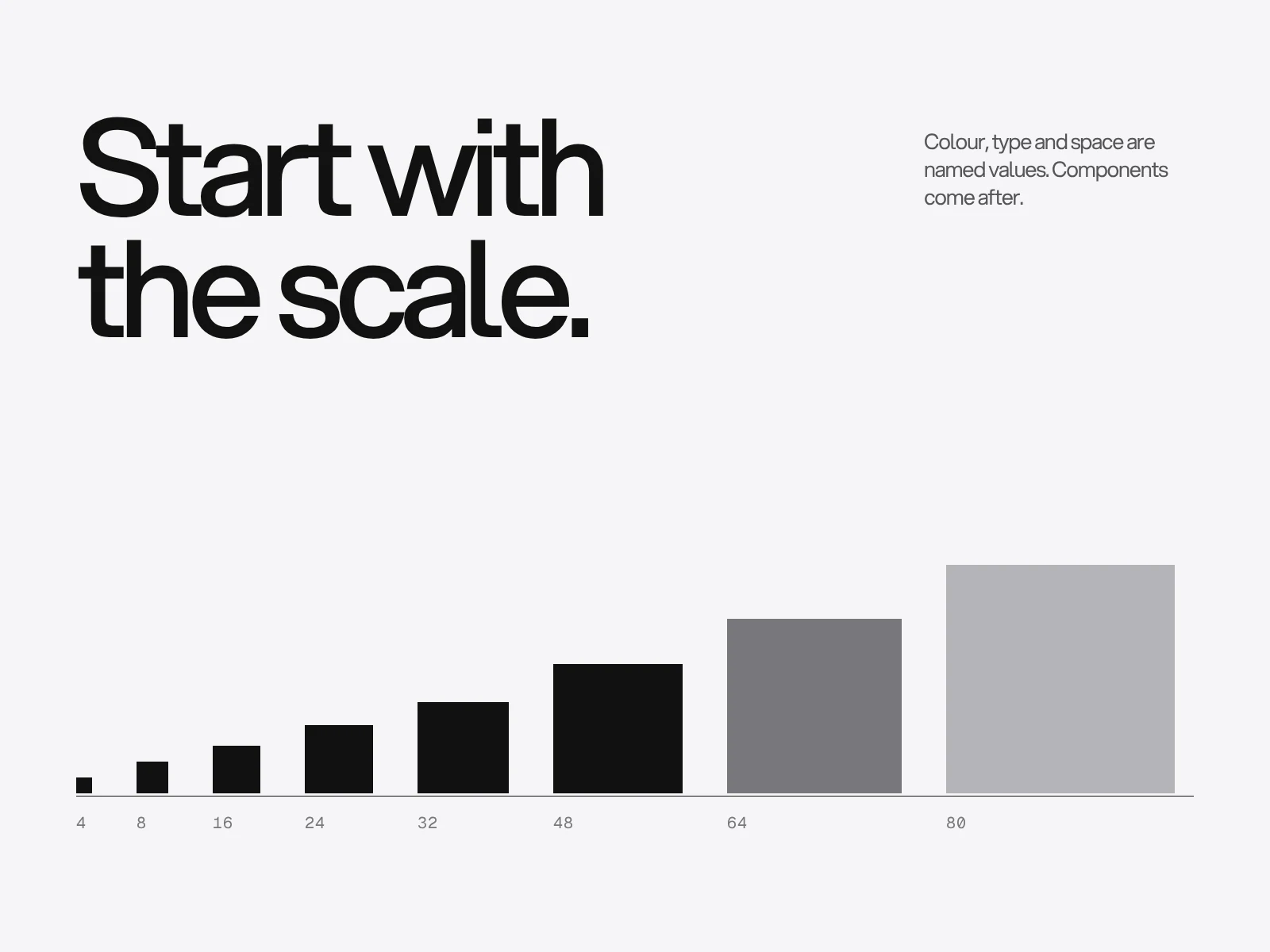
A startup design system is two jobs with different economics. The first is decisions: which colours, sizes and names the product uses, and how they change between light and dark. Those are cheap to write down, and they are the part that makes the product look like yours, so build them. The second is behaviour: what a dialog does with keyboard focus, what the arrow keys do in a menu. That is expensive, written down in public standards and the same in every product, so adopt it. A common failure is the opposite: a hand-built component library, and no agreement on what the colours are called.
When to start: count the hands, not the funding
Practitioners disagree. Statsig built a system early because its B2B product already had many overlapping, inconsistent components. A founder writing on Product Stride asked whether a system would reduce the risk of not finding product fit, decided it would not, and skipped it. ParallelHQ suggests a basic UI kit before product fit and a fuller system once the team grows past two product designers, or engineers start losing time to UI inconsistency. Sparkbox's annual survey cannot settle it, because it is answered by people who already run systems (376 responses in 2021, recruited through social media, Slack groups and Sparkbox's own site). What it does show is where the pain lands later: in-house teams named technical or creative debt (47%), contribution (45%) and adoption (44%) as their top challenges. None of those is a shortage of components. They are people not using what exists.
So the variable that matters is how many people produce UI, and how fast the direction is changing.
| Situation | Build | Skip for now |
|---|---|---|
| One person designs and builds, direction changes weekly | One token file and one page of rules | A component library |
| A second person starts writing UI | Tokens, plus components that already appear twice | Patterns, a documentation site |
| A third person, or a second platform | The full core set, one owner, a review rule | Variants nobody has asked for |
| A pivot is likely within a quarter | Tokens only | Components tied to the old direction |
The last row is our judgement, not a measured result. It follows Statsig's own warning that pivots are the main risk of an early system.
Tokens: two tiers or three
A token is a name for a value. In practice there are three kinds. A primitive has no meaning: neutral-600 is #5f5f64. A semantic token carries a job and points at a primitive: text-muted. A component token points at a semantic one for a single part: button-bg.
Sources split on how many you need. Rangle describes a maturity path: level 1 is primitives and component tokens only, for an early system whose design language is still changing; level 2 adds the semantic layer once patterns settle; level 3 drops the component tier because stable teams no longer need it. Open Library and the PMI Catalyst system run two tiers, primitive and semantic. Both are defensible. The deciding question is whether you need a second mode in the next six months (dark, high contrast, a white-label client). Modes switch at the semantic layer: text-muted stays one name and resolves to a different primitive in each mode. If a second mode is coming, start with primitive plus semantic. If it is not, and the language is still moving, Rangle's level 1 saves you naming everything twice. Either way, add a component token only when its value must differ from the semantic token in some theme. Otherwise it is an alias nobody needs.
One convention worth copying comes from shadcn/ui's theming docs: every surface token has a partner for what sits on it, such as card and card-foreground, primary and primary-foreground, muted and muted-foreground. Dark mode redefines the same names under a .dark selector. Pairing means each background has exactly one tested text colour, so contrast is checked per pair and not per screen.
Three details help when tokens cross tools:
- The interchange format from the Design Tokens Community Group reached a final report on 28 October 2025. It says plainly that it is not a W3C standard. References use curly braces and can only target a complete token, they must not be circular, a token's type is inherited from its nearest parent group and tools must not guess it, and the recommended file extensions are
.tokensand.tokens.json. - In Figma, variables live in collections, a mode holds one value per variable, and an alias can only point at a variable of the same type. A collection holds up to 5,000 variables, and the number of modes depends on your plan.
- In Tailwind v4, variables declared in
@themegenerate utility classes, while plain:rootvariables do not. Use@theme inlinewhen a theme variable points at another variable, or the utilities may resolve to unexpected values.
Worked example: 36 values and a contrast test
This starter set is enough for most early products. It is a sample, not a standard.
| Group | Names | Count |
|---|---|---|
| Colour roles | surface, surface-raised, surface-sunken, text, text-muted, text-on-accent, divider, border-strong, accent, accent-hover, focus-ring, danger, success, warning | 14 |
| Type | display, heading, subheading, body, small, label | 6 |
| Space | 4, 8, 12, 16, 24, 32, 48, 64 | 8 |
| Radius | sm, md, full | 3 |
| Elevation | raised, overlay | 2 |
| Motion | fast, base, slow | 3 |
Now test the colour roles. We computed these ratios with the WCAG relative luminance formula. Text needs 4.5:1. The border of an input needs 3:1 against its surroundings under WCAG 2.2 success criterion 1.4.11 when the border is what identifies the control.
| Token | Light mode | Ratio | Dark mode | Ratio |
|---|---|---|---|---|
| text on surface | #121212 on #f6f6f7 | 17.35 | #f6f6f7 on #121212 | 17.35 |
| text-muted on surface | #5f5f64 on #f6f6f7 | 5.88 | #9a9aa0 on #121212 | 6.69 |
| text-muted on surface-raised | #5f5f64 on #ffffff | 6.35 | #9a9aa0 on #232326 | 5.60 |
| border-strong (inputs) | #77777c on #ffffff | 4.45 | #77777c on #232326 | 3.52 |
| divider (decorative) | #d4d4d8 on #f6f6f7 | 1.37 | #3a3a3f on #121212 | 1.66 |
| text-on-accent | #ffffff on #2f4fd8 | 6.50 | #121212 on #8da2ff | 7.80 |
| danger text on surface | #c62828 on #f6f6f7 | 5.21 | #ff8a80 on #121212 | 8.21 |
Two decisions are visible in the table. First, divider and border-strong are different tokens in the same grey family, because they do different jobs: a divider is decoration and may be faint, an input border identifies a control and may not. Second, surface-raised is lighter than surface in both modes. Material's Android documentation describes the same direction for dark themes: the higher a surface's elevation, the lighter it becomes. A scale that is simply inverted for dark mode gets this wrong.
Why muted text needs a different value in each mode
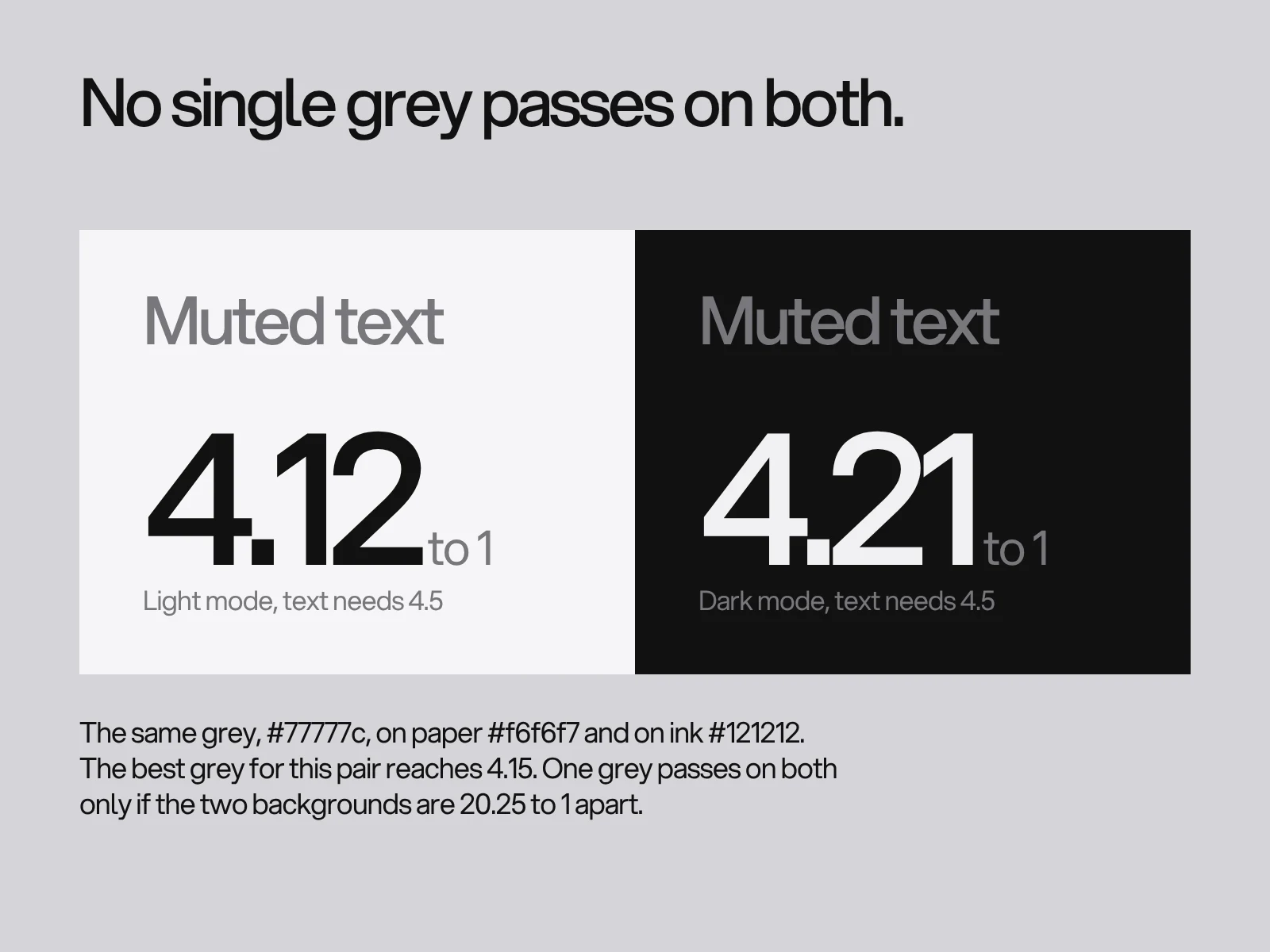
Many systems define one mid grey and use it for muted text in light and dark. It cannot work on a paper and ink pair, and the reason is arithmetic. A contrast ratio is a quotient of luminances. For a grey that sits between two backgrounds, its ratio to the lighter one multiplied by its ratio to the darker one equals the ratio between the two backgrounds. Here that is 17.35, so the smaller of the two ratios can never exceed its square root, 4.17. We searched every grey from 0 to 255 to check: the best single grey is #777777, with 4.15:1 on the worse side. The mid grey in our palette, #77777c, gives 4.12 on paper and 4.21 on ink. Both fail 4.5.
The general rule: one colour reaches 4.5:1 on two backgrounds only if those backgrounds differ by at least 20.25:1, which is 4.5 squared. Pure black and white are 21:1 apart, so only that pair works (#757575 gives 4.56 on both). Any softer pair needs a separate value per mode. That is the strongest argument for a semantic layer: it is where the per-mode values live.
Build the decisions, adopt the behaviour
The W3C's ARIA Authoring Practices Guide specifies a modal dialog in seven behaviours before any pixel is drawn:
- Focus moves into the dialog when it opens.
- Tab moves to the next tabbable element inside, and wraps from the last to the first.
- Shift and Tab does the reverse.
- Escape closes it.
- Focus returns to the element that opened it.
- The container has
aria-modalset to true, but only when the application really blocks everything outside and the styling obscures it. - It has a label, either a visible title referenced by
aria-labelledbyor anaria-label.
Radix Primitives states that it follows the WAI-ARIA authoring practices and handles roles, keyboard support and focus movement, with the example that an alert dialog focuses its Cancel button on open. A menu, a combobox and a tabs component each carry a similar list. Building those by hand is where the hidden work in a design system sits.
| Part | Own it or adopt it | Why |
|---|---|---|
| Tokens, names and modes | Own | They are the identity, they cost a day, and no library can guess them |
| Dialog, menu, combobox, popover, tabs | Adopt a headless primitive | The behaviour is specified publicly and has many edge cases |
| Button, card, badge, input skin | Own, kept thin | Trivial to build and where the brand shows |
| Data table, charts | Decide per product | Often the one place a custom build is justified |
Choose a primitive library the way you would choose any dependency: read its recent releases and issues, because it sits under every component you ship. Then test the result, because a library can be mis-wired. With the mouse unplugged, open each overlay, press Tab twenty times and confirm focus never leaves it, press Escape, and confirm focus lands back on the button that opened it. Pass or fail, one minute per component.
Where it goes wrong, and how to see it coming
| Failure | Cause | How to detect it | Fix |
|---|---|---|---|
| Hex values creep back into code | Pasting a colour is faster than finding the token, and nothing checks | grep -rEn "#[0-9a-fA-F]{3,8}\b" src --include=*.css --include=*.tsx outside the token file, counted weekly | Lint it. stylelint-declaration-strict-value requires a variable for listed properties, and Mozilla's use-design-tokens rule flags hex, rgba and oklch literals in colour declarations while allowing var() and keywords |
| Design file and code disagree | Two sources of truth edited by different people | Detached components and overrides, which Figma's design-system audit tooling reports, plus a diff of the token file against the Figma variables | One owner, one change path, the same names on both sides |
| Dark mode is the light scale reversed | Luminance is not linear, and the arithmetic above | Run the contrast table in both modes | Choose each mode's value by test, and make raised surfaces lighter |
| Token layers multiply | A component tier added for tidiness | Count component tokens whose value equals their semantic token | Delete them |
| Colour with no job | Palette chosen by taste first | A colour no token uses | Give every accent a role or remove it |
| Missing states | Components drawn in their default state only | A component with no focus, disabled or error variant | Draw all states before it enters the system |
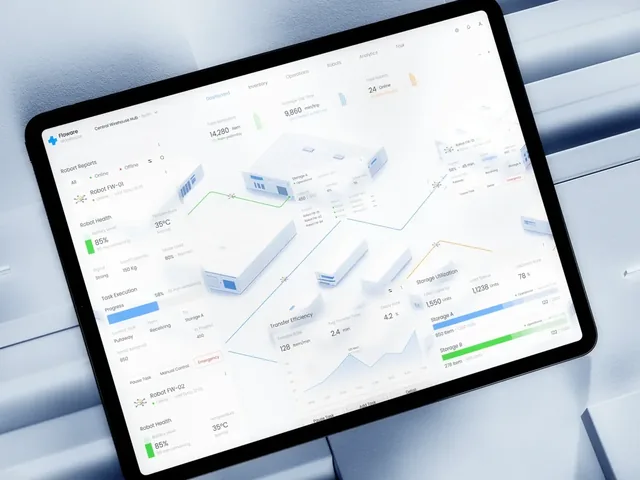
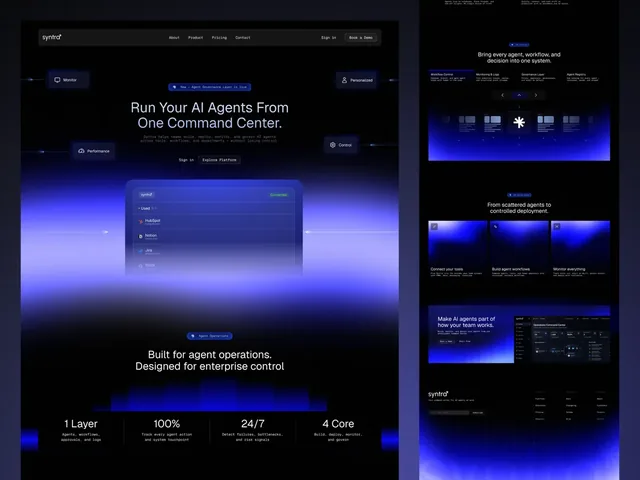
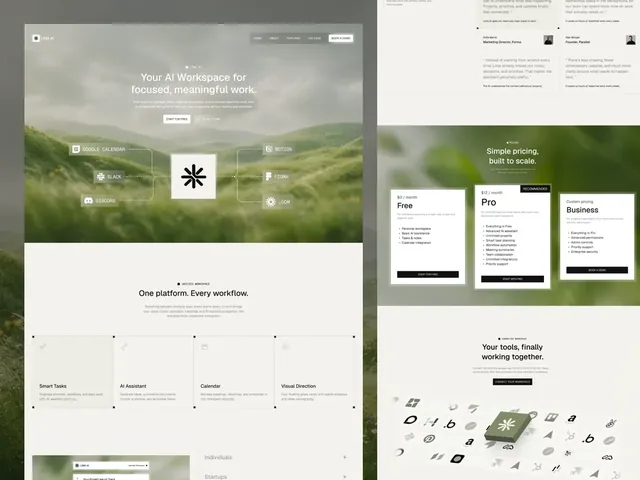
The last-but-one row is visible in the work. Floware's case page describes colour kept for meaning: green for what is running well, blue for what is moving, orange for what needs attention. That is three status roles, and each one is a token with a job. Syntra uses red for one thing only, whatever fails. In Lima AI, status is the only colour inside the app, as tags for on track, at risk and blocked. Read as systems, those decisions are status-ok, status-moving, status-warn and status-danger, not four hues.
A test before a component enters the system
A component joins the system only if it passes all six:
- It appears on at least two real screens.
- Its code contains no raw colour, size or radius, only tokens.
- Every state is drawn and coded: default, hover, focus-visible, active, disabled, plus error or loading where they apply.
- It works with the keyboard alone.
- Every text and border pair passes in both modes.
- Its name in the design file equals its name in code.
A component that fails stays in the product and is not promoted. This one rule keeps the system small without a meeting.
How this fits a project
LAIN designs apps and dashboards in four phases, Alignment, Creative development, Refinement and Final delivery, over 8 to 12 weeks, and the last phase hands over files and guidelines. If you want a token set and a component core to come out of that work, say so in the brief. The case pages for Floware and Syntra show what a small, disciplined colour-and-type system looks like in a shipped design. For the developer side, see app design handoff to developers, for the data-heavy parts SaaS dashboard design, and for choosing the palette itself how to choose brand colours and fonts. To plan a system for a product that is outgrowing ad hoc design, tell us about it.
Frequently asked questions
What is the difference between primitive and semantic design tokens?
A primitive token is a raw value with no meaning, such as neutral-600 equal to #5f5f64. A semantic token names a job, such as text-muted, and points at a primitive. Modes like dark theme switch at the semantic layer, so the name stays the same while the primitive behind it changes.
How many design tokens does a startup need?
About 36 named values cover most early products: 14 colour roles, 6 type styles, 8 spacing steps, 3 radii, 2 elevations and 3 motion timings. Add a token only when a real screen needs it, and delete any that no component uses.
Can one grey be used for muted text in both light and dark mode?
Only with pure black and white backgrounds. One colour reaches 4.5:1 on two backgrounds only if they differ by at least 20.25:1, and black on white is 21:1. With a softer paper and ink pair at 17.35:1, the best single grey reaches 4.15:1, so muted text needs a separate value in each mode.
Should a startup build its own components or use a library?
Build the tokens and the thin visual layer, and adopt the behaviour. Dialogs, menus, comboboxes and tabs have public keyboard and focus specifications from the W3C that take long to implement and test. A headless library such as Radix Primitives handles them, and you style the result with your own tokens.
Are design tokens a W3C standard?
No. The Design Tokens Community Group published a final report of its format module on 28 October 2025 and describes it as stable, but the report states it is not a W3C Standard and is not on the W3C Standards Track. It is still a useful file format for moving tokens between tools.
When should a startup start a design system?
When a second person starts producing UI, or the same element has been redrawn three times. Before that, one token file and a page of rules is enough. Sources disagree on the exact trigger, and a likely pivot is a reason to keep it to tokens only.
Sources and fact check
Facts in this article that come from outside LAIN were checked on 28 Oct 2026 against:
- Design Tokens Community Group: Design Tokens Format Module 2025.10
- W3C: Understanding Success Criterion 1.4.11 Non-text Contrast (WCAG 2.2)
- W3C WAI: ARIA Authoring Practices Guide, Modal Dialog Pattern
- Radix UI: Accessibility
- shadcn/ui: Theming
- Tailwind CSS: Theme variables
- Figma Help Center: Overview of variables, collections, modes, and aliases
- Rangle: Developing your token structure
- Sparkbox: 2021 Design Systems Survey
- Mozilla Firefox Source Docs: stylelint use-design-tokens, color
- Android Developers: Material Design 2 in Compose, elevation overlays
- Statsig: Establishing a design system at an early startup
- Figma: Design system audits
- ParallelHQ: When a startup needs a design system
- Product Stride: Design systems for B2B startups
- Open Library: Design tokens
- PMI Catalyst: Design tokens
Timelines, services and process described here are LAIN's own, as set out on our About and FAQ pages.
[ Keep reading ]