[ Graphic design ]
Packaging design: the numbers to fix before you design the look
A pack is bounded by four limits you do not control: the barcode scanner, the labelling rules, what the press can print and the thickness of the board. Collect their numbers first, in a one page constraint sheet, then design the look inside them. Verify each limit on a physical sample, because screens, proofs and verifier reports each miss something.
By LAIN11 min read
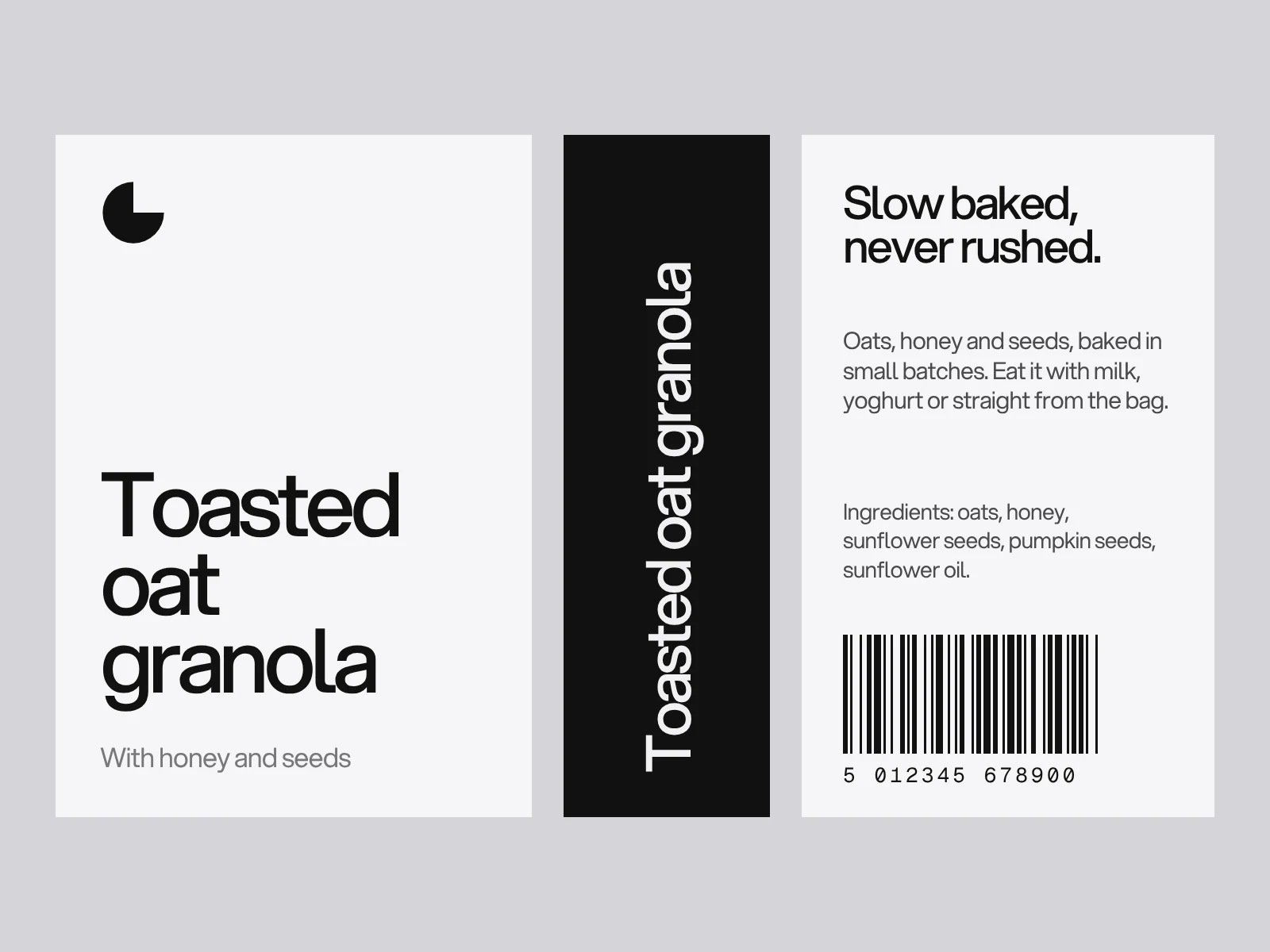
Good packaging gets noticed, says what is inside in seconds and survives being made, shipped and handled. Everyone says that. What decides whether a pack works is less visible: four limits set by people other than the designer. The scanner decides the barcode, the regulator decides the smallest legal type, the press decides the smallest line, and the board decides what happens at every fold. Collect those numbers first, then design.
Start with a constraint sheet
Before you open a design file, write one page with four blocks:
- Barcode: size, colours, where it can sit and what can be printed over it.
- Legal text: which rules apply in each market, and the smallest type each one allows for this pack size.
- Press: the printing method, the smallest line and type your printer supports, and the colour limits of the stock.
- Structure: the board, its thickness, the dieline from the converter and the glue areas.
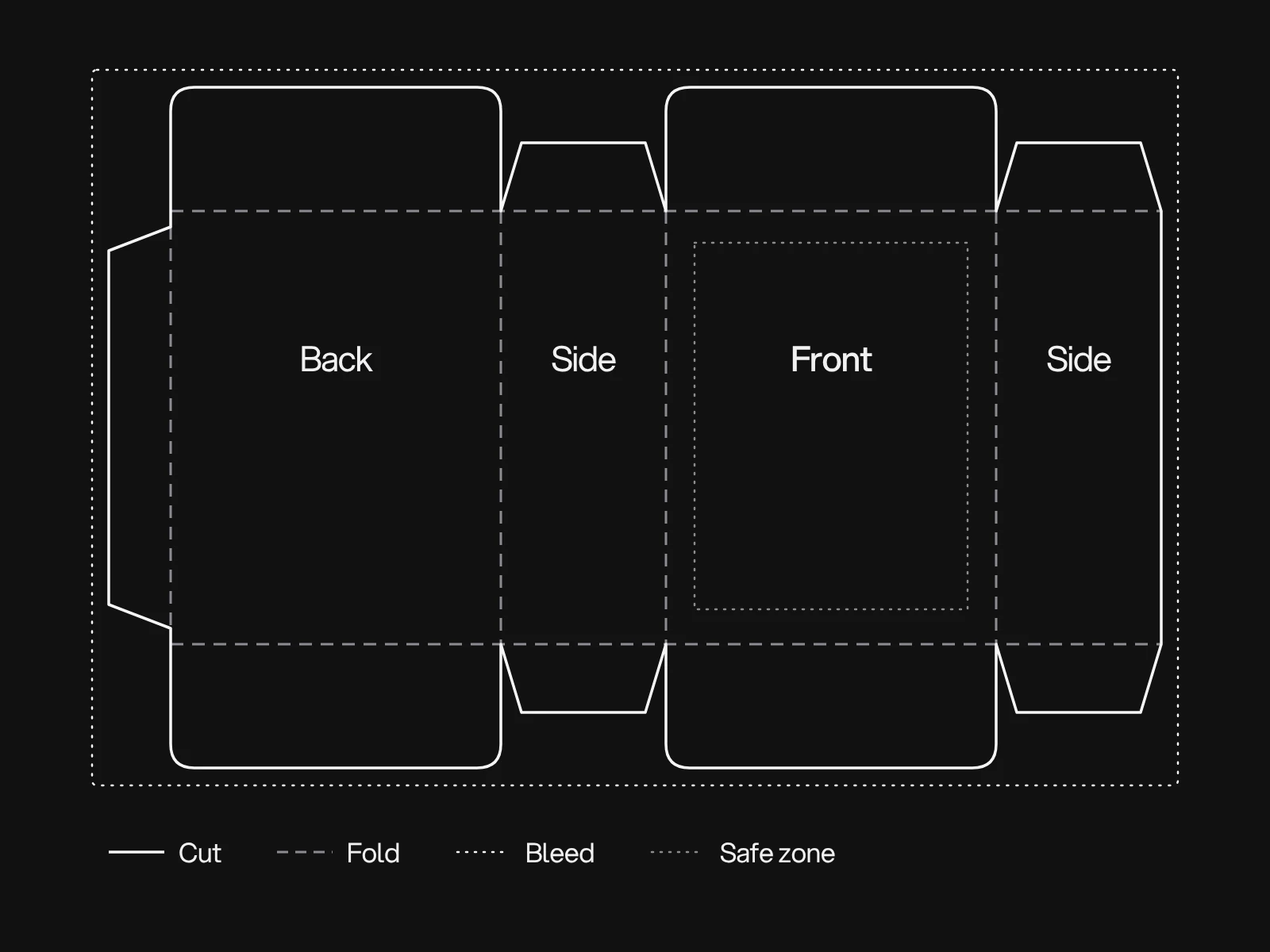
A dieline is the flat template of a pack: cut lines, fold lines, glue areas, bleed and safe zone, with the artwork placed on top. It comes from your converter because it has to match their tooling and board. The rest of this guide fills in the sheet.
The barcode is a physical specification
Size. GS1 defines the EAN-13 retail barcode in units called modules. At the nominal size the module (the X-dimension) is 0.33 mm. The symbol is 95 modules wide, plus a quiet zone of 11 modules on the left and 7 on the right, so 113 modules in all: 113 × 0.33 = 37.29 mm. GS1 allows magnifications from 80 to 200 percent.
| Magnification | Module | Width with quiet zones | Bar height |
|---|---|---|---|
| 80 percent | 0.264 mm | 29.83 mm | 18.28 mm |
| 100 percent | 0.330 mm | 37.29 mm | 22.85 mm |
| 120 percent | 0.396 mm | 44.75 mm | 27.4 mm |
| 200 percent | 0.660 mm | 74.58 mm | 45.7 mm |
The bar heights at 80 and 100 percent are from the GS1 UK table, and the others are scaled from them. Secondary tables quote a total height of about 25.9 mm at 100 percent, which appears to include the digits. Heights differ between sources for that reason, so take the final figure from the GS1 General Specifications. At 100 percent the quiet zones are 3.63 mm on the left and 2.31 mm on the right. They must stay empty, which rules out a fold, a glue flap or a seam running through them.
Colour. Retail scanners read with red light, quoted in one guide as typically 630 to 680 nm. Bars must absorb it and the spaces must reflect it. Black on white is best. Red, orange, pink and light yellow work as the background, but red or brown bars become invisible to the scanner. Green absorbs red light, so a green bar can scan as dark, yet turquoise and blue paired with dark colours is a poor choice. Use a plain, non-metallic light background. One barcode guide cites a print contrast of at least 0.5, with 0.8 or more preferred.
Quality and gloss. Barcodes are graded under ISO/IEC 15416 from A to F. For GS1 symbols the pass grade is 1.5, or C, according to the grading company Axicon. An older slide deck from the same company says 2.5, so check the current GS1 General Specifications before you fix a target. Gloss is the gap in the grading. ISO/IEC TR 19782 says high gloss, from the substrate or the printed image, causes read-rate problems that the 15416 grade does not capture. A high-gloss varnish or a foil over the bars can pass the verifier and still fail at the till. Keep foil and gloss off the barcode with a matte window or a varnish knock-out, and ask for a scan test on a finished sample.
Legal type is a number tied to panel area
Rules differ by country and by product. Two examples show how they work.
European Union. Under Regulation 1169/2011, Article 13, mandatory food information must be printed with an x-height of at least 1.2 mm. On packs whose largest surface is under 80 cm², the minimum is 0.9 mm. The trigger is the largest surface of the pack, not the label. Points depend on the typeface, because x-height is a fraction of the size:
| x-height as a share of the size | Size for 1.2 mm | Size for 0.9 mm |
|---|---|---|
| 0.45 | 7.6 pt | 5.7 pt |
| 0.50 | 6.8 pt | 5.1 pt |
| 0.55 | 6.2 pt | 4.6 pt |
United States. The net quantity of contents goes in the bottom 30 percent of the principal display panel, and the placement rule does not apply to panels of 5 square inches or less. Its type height depends on the panel area. For a rectangle the area is height times width. For a cylinder it is 40 percent of the circumference times the height. Secondary summaries of 21 CFR 101.7 give these tiers, measured on the lowercase "o":
| Panel area | Minimum height |
|---|---|
| Up to 5 sq in (32 cm²) | 1/16 in (1.6 mm) |
| Over 5 up to 25 sq in | 1/8 in (3.2 mm) |
| Over 25 up to 100 sq in | 3/16 in (4.8 mm) |
| Over 100 up to 400 sq in | 1/4 in (6.4 mm) |
| Over 400 sq in | 1/2 in (12.7 mm) |
Metric and US customary units must both appear. Confirm the table in the current regulation, because the tiers here come from secondary sources and the legal text governs. This is a design guide, not legal advice, and food, cosmetics, supplements and chemicals each have their own rules.
What the press can hold
Printers publish minimums, and they disagree. That is useful to know before you set a fine line or small white type.
| Limit | Flexopedia guide | Cimarron guide | Packlane guide |
|---|---|---|---|
| Positive line | 0.5 pt (0.007 in) | 0.43 pt (0.006 in) | 1 pt |
| Reversed line | 0.7 pt (0.010 in) | 0.86 pt (0.012 in) on screens or multicolour | 2 pt for knockout lines |
| Smallest text | not stated | not stated | 10 pt, and 16 pt for knockout text |
The spread is two to three times. The causes are physical. Positive type fattens as ink spreads, and reversed type fills in. A flexo press can shift by plus or minus 0.003 in (0.076 mm), so type built from two colours looks blurred. Packlane goes further and strongly discourages knockout text. Get the sheet from your own printer before you set a minimum.
Colour is also a press limit. Estimates of how many Pantone colours print in CMYK run from about half in informal forum posts, to 40 to 55 percent for digital presses in one journal benchmark, to 72 to 80 percent in a vendor claim for flexo. A vendor poster for offset with a seven-colour process showed about 50 percent. None of this is about your stock. The only reliable test is your colour, on your stock, on the press that will run it, as a drawdown or proof. One forum post notes that colours can shift drastically between coated and uncoated stock.
The board decides what happens at a fold
Corrugated flutes have these approximate thicknesses, which vary by mill: E flute 1.3 to 1.6 mm, B flute 2.6 to 3.0 mm and C flute 3.6 to 4.2 mm. C flute is the usual choice for shipping cartons. Box strength comes from the liners as much as the flute. The edge crush test, run on a strip of board, predicts the compression strength of the finished box.
For design, thickness matters at the fold. Caliper drives the score allowances and the dieline, so the converter, not the designer, finalises the panel widths. Our planning assumption, not a standard, is that artwork running across a crease can land off by about the board thickness. Design so that a shift of 1 or 2 mm at a fold reads as acceptable, with no hairline frame or word that has to line up across a crease.
A worked example: one constraint sheet
A granola carton, 90 × 140 × 40 mm, sold in the EU and the US, with a back panel carrying the barcode:
| Item | Calculation | Consequence |
|---|---|---|
| Largest surface | 90 × 140 mm = 126 cm², over 80 | EU x-height at least 1.2 mm: about 6.2 to 7.6 pt |
| Front panel area | 12,600 mm² = 19.5 sq in | US net quantity at least 1/8 in (3.2 mm) on the "o" |
| Net quantity band | 30 percent of 140 mm = 42 mm | Statement sits in the bottom 42 mm of the front |
| Barcode at 100 percent | 37.29 mm of 90 mm width | 52.7 mm left beside it for text, quiet zones clear |
| Cylindrical jar, 75 mm wide, 110 mm tall | 0.4 × π × 75 × 110 = 10,367 mm² = 16.1 sq in | Same 1/8 in tier |
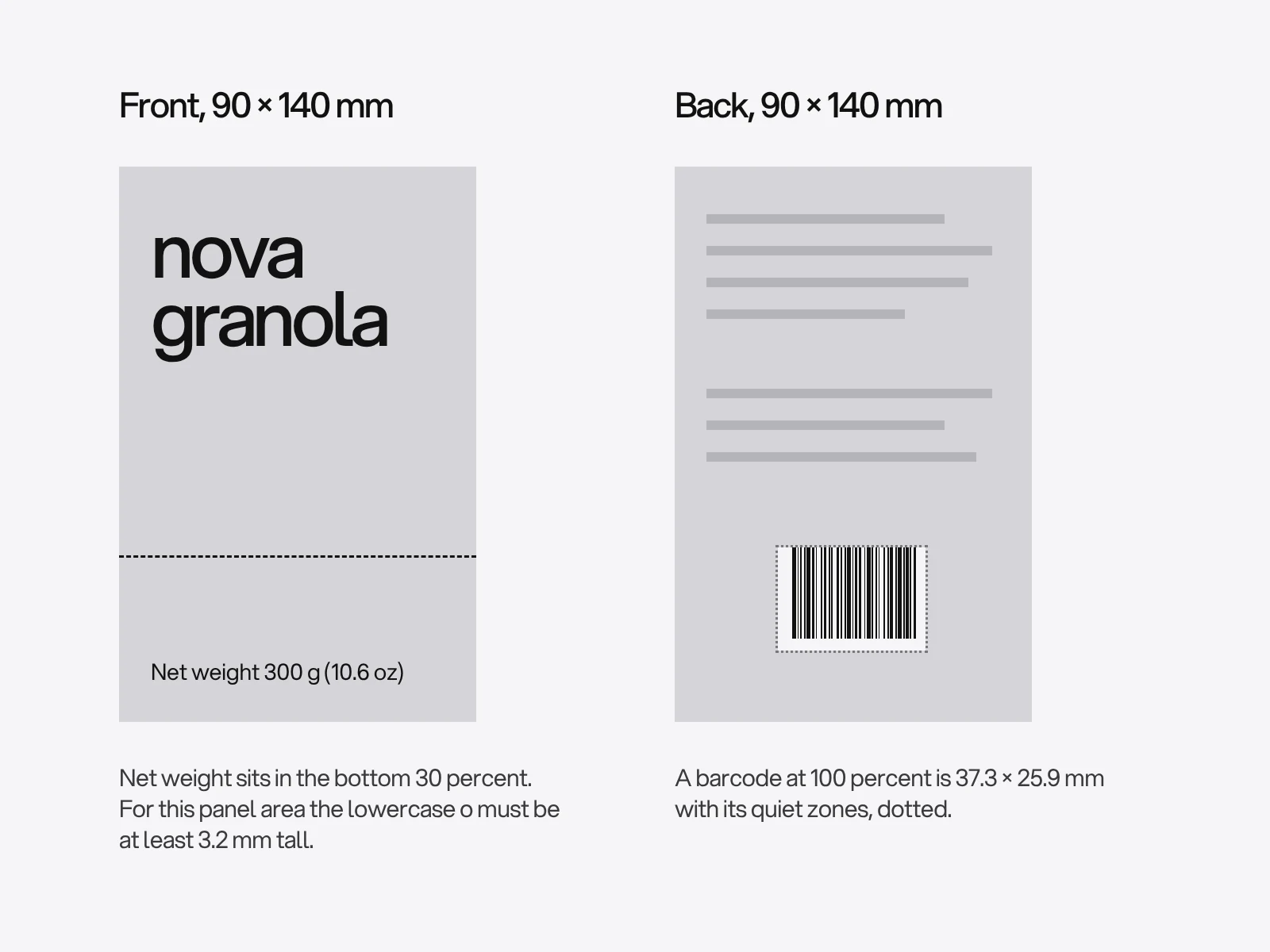
Nothing in this table came from taste. It all came from the dimensions of the pack and the rules of two markets, and it defines the empty space the design has to respect.
Where packaging goes wrong, and why
- The barcode fails at the till. Causes: red or orange bars, a gloss varnish or foil over the bars, a fold or seam through a quiet zone, or shrinking below 80 percent. Check with a verifier report from the printer, then with a scan test on the finished sample. A phone camera does not prove it, because retail scanners use red light.
- White type fills in. Small reversed text gains ink at the edges. Raise the size and weight to the printer's reversed minimum, and keep it off screened or multicolour areas.
- A colour does not match between runs. CMYK builds a colour from four screens, so stock and press change it. Use a spot ink for the one colour that must match, and accept drift on the others.
- The legal text is squeezed in at the end. It is the first thing designers shrink. Put the required text and the barcode on the layout before the artwork.
- An image breaks at a fold. The converter's tolerance applies, so design with it.
Prototype in three stages
A white mock-up cut from the dieline tests fit, closure and stacking. A printed proof wrapped around it tests the hierarchy and the legal text, which you can measure with a ruler against the table above. A pre-production sample on the real board with the real finishes is where colour, gloss and the barcode are judged. Photograph the pack at thumbnail size too, because online shops show it small.
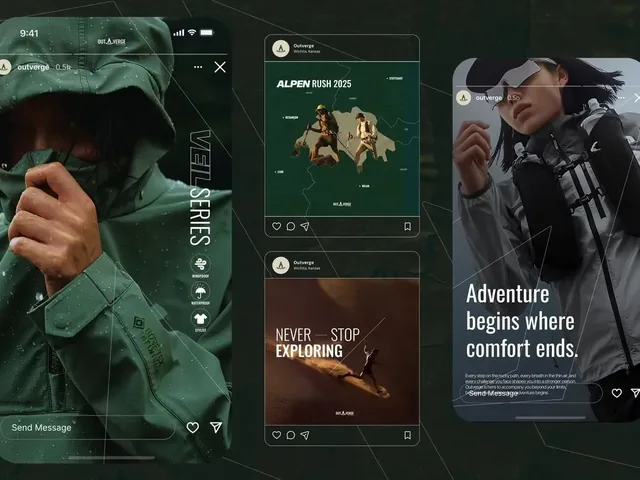
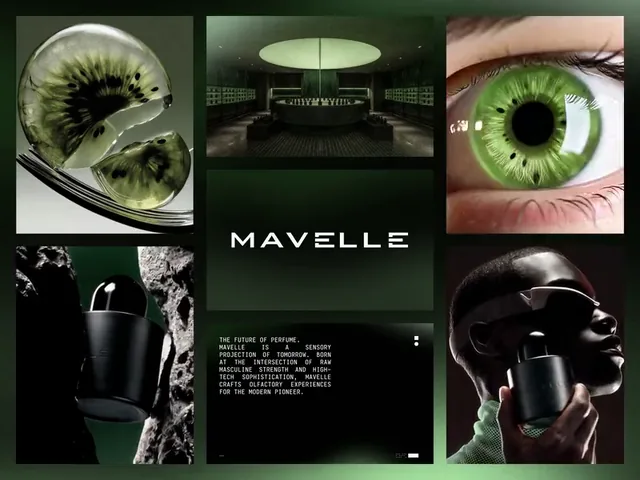
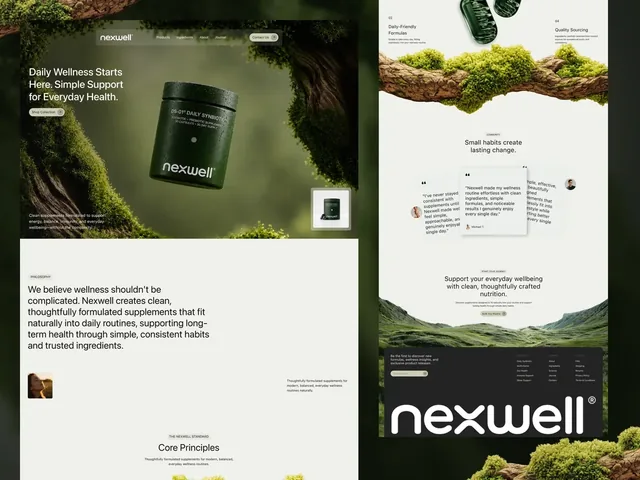
On identity work for physical products, Outverge shows a pack among bottles, a hoodie and a mug, with the mark printed small and tone on tone and the loud part always the words. That is the sort of detail to test against the printer's minimum line weight before it is printed. Nexwell builds its product world around a dark green jar, and Mavelle is a perfume house built on black glass and one electric mint.
Brief checklist
Write down before you brief a designer: the product, its size and weight, where it is sold, the markets and their legal text, the quantity per run and likely printing method, the converter's dieline, existing brand assets such as brand guidelines, the packs it will stand beside, and the launch date with time for proofs. Colour decisions start with the brand; see choosing brand colours and fonts. Bleed and crop marks are covered in our print brochure checklist.
Packaging artwork is part of our graphic design work, and graphic design projects typically take 2 to 4 weeks. Structure, regulation and printing add steps that depend on your product, so we confirm the timeline once we have read the brief. If you are planning a pack, start a project with the constraint sheet.
Frequently asked questions
How big does a barcode need to be on packaging?
An EAN-13 at 100 percent is 37.29 mm wide including its quiet zones and has bars 22.85 mm high. GS1 allows 80 to 200 percent, so the smallest is 29.83 mm wide with 18.28 mm bars. Keep the quiet zones clear: 11 modules on the left and 7 on the right.
What colour can a barcode be?
Dark bars on a light, non-metallic background. Black on white is best. Retail scanners read with red light, so red or brown bars become invisible, while red, orange, pink or light yellow are fine as backgrounds. Print contrast should be at least 0.5, and 0.8 or more is preferred.
What is the minimum text size on food packaging?
In the EU, mandatory information needs an x-height of at least 1.2 mm, or 0.9 mm if the largest surface is under 80 cm². In the US, the net quantity statement has a minimum height by panel area, starting at 1/16 inch for panels of 5 square inches or less. Check each market before printing.
Can I put varnish or foil over a barcode?
Avoid it. ISO/IEC TR 19782 notes that high gloss causes read problems that the standard ISO/IEC 15416 grade does not capture, so a gloss barcode can pass a verifier and still fail at the till. Use a matte window or a varnish knock-out and scan a finished sample.
Why do my printed colours not match my screen or my last run?
A screen mixes light, a press builds colour from ink on a specific stock, and gamut depends on the press. Estimates of how many Pantone colours print in CMYK range from about 40 to 80 percent depending on the press. Use a spot ink for the one colour that must match, and approve a proof on the real stock.
What is the smallest white text I can print on a pack?
Printers disagree, so ask yours. Flexo guides give minimum reversed lines from 0.7 to 2 pt, and Packlane recommends 16 pt for knockout text and discourages it. Reversed text fills in as ink spreads, and press shift of about 0.076 mm blurs multicolour type, so keep small white text on one solid colour.
Sources and fact check
Facts in this article that come from outside LAIN were checked on 28 Oct 2026 against:
- GS1 UK: How big should a point of sale barcode be
- GS1 Canada: EAN UPC Symbol Reference
- GS1 UK: What colour should a barcode be
- Weber Marking: Barcode colours, a quick guide
- Axicon: Interpretation of results, fractional grading
- Cognex: ISO/IEC 15416 barcode verification
- BSI: ISO/IEC TR 19782, effects of gloss and low substrate opacity on reading of bar coding symbols
- European Commission: Language and presentation of food information
- FDA: Dietary Supplement Labeling Guide, Chapter III, Net quantity of contents
- Recipal: What is a net quantity statement
- Flexopedia: Artwork prepress guidelines for designers in flexible packaging
- Cimarron: Flexo printing guidelines
- Packlane: Guidelines for best results with Econoflex
- Packaging Strategies: Corrugated board and material grades
- Packaging School: Dieline design
- Paperlust: Spot colour and Pantone vs CMYK
- Paperlust: Corrugated flutes explained
- Journal of Print and Media Technology Research: digital press gamut coverage of Pantone colours
- Print Planet forum: Pantone CMYK colour matching question
- Barcode Graphics: UPC colour and sizing information
Timelines, services and process described here are LAIN's own, as set out on our About and FAQ pages.
[ Keep reading ]