[ Graphic design ]
Poster design principles: size the type by viewing distance, then fit the words
A poster is read from a distance, and distance sets the type size, because a letter must subtend a minimum visual angle. Rules of thumb run from 1 inch per 30 feet for road signs to 1 inch per 10 feet for posters. Then the width of the sheet caps how long a headline can be. Check type, resolution and QR code against the real viewing distance.
By LAIN9 min read
A poster is a reading problem with a distance attached. The same headline that works on a screen at arm's length can disappear across a corridor, because what the eye resolves depends on the angle a letter takes up, not on the points you typed. Start from the distance people will stand at, work out the type size, and only then decide how many words fit. Much poster advice does it in the other order.
Letter size is an angle
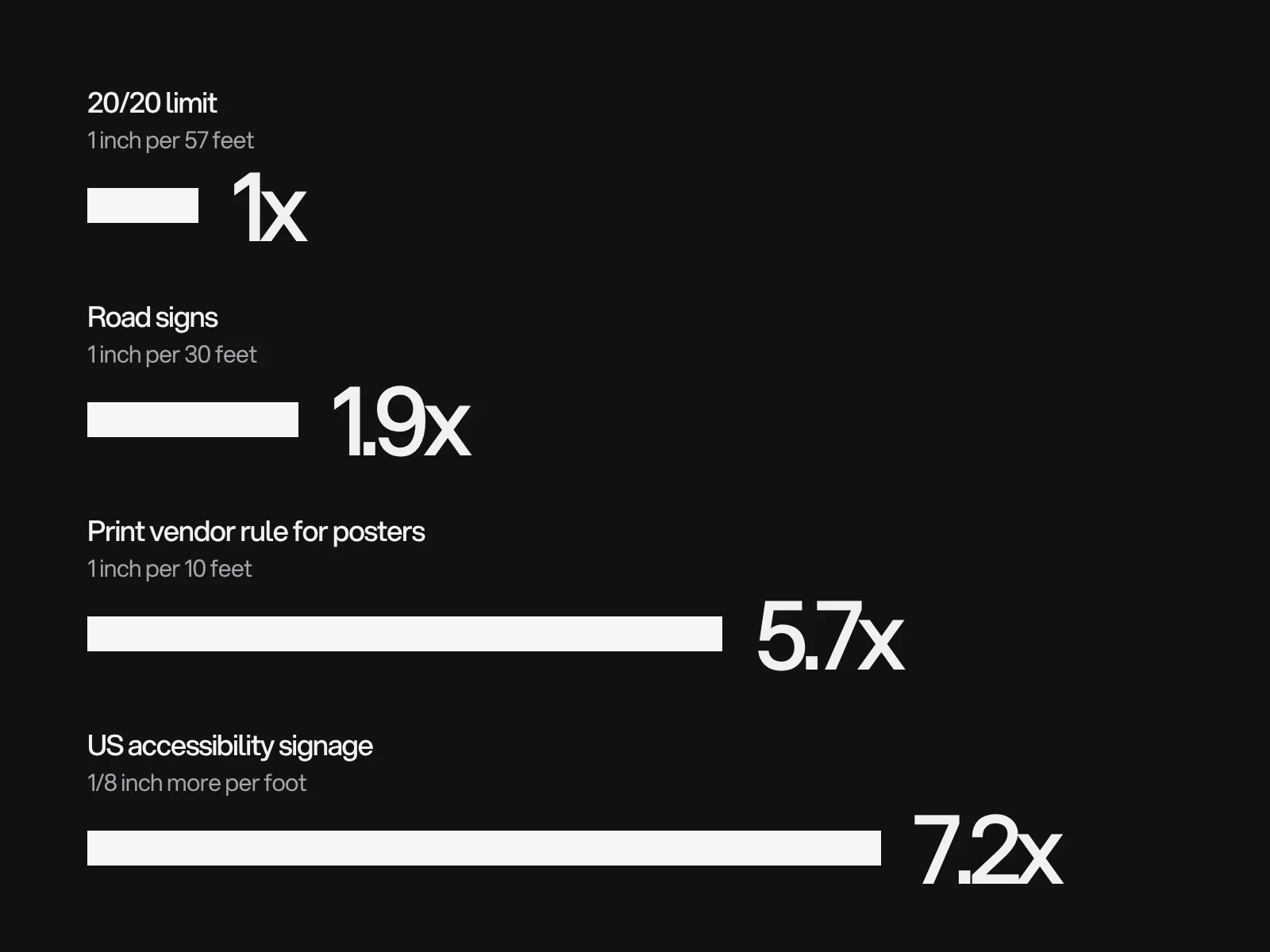
A person with 20/20 vision can resolve a gap of one arcminute. A standard test letter spans five arcminutes in total, one fifth of which is the gap that must be told apart. So the smallest letter a normal eye can identify has a height of distance divided by 687, which is about 1 inch of height per 57 feet. The rules of thumb are multiples of that threshold:
| Rule | Ratio | Angle | Times the threshold | Built for |
|---|---|---|---|---|
| 20/20 limit | 1 inch per 57 ft | 5 arcmin | 1x | Identifying a letter at all |
| US road signs, guidance in the MUTCD | 1 inch per 30 ft | 9.5 arcmin | 1.9x | Signs read by drivers |
| Print vendor rule for posters | 1 inch per 10 ft | 28.6 arcmin | 5.7x | Posters and banners |
| US accessibility signage chart | adds 1/8 inch per foot | about 36 arcmin | 7.2x | People with low vision |
The first two rows are published. The accessibility figure is the slope of the US Access Board's chart for character height by viewing distance. The "1 inch per 10 feet" rule appears on printer guides, and we could not trace it to an original study, so treat it as a sound rule of thumb and not a standard. It sits about 6 times above the 20/20 limit, which leaves room for poor light, low contrast and people with less than perfect sight. Use it for the headline, and move toward the accessibility slope when your audience includes older readers or the light is bad.
In practice: cap height in centimetres is about 0.83 times the distance in metres. At 4 m that is about 3.3 cm, which is a 131 point font in a typeface whose capitals are 0.72 of the em.
What the sheet allows: headline capacity
Distance fixes the type height. The width of the sheet then fixes how many letters fit on a line. The table assumes capitals, the 1 inch per 10 feet rule, a cap height of 0.72 em, an average of 0.62 em per character including spaces (measured on a sample headline in Aspekta) and 8 percent margins on both sides. The figures are our calculation.
| Sheet | 2 m | 4 m | 8 m | 16 m |
|---|---|---|---|---|
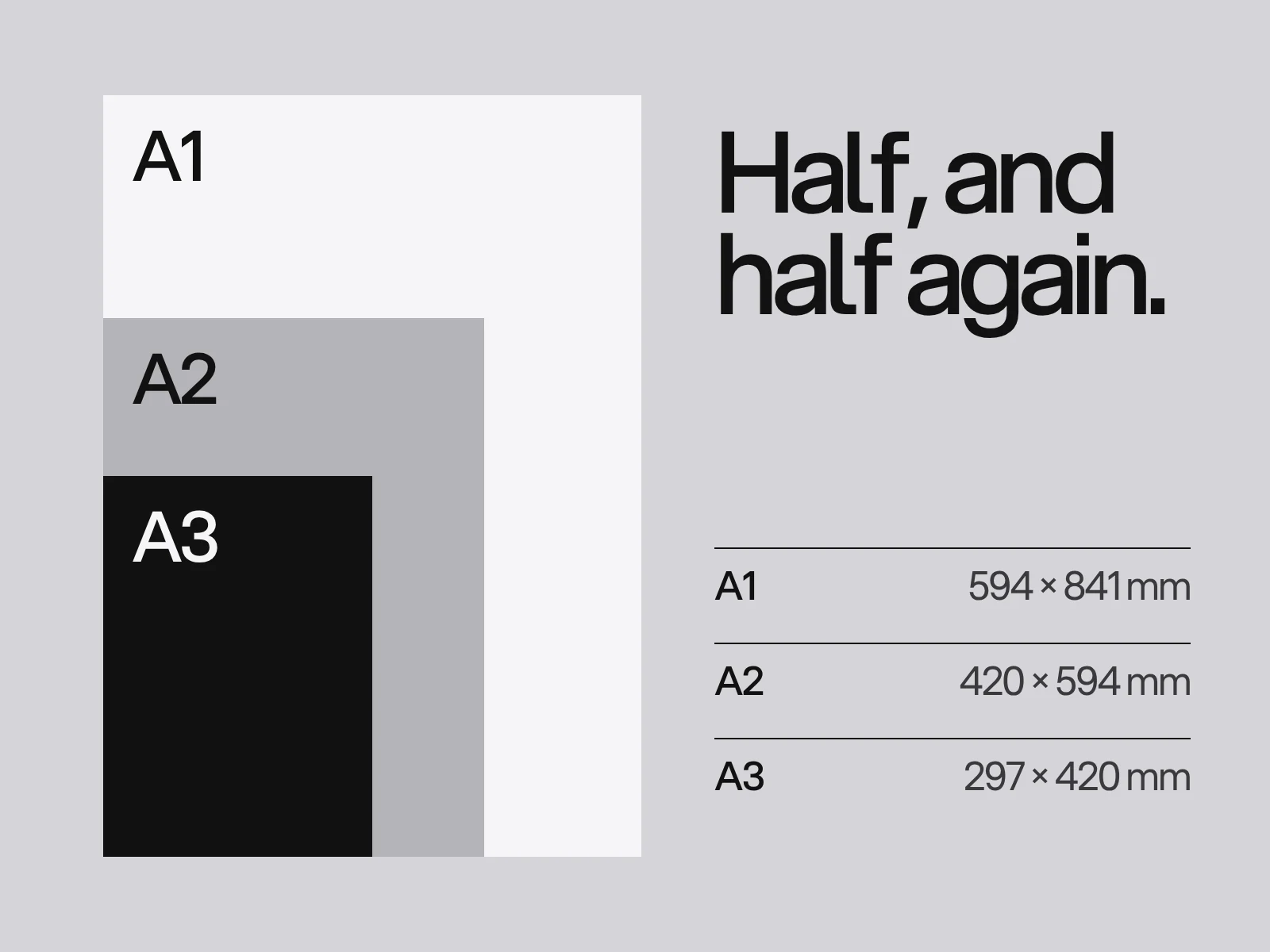
| A3 (297 x 420 mm) | 17 letters | 8 | 4 | 2 |
| A2 (420 x 594 mm) | 24 | 12 | 6 | 3 |
| A1 (594 x 841 mm) | 34 | 17 | 8 | 4 |
| A0 (841 x 1189 mm) | 49 | 24 | 12 | 6 |
Printer guidance asks for a headline of five to seven words so a passer-by gets it in about three seconds. Seven words is about 35 letters. On A2 read from 4 m you get 12 letters a line, so that headline takes three lines and no word can be longer than 12 letters. On A1 read from 8 m you get 8 a line. The choice is a bigger sheet, a shorter viewing distance or fewer words. It is never a smaller font.
Three layers need three sizes
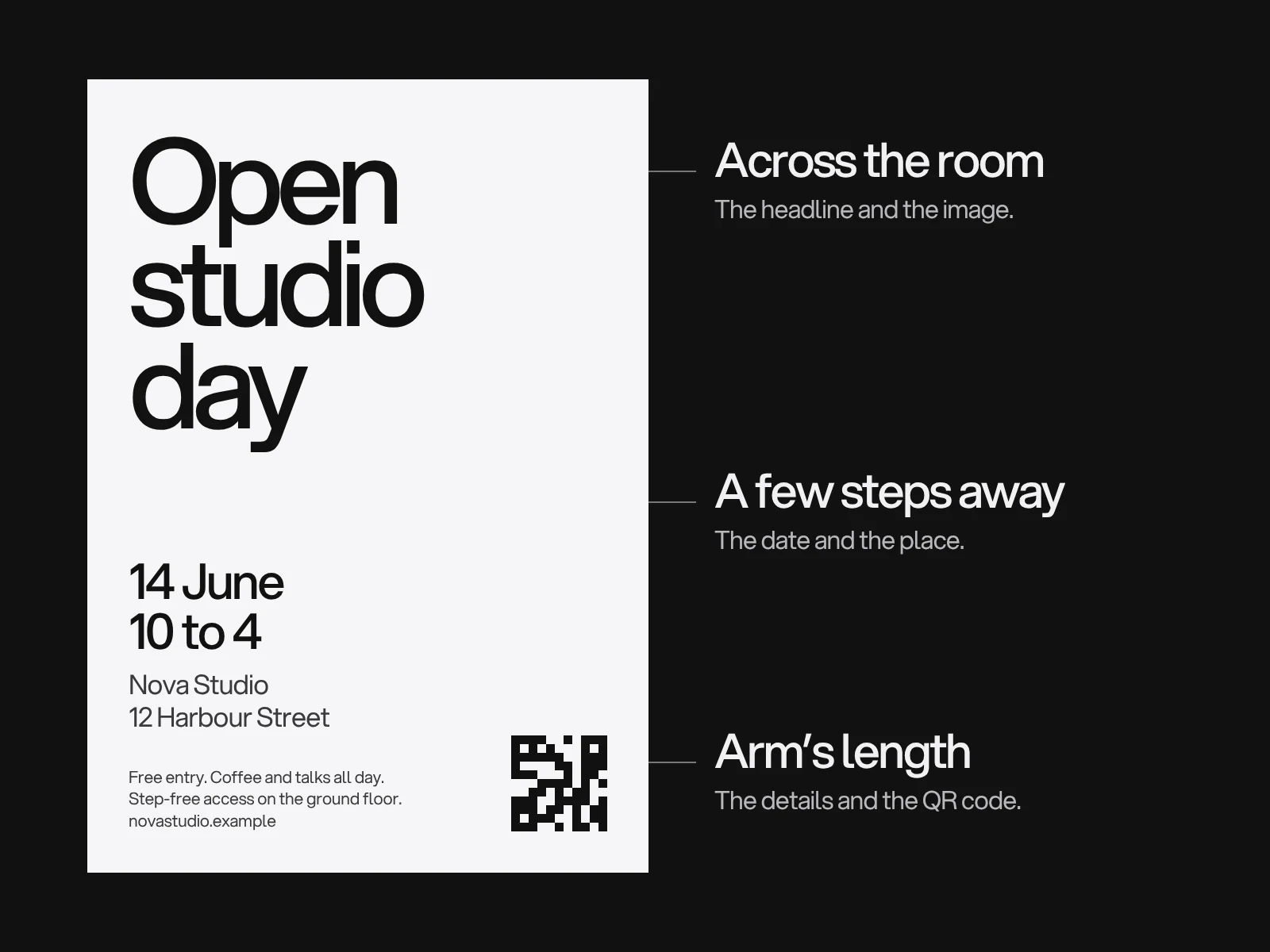
Headline, facts and details are read at different distances, and the type behind a longer line of text has a different rule from a headline. Legge and Bigelow's review of vision research puts the critical print size, the smallest size at which reading runs at full speed, at about 0.2 degrees of x-height, with a fluent range up to ten times that. Turn that into sizes, assuming an x-height of 0.52 em:
| Layer | Seen from | Basis | Minimum |
|---|---|---|---|
| Headline | 4 m | 1 inch per 10 ft, capitals | 33 mm caps, about 131 pt |
| Date and place | 2 m | x-height 0.2 degrees, 7 mm | about 38 pt |
| Details and web address | 0.6 m | x-height 0.2 degrees, 2.1 mm | about 11 pt |
By the same arithmetic, 6 pt small print reaches full reading speed only within about 30 cm, which is why details that look fine on a monitor are unreadable on the wall.
Resolution is an angle too
The same one arcminute limit applies to pixels. A pixel smaller than one arcminute at the viewing distance is invisible, so the resolution you need is about 3438 divided by the distance in inches:
| Viewing distance | Pixels per inch that the eye can use |
|---|---|
| 0.3 m (leaning in) | 291 |
| 0.5 m | 175 |
| 1 m | 87 |
| 2 m | 44 |
| 3 m | 29 |
That is why one printer recommends 150 dpi for large format, on the grounds that the eye cannot resolve finer detail at those distances, while another calls 150 the minimum and 300 ideal. Both fit different readers: 150 is enough beyond about 60 cm, and anyone who steps up to read the small print can use more. The cost is real. An A1 poster at 150 ppi is 3508 by 4967 pixels (17.4 megapixels); at 300 ppi it is 7016 by 9933 (69.7 megapixels). The 20/20 figure is an average, so keep a margin, and remember type and logos drawn as vectors print at the press's own resolution, not the picture's.
QR codes: scan range sets the size, the link sets the density
A common guideline puts the ratio of scanning distance to code width at 10 to 1, with a quiet zone of 4 modules around the code. Deloitte's QR guidance recommends at least 20 by 20 mm for a code scanned from 20 cm. The data decides how dense the code is. We computed the version for three links at error level L, which keeps the code smallest:
| Link length | QR version | Modules per side | Module size in a 20 cm code (2 m scan) |
|---|---|---|---|
| 22 characters | 2 | 25 | 8.0 mm |
| 42 characters | 3 | 29 | 6.9 mm |
| 77 characters | 4 | 33 | 6.1 mm |
Shorter links give bigger modules for the same width, which makes the code more tolerant of glare, blur and a coarse print. One caution: Deloitte's page quotes a 35 by 35 grid for 72 characters, but valid QR sizes step 33, 37, so use a generator and check.
Contrast and finish
The US accessibility standard sets no numeric contrast. It only requires light on dark or dark on light and a non-glare finish, and it warns that textured backgrounds reduce legibility. Acuity also depends on contrast and lighting, so the 20/20 limit is a best case. For finish, printer guidance is gloss for photo-heavy posters and matte for text-heavy ones under bright lights.
Where this goes wrong
The headline is sized by taste. Cause: the layout was judged at screen zoom. Fix: write down the viewing distance first and size capitals from it.
The poster only works close up. Cause: details sized for a monitor. Detect: the scale model test below. Fix: move anything the reader must act on into the layer meant for the distance they stand at.
The picture is soft. Cause: a 72 ppi image enlarged to A1. Detect: zoom to 100 percent at print size. Fix: supply the resolution for the nearest distance people will use, and keep type as vectors.
The QR code will not scan. Cause: too small, too dense, on a photograph, or no quiet zone. Fix: shorten the link, keep four modules of white around it and test at the real distance.
Text sits on busy photography. Cause: contrast lost where the picture is busy. Fix: a solid or darkened area behind the text.
Test it as a scale model
Angles do not change with size. A poster shrunk by a factor and viewed from the same factor closer subtends exactly the same angles. The A series is built on factors of 1.41, so an A1 poster printed at A4 is a scale of 2.83: to judge an A1 poster read from 4 m, look at the A4 print from 1.4 m. Pin it on a wall, stand at the calculated distance and check that the headline reads and the date does not need squinting. Then proof the dates and the address aloud.
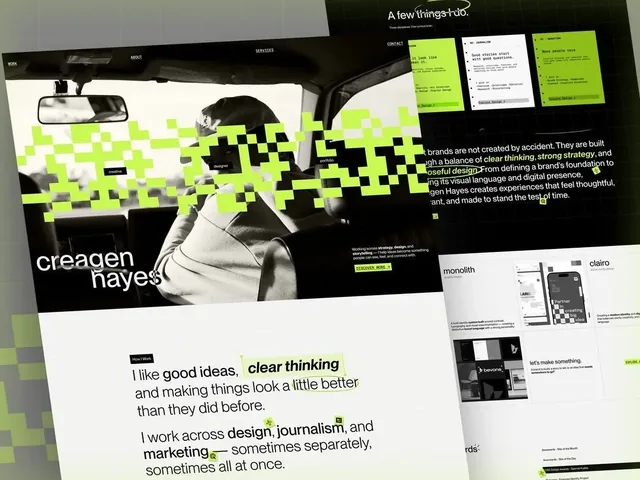
Our identity work shows the same idea at poster scale. In the Outverge identity, type grows on paper into a line of tall letters running off the edge, with the three values stacked. The gig posters for Monolith vary every time and the wordmark and the pink make them a series. Creagen Hayes carries one poster for each discipline. Posters sit under graphic design at LAIN, and the three sizes you choose belong in one typographic hierarchy. Colour on paper is covered in our RGB vs CMYK guide. If you need a poster or campaign set that holds together, start a project.
Frequently asked questions
How big should the text be on a poster?
Size capitals from the viewing distance. A common rule is 1 inch of letter height per 10 feet, about 0.83 cm per metre, so 3.3 cm capitals read from 4 m. Road sign guidance in the MUTCD uses 1 inch per 30 feet for familiar words, and US accessibility signage uses about 1/8 inch per foot. The 20/20 eye limit is about 1 inch per 57 feet.
How many words can a poster headline have?
Printer guidance asks for five to seven words, but the sheet and the distance cap it. With capitals sized at 1 inch per 10 feet, an A2 poster read from 4 m fits about 12 letters per line, and an A1 poster read from 8 m about 8, so a seven word headline needs three or four lines or a closer viewer.
What resolution do posters need?
Printer guidance recommends 150 dpi at full size for large posters and calls 300 dpi ideal. A 20/20 eye resolves about 87 pixels per inch at 1 m and 175 at 0.5 m, so 150 is enough for viewers beyond about 60 cm. Vector type and logos stay sharp at any size. Confirm with your printer.
How big should a QR code be on a poster?
Deloitte's guidance uses a 10 to 1 ratio of scanning distance to code width and at least 20 by 20 mm for a close scan, with 4 modules of white space around it. A code to be scanned from 2 m should be about 20 cm wide. Shorten the link to make the modules larger, and test at the real distance.
How do I check a poster before printing it large?
Print a scale model and view it from the scaled distance, because angles stay the same. An A1 poster printed at A4 is a scale of 2.83, so judge a 4 m reading distance from 1.4 m. Check that the headline reads and the date does not need squinting, then proof the details aloud.
Should I use gloss or matte for a poster?
Printer guidance suggests gloss for photo-heavy posters and matte for text-heavy ones, since matte reduces glare under bright lights. The US accessibility standard asks for a non-glare finish on signs, which supports matte wherever light hits the poster directly.
Sources and fact check
Facts in this article that come from outside LAIN were checked on 28 Oct 2026 against:
- Wikipedia: Visual acuity (20/20 and the 5 arcminute test letter)
- Federal Highway Administration: MUTCD 2009, Part 2A (section 2A.13, legibility distance)
- US Access Board: ADA guide, Chapter 7 Signs (visual character requirements)
- Legge and Bigelow (2011), Does print size matter for reading? Journal of Vision
- 4over4: How to design a poster in 8 steps
- Tradeprint: Using 150 dpi resolution in large format prints
- Deloitte QR: What is the minimum size of a QR code?
- Markus Kuhn: International standard paper sizes (ISO 216)
- Denso Wave: QR code versions and sizes
Timelines, services and process described here are LAIN's own, as set out on our About and FAQ pages.
[ From our work ]
[ Keep reading ]