[ Website ]
Webflow vs WordPress for a business website: decide by where the risk lands
Both platforms can produce the same site and rank equally well, so features do not decide it. Risk does. WordPress puts it in the update and plugin surface (91% of 2025 vulnerabilities were in plugins). Webflow puts it in plan ceilings and one vendor changing the rules, as when it shut down User Accounts in January 2026.
By LAIN8 min read
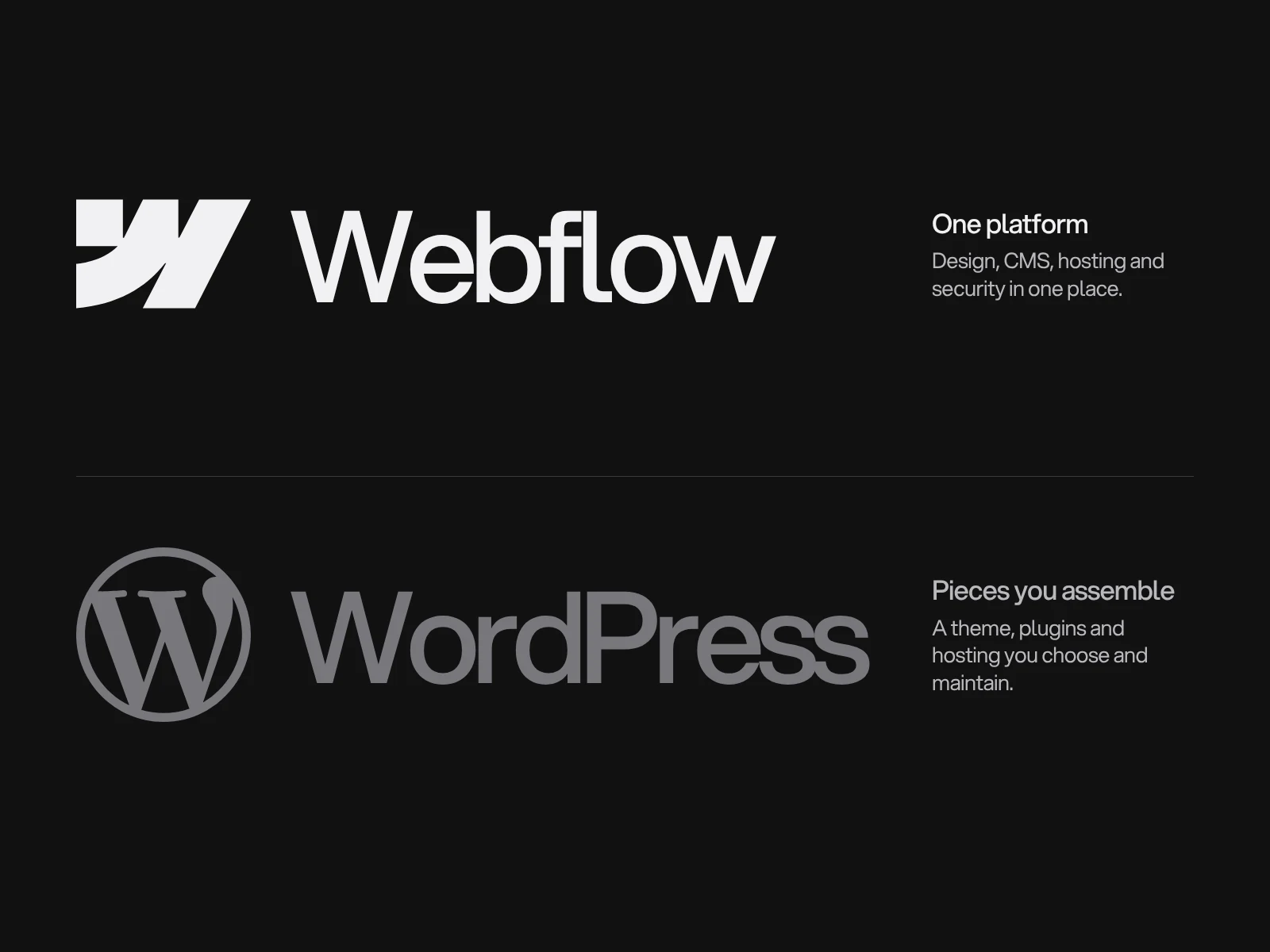
Ask which platform has the better features and you will get a list that shrinks every year, because both can produce the same design, rank the same and publish the same pages. Ask where each one puts the risk and the answer is sharper. WordPress puts it in the update and plugin surface you maintain. Webflow puts it in ceilings you cannot raise and one vendor who can change the rules. Which of those you would rather own is the decision.
A disclosure first: we build websites in Webflow, Framer and Shopify, so we know Webflow best. The evidence below is from third parties, and where a figure comes from an agency blog we say so.
Measured, not marketed
- Reach. W3Techs (28 October 2026): WordPress runs 39.5% of all websites and 58.3% of those with a known CMS. Webflow runs 0.8% and 1.2%. Share says nothing about quality. It tells you how many developers, plugins and answers exist for each.
- Core Web Vitals. The HTTP Archive Web Almanac 2025 found 45% of WordPress sites passing all three vitals on mobile, against 48% of all sites. It does not publish a Webflow pass rate in its CMS chapter. Agency blogs claim 67 to 69% for Webflow, but those figures conflict with each other and were not traceable to the Almanac, so treat them as unverified.
- Lighthouse medians. The same chapter reports Webflow's median Lighthouse performance at 58 on mobile (73 on desktop), SEO at 100 and accessibility at 90, with WordPress SEO around 92. Lighthouse SEO checks basic technical markup. It is not a ranking prediction.
- Security. Patchstack counted 11,334 new WordPress vulnerabilities in 2025, up 42% on 2024. 91% were in plugins, 9% in themes and 6 in core. 46% had no developer fix at the moment of disclosure, and for the most heavily exploited ones the median time to first exploitation was 5 hours.
Where the risk lands
WordPress: the patch surface. Core is rarely the problem, and it updates itself: minor and security releases install automatically by default. Plugins and themes do not, except in special cases the WordPress.org API flags. With 46% of vulnerabilities unpatched when published and exploitation measured in hours, an update routine alone does not close the gap. What shrinks the risk is the number of plugins, and a host or firewall able to block a known exploit before a fix exists (our reading of the data, not a Patchstack finding).
Webflow: ceilings and dependency.
- Display limits. Webflow's help centre says a page can hold up to 40 collection lists (nested ones count) and a list shows 100 items by default, extendable by pagination. These cap what a page can show, not what you store. Storage limits are set by plan, and the plans changed in July 2024 and again in May 2026, so check the current compare table rather than a blog.
- Features can be retired. Webflow switched off its native User Accounts on all sites on 29 January 2026 and removed the related APIs. Webflow's recommended replacements were partners such as Outseta and Memberstack. This is the clearest evidence of vendor risk, and it is a fact about one feature, not about the platform as a whole.
- Export is static. Code export produces HTML, CSS and JavaScript. Collection content, forms, site search, e-commerce and user accounts do not work on the exported files. The CMS can be exported separately as CSV, so content is portable and the running system is not.
- Localisation is an add-on priced by locale, and it needs a plan with the CMS.
Both have a landlord. In October 2024 WordPress.org took over the Advanced Custom Fields plugin in its directory and replaced it with a fork under a new name, in the middle of a dispute with its maker. Open source protects your content and your right to host it. It does not protect the plugin supply chain from decisions by whoever runs the directory.
Five questions, with the evidence
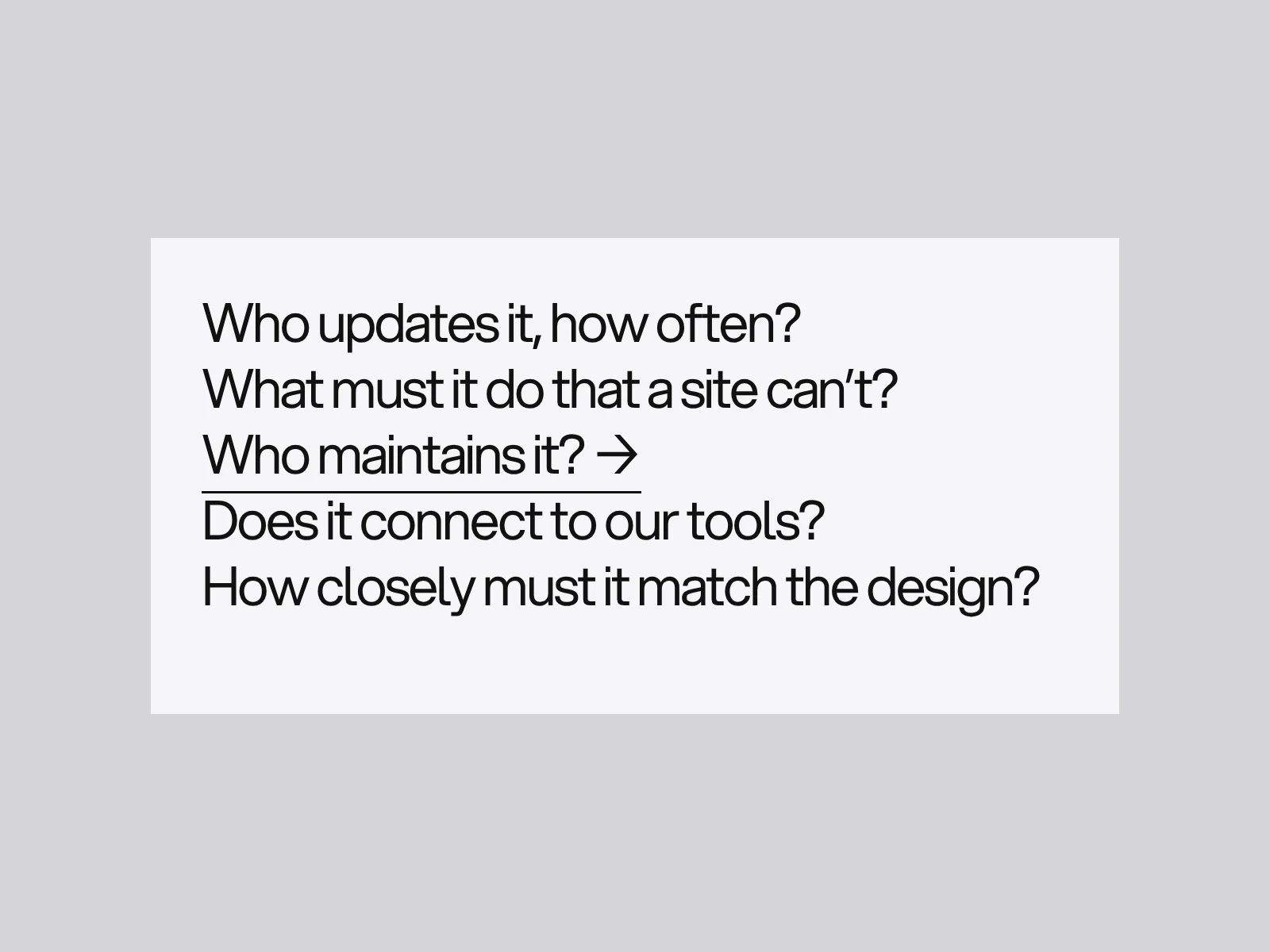
| Question | If the answer is... | Lean toward | Because |
|---|---|---|---|
| Who updates it, and how often? | Two or three people, weekly changes to text and images | Either | Both editors work for that; pick the one whose editor your team will actually use |
| What must it do that a plain site cannot? | Thousands of items, or queries across them | WordPress, or a headless set-up | Display limits and plan item caps make very large, query-heavy content harder on Webflow |
| What must it do that a plain site cannot? | Member logins | Neither natively | Webflow retired its own; WordPress needs a plugin, which is patch surface. Choose a membership tool first |
| Who maintains it? | Nobody on the team has time for plugin updates | Webflow | No plugin patch surface; the work moves to plan renewal and third-party tools |
| Who maintains it? | A developer or host is already on retainer | Either | The WordPress risk is manageable with an owner |
| Does it connect to our tools? | A WordPress-only plugin is required | WordPress | Check the integration before the design |
| Does it connect to our tools? | Standard marketing stack through embeds or automation | Either | Neither constrains it |
| How closely must it match the design? | A bespoke layout with custom motion | Webflow, or a custom theme | The visual build is the platform's strength; a WordPress theme can match it with development |
Speed: the platform explains less than the build
Neither platform makes a site fast by itself. Webflow's median mobile Lighthouse performance score of 58 shows that a visual builder's defaults do not guarantee a fast page. WordPress's 45% mobile pass rate is an average over very different builds, from lean custom themes to page-builder sites with many plugins, so it says little about any one site. What decides your result is image weight, fonts, third-party scripts and the first screen, which is the subject of Core Web Vitals explained.
Total cost: count the recurring jobs
Price lists change, and the blog comparisons of three-year cost disagree because they assume different maintenance hours. Count the recurring jobs and who does each:
| Recurring job | WordPress | Webflow |
|---|---|---|
| Core software updates | Automatic for minor and security releases | Platform |
| Plugin and theme updates | You, by default | Not applicable |
| Hosting, backups, PHP version | You or your host | Platform |
| Plan renewal | Host and licences | Site plan |
| Forms, memberships, search beyond the basics | Plugins | Third-party tools |
| A dependency changes or goes away | A plugin can be abandoned or replaced by the directory operator | A feature can be retired by the vendor, as User Accounts was |
Put an hour estimate and an owner on each line for your own site. That is a better comparison than any headline price.
Where this goes wrong
- A Webflow ceiling found after launch. It happens when the content model is never sized. Write down the biggest collection, its expected item count in two years and how many lists any page needs, then compare to the current plan limits before design starts.
- A WordPress site with 30 plugins and no owner. Each plugin adds script, style and a vulnerability surface, and nobody is responsible for it. List every plugin with its job and its owner, and remove those without both.
- Choosing for the builder, not the editors. The person who updates the site every week decides whether the platform works. Let them try the editor on a real page.
- Comparing platform averages. The pass rates above hide a spread wider than the gap between platforms, and the sources conflict. Test your own pages in PageSpeed Insights instead.
Moving between them
Switching is a redesign with extra steps: plan the structure, move the content, keep URLs where you can and map a 301 redirect for every address that changes. The website redesign SEO checklist covers the redirect map and launch checks, and it applies in both directions. Leaving Webflow means rebuilding forms, search and any commerce on the new system, because only the CMS content travels as CSV.
How we decide
Start from the five questions with the people who will edit and maintain the site. We build in Webflow, Framer and Shopify, as our FAQ says, and the same questions tell you what to ask whoever builds on another platform. A website design and development project typically takes 6 to 10 weeks, and the platform choice is best made in the alignment phase, before design starts. If you are weighing platforms, tell us what the site must do.
Frequently asked questions
Is Webflow better than WordPress for SEO?
Neither is better by default. Rankings depend on content, structure, speed and links. In the HTTP Archive Web Almanac 2025, Webflow's median Lighthouse SEO score was 100 and WordPress was around 92, but Lighthouse SEO only checks basic technical markup such as titles and crawlability. It does not predict rankings.
How many websites use WordPress and Webflow?
W3Techs reports WordPress on 39.5% of all websites and 58.3% of sites with a known CMS as of 28 October 2026. Webflow is on 0.8% of all websites and 1.2% of sites with a known CMS.
Are WordPress plugins the main security risk?
Mostly. Patchstack counted 11,334 new WordPress vulnerabilities in 2025, with 91% in plugins, 9% in themes and 6 in core. About 46% had no developer fix when they were disclosed, so removing unneeded plugins matters more than a fast update routine.
Can I export a Webflow site and host it somewhere else?
You can export the front end as static HTML, CSS and JavaScript. CMS collection content, forms, site search, e-commerce and user accounts do not work on exported files. The CMS content can be exported separately as CSV, so you would rebuild those features on the new system.
Does Webflow still support member logins and gated content?
Not natively. Webflow turned off its User Accounts feature on all sites on 29 January 2026 and removed its APIs and webhooks. Webflow pointed customers to third-party tools such as Outseta and Memberstack, so pick a membership tool before you design a gated area.
Can I move from WordPress to Webflow without losing SEO?
Yes, if you treat it as a redesign. Keep URLs wherever you can, set up a 301 redirect for every address that changes, move the content and metadata, then test the redirect map and run launch checks before going live.
Sources and fact check
Facts in this article that come from outside LAIN were checked on 28 Oct 2026 against:
- W3Techs: Usage statistics of content management systems
- W3Techs: Usage statistics of WordPress
- HTTP Archive: Web Almanac 2025, CMS chapter
- HTTP Archive: Web Almanac 2025, Performance chapter
- Patchstack: State of WordPress Security in 2026
- WordPress developer documentation: Upgrading WordPress and automatic updates
- Webflow Developers: Changelog, 29 January 2026, User Accounts sunset
- Webflow Help Center: Dynamic content limits
- Webflow Help Center: Code export
- WP Tavern: WordPress.org releases new Secure Custom Fields plugin
Timelines, services and process described here are LAIN's own, as set out on our About and FAQ pages.
[ From our work ]

[ Keep reading ]